Copying
182
2
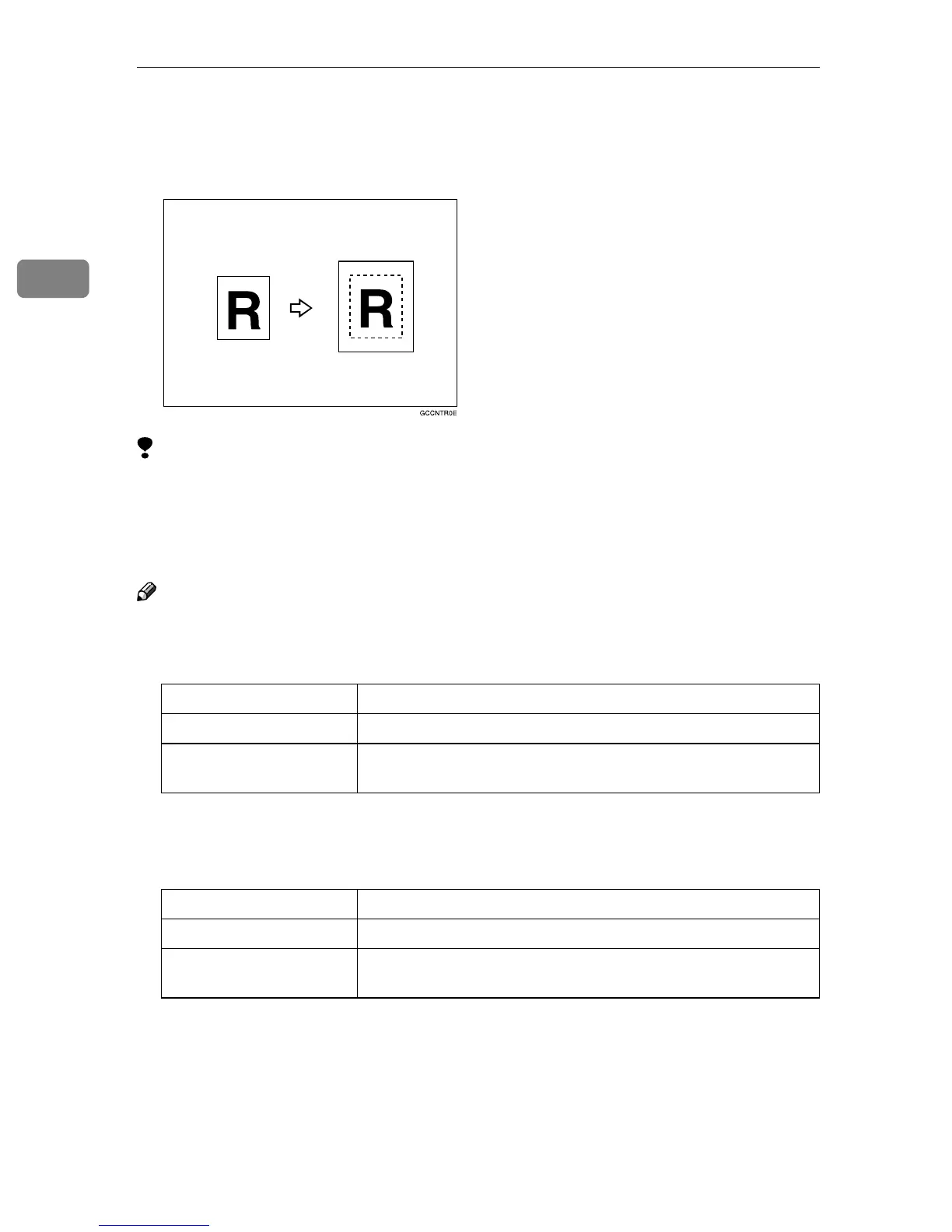
Centering
You can make copies by moving the image to the center of the copy paper.
Limitation
❒ You cannot use the bypass tray with this function.
❒ If the direction of originals is different from that of the copy paper, the ma-
chine will not rotate the image by 90°(rotated copy).
❒ If the original size cannot be measured, the centering function will not work.
Note
❒ The original sizes and directions for centering are listed below.
❖
❖❖
❖ Metric version
*1
You can select from 8
1
/
2
"
×
13", 8
1
/
4
"
×
13" and 8"
×
13" with the User Tools (Sys-
tem Settings). See ”<F/F4>Size Setting” in the System Settings manual.
❖
❖❖
❖ Inch version
*1
You can select from 8
1
/
2
"
×
13", 8
1
/
4
"
×
13" and 8"
×
13" with the User Tools (Sys-
tem Settings). See “<F/F4>Size Setting” in the System Settings manual.
Original placed on: Original size and direction
Exposure glass A3L, B4L, A4KL, B5KL, 8
1
/
2
" × 13"L
*1
, 8KL, 16KKL
Document feeder A3L, B4L, A4KL, B5KL, A5KL, B6KL, 11" × 17"L, 11"
× 15"L, 8
1
/
2
" × 11"KL, 8
1
/
2
" × 13"L
*1
Original placed on: Original size and direction
Exposure glass 11" × 17"L, 8
1
/
2
" × 14"L, 8
1
/
2
" × 11"KL
Document feeder A4KL, 11" × 17"L, 11" × 15"L, 8
1
/
2
" × 14"L, 8
1
/
2
" × 11"KL,
5
1
/
2
" × 8
1
/
2
"KL, 8
1
/
2
" × 13"L
*1



 To Next Page