Copying
90
2
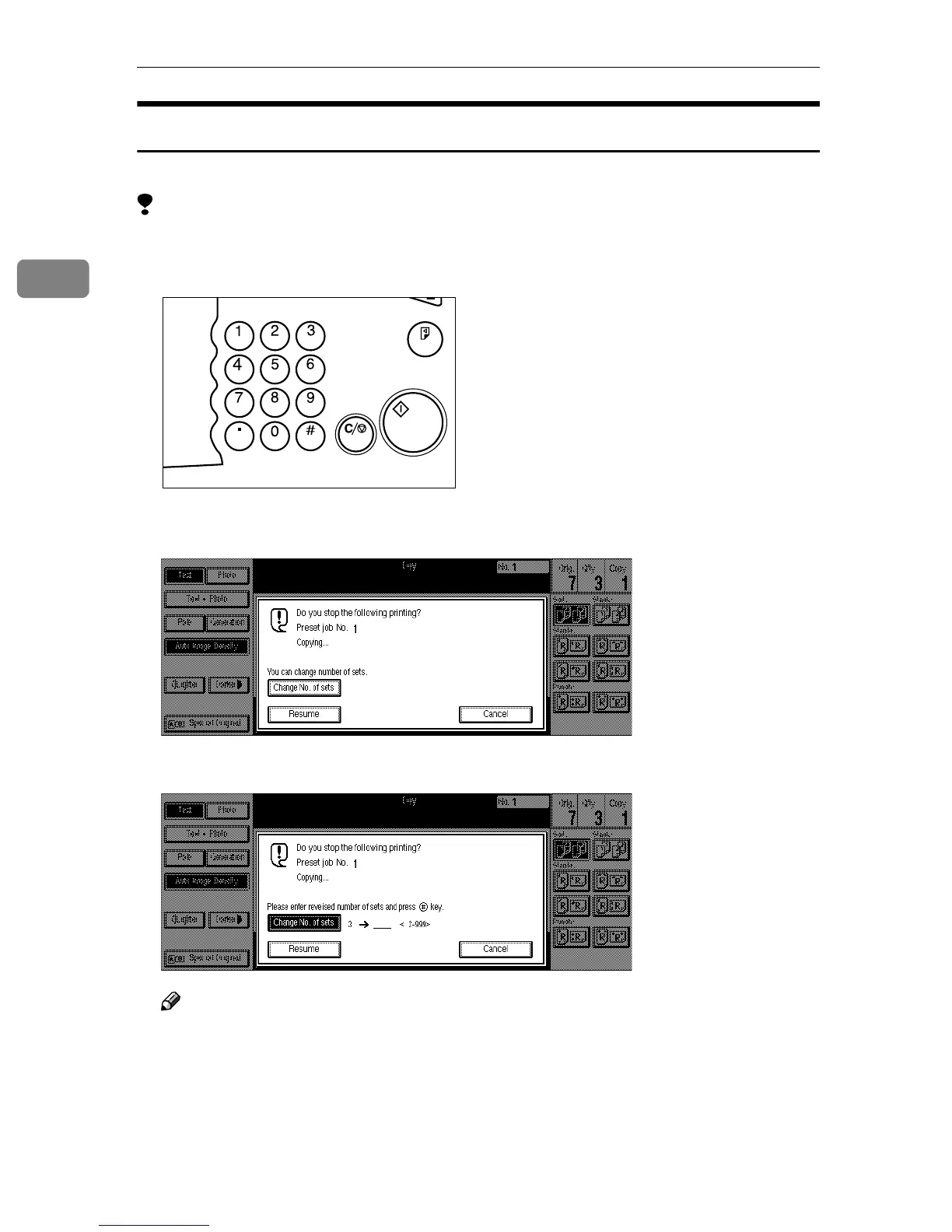
Changing the Number of Sets
You can change the number of copy sets during copying.
Limitation
❒ This function can be used only when the Sort function has been turned on.
A
AA
A
Press the {
{{
{Clear/Stop}
}}
} key when “Copying” is displayed.
B
BB
B
Press the [Change No. of sets] key.
C
CC
C
Enter the number of copy sets with the number keys, then press the {
{{
{#}
}}
} key.
Note
❒ The number of sets you can enter differs depending on the timing of press-
ing the {
{{
{Clear/Stop}
}}
} key.
❒ To change the entered number, press the {
{{
{Clear/Stop}
}}
} key.
Sample Copy
Clear/Stop
Start
Enter
TSPS020N



 To Next Page