Setting Originals
35
2
Setting Originals in the Document Feeder
Note
❒ The last page should be on the bottom.
❒ Do not stack originals beyond the limit mark on the side fence of the docu-
ment feeder.
❒ When copying thin originals (40 – 52 g/m
2
, 11 – 14 lb. Bond), set one original
in the document feeder at a time or place it on the exposure glass to avoid
damage due to a multi-sheet feed (several pages fed together at the same
time).
❒ The original might become dirty if it is written with a pencil or similar tools.
❒ Usually, one-sided originals are delivered to the ADF external tray, and two-
sided originals to the ADF tray.
Reference
Regarding originals that the document feeder can handle, see ⇒ p.23 “Origi-
nals”.
A
AA
A
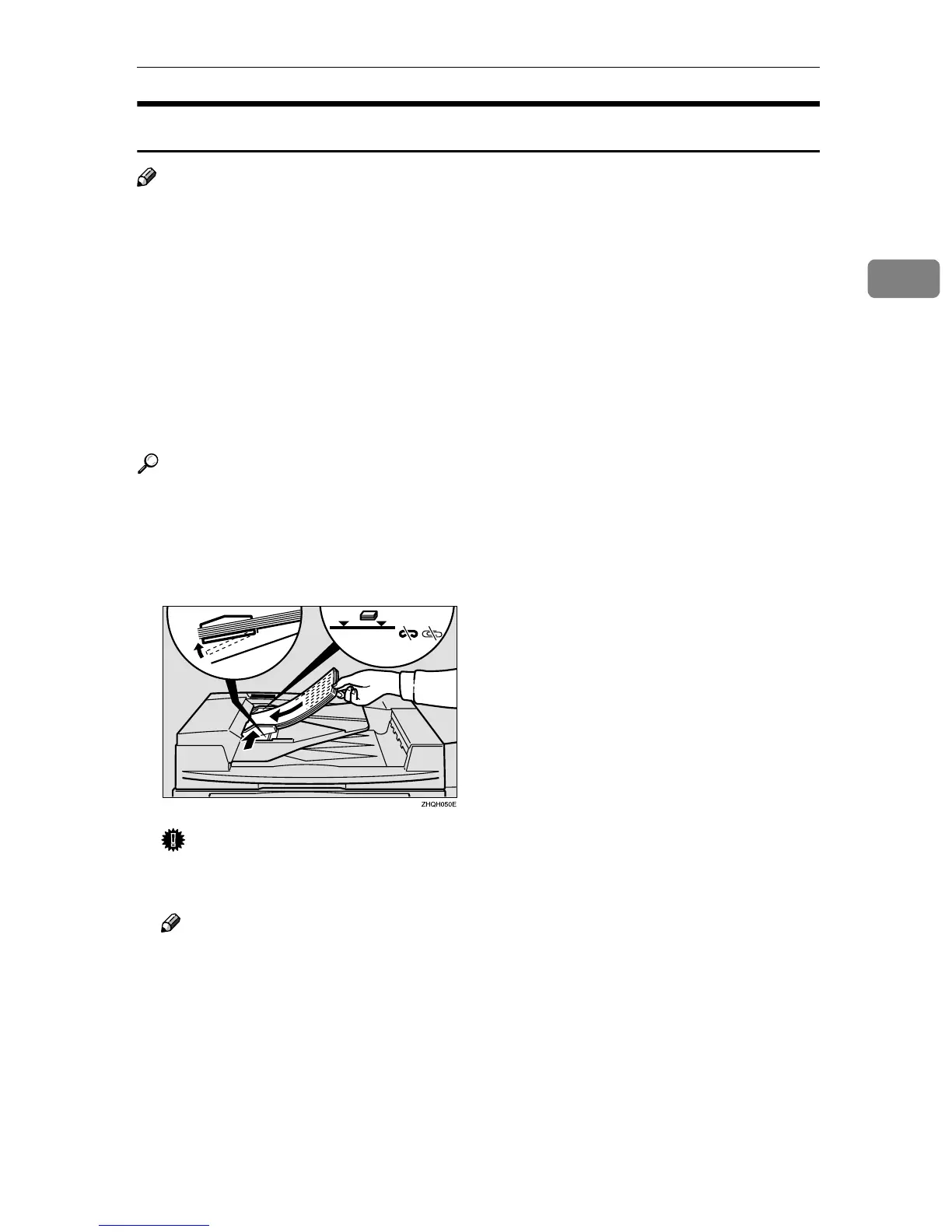
Set the aligned originals face up into the document feeder.
Setting a stack of originals is completed when the bottom plate rises.
Important
❒ After the bottom plate of the document feeder rises, do not add or force in
originals.
Note
❒ Straighten curls in the originals before setting them in the document feed-
er.
❒ To avoid a multi-sheet feed, shuffle the originals before setting them in the
document feeder.
❒ You can set the timing for the bottom plate of the document feeder to rise.
See “ARDF Original Table Rise Time” in ⇒ p.309 “Input/Output”.



 To Next Page