Troubleshooting
256
5
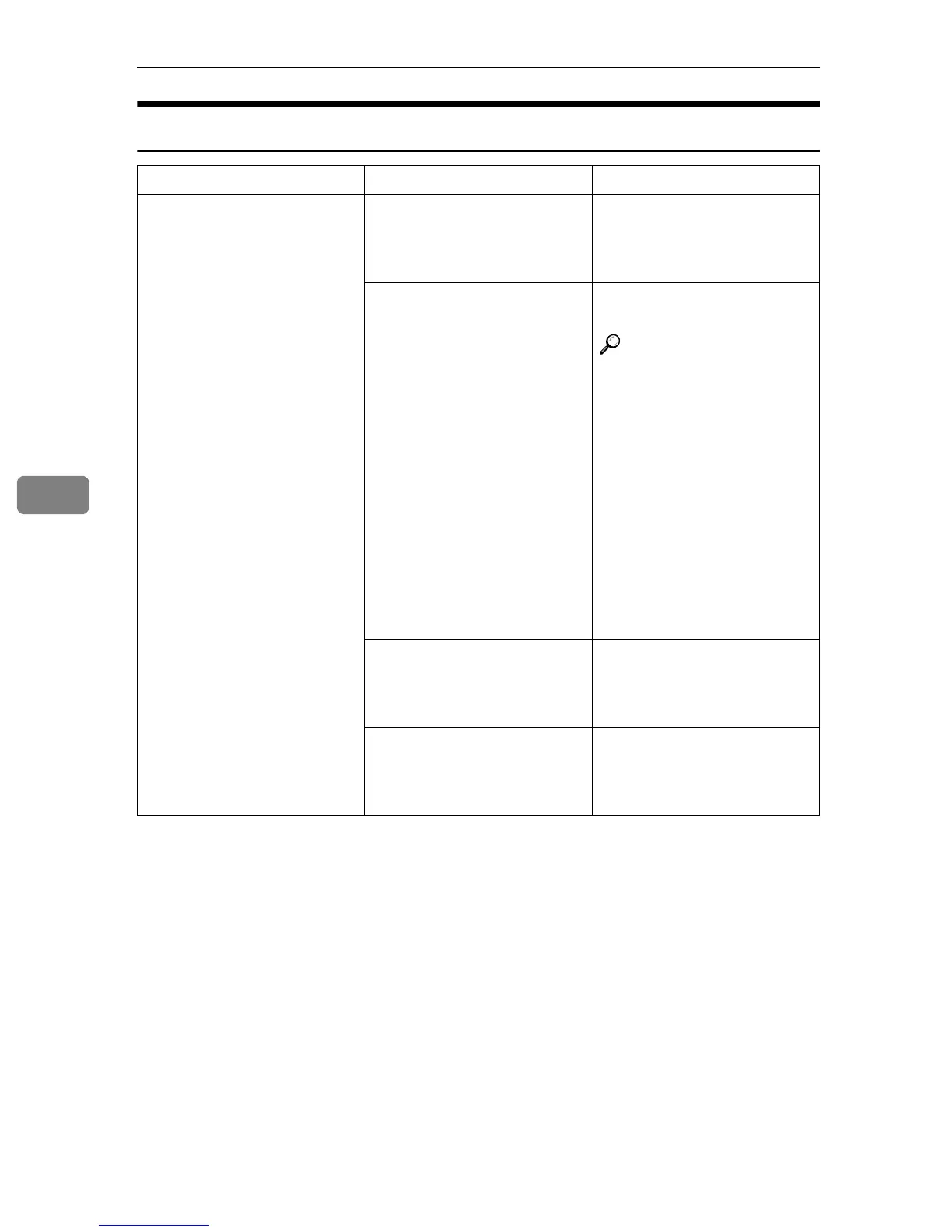
If You Cannot Exit Connect Copy
Machine Status Problem/Cause Action
Nothing happens when you
press the [
Connect
] key.
Originals are being scanned or
copied.
Press the master unit
{
{{
{
Clear/Stop
}
}}
} key and then
press the [
Cancel
] key to cancel
scanning or copying.
There is a paper misfeed in ei-
ther the master unit or sub-
unit.
Clear the paper misfeed in the
master unit or sub-unit.
Reference
⇒ p.270 “x Clearing Mis-
feeds”
⇒ p.283 “e Removing
Jammed Staples”
If the display shows that a
cover is open, follow the in-
structions given. For all other
situations, follow the instruc-
tions on the display.
To exit Connect Copy mode,
press the master unit
{
{{
{
Clear/Stop
}
}}
} key, then press
the [
Connect
] key.
The master unit {
{{
{
Clear/Stop
}
}}
}
key was pressed and scanning
of the original has been inter-
rupted.
To exit Connect Copy mode,
follow the instructions on the
display, then press the [
Can-
cel
] key.
The {
{{
{
Clear/Stop
}
}}
} key was
pressed on either the master
unit or sub-unit and copying
has been interrupted.
To exit Connect Copy mode,
follow the instructions on the
display, then press the [
Can-
cel
] key.



 To Next Page