Originals
25
1
Sizes difficult to detect
It is difficult for the machine to detect the sizes of the following originals, so se-
lect the paper size manually.
• Originals with indexes, tags, or other projecting parts
• Transparent originals such as OHP transparencies or translucent paper
• Dark originals with many letters and drawings
• Originals which partially contain a solid image
• Originals which have solid images at their edges
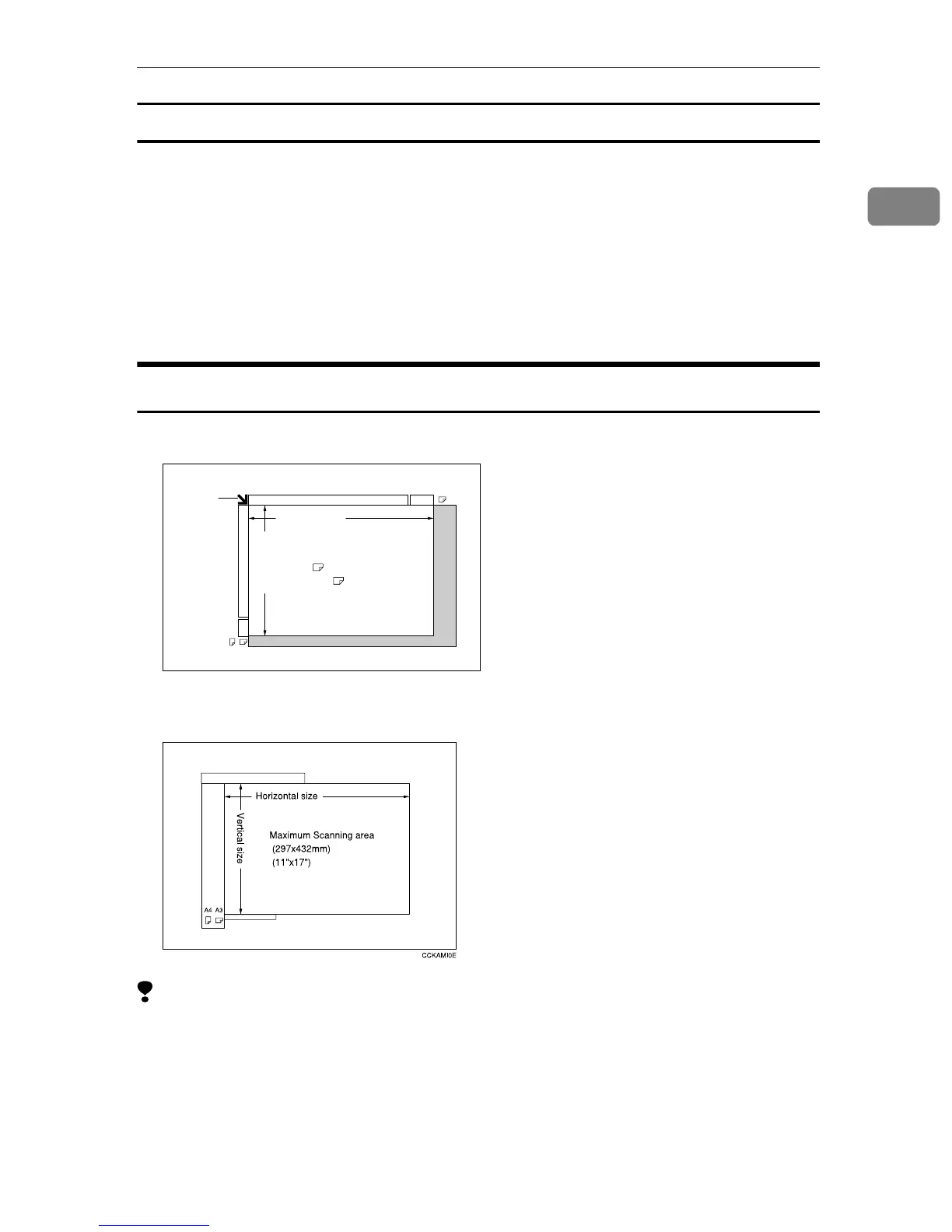
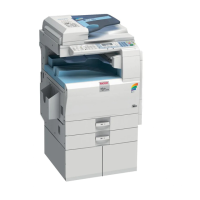
Missing Image Area
❖
❖❖
❖ Exposure glass
❖
❖❖
❖ Document feeder
Limitation
❒ Even if you correctly set originals in the document feeder or on the exposure
glass, 3 mm (0.1") margins on all four sides might not be copied.
A3
A3A4
Horizontal size
Vertical size
Reference
position
Maximum Scanning area
A3 (297x420mm)
11"x17" (279x432mm)
CP01AEE



 To Next Page