y Removing Punch Waste
285
5
y
yy
y Removing Punch Waste
Note
❒ While “Hole Punch Receptacle Full.” is displayed, you cannot use the Punch
function.
50-Sheet Finisher
A
AA
A
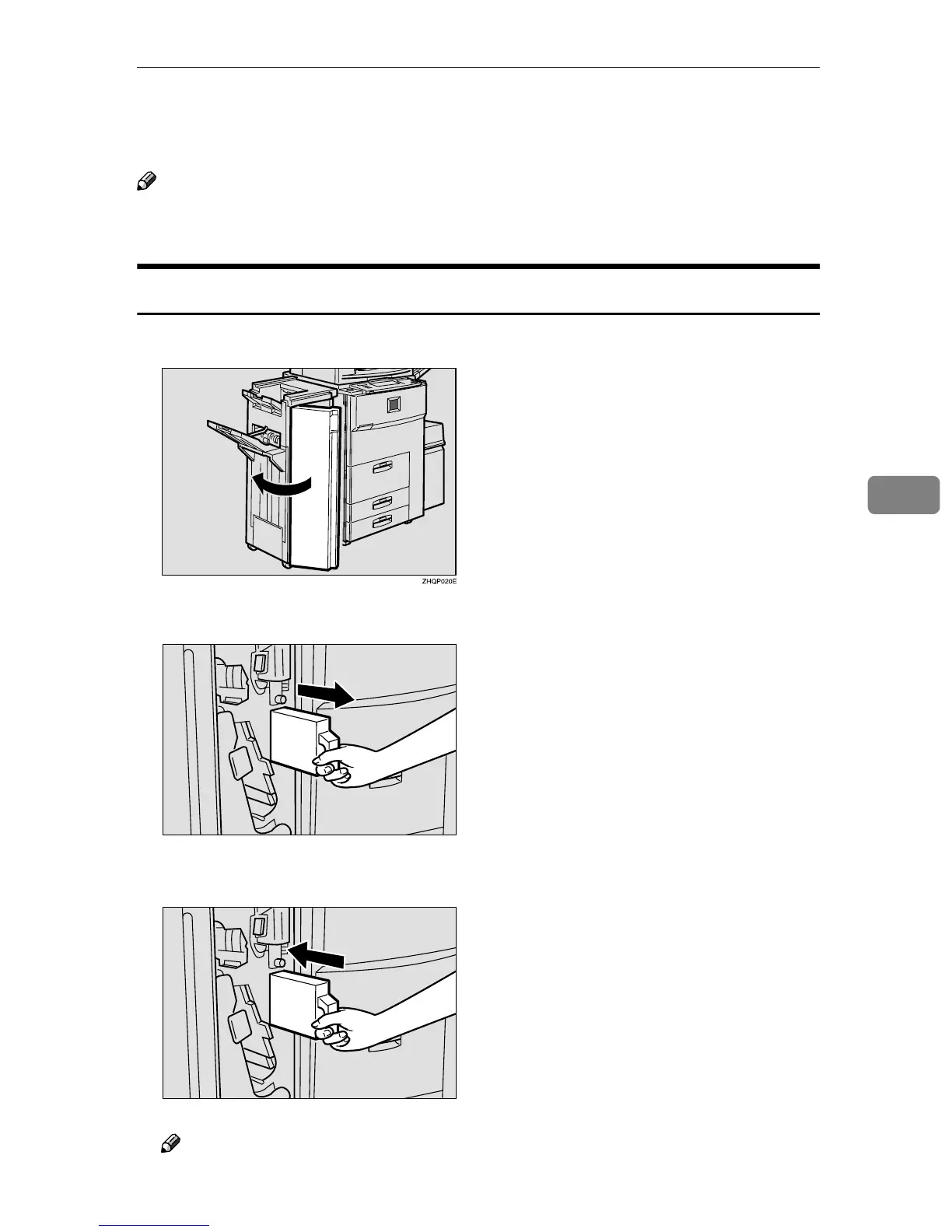
Open the front cover of the finisher.
B
BB
B
Pull out the punch waste box and remove punch waste.
C
CC
C
Reinstall the punch waste box.
Note
❒ If you do not, “Hole Punch Receptacle Full.” is still displayed.
ZBQP450E
ZBQP460E



 To Next Page