15
8. Displays the contents of the
Shortcut keys. You can register fre-
quently used functions in these
keys. See “Shortcut Keys” in ⇒
⇒⇒
⇒
p.296 “General Features
3
/
3
”.
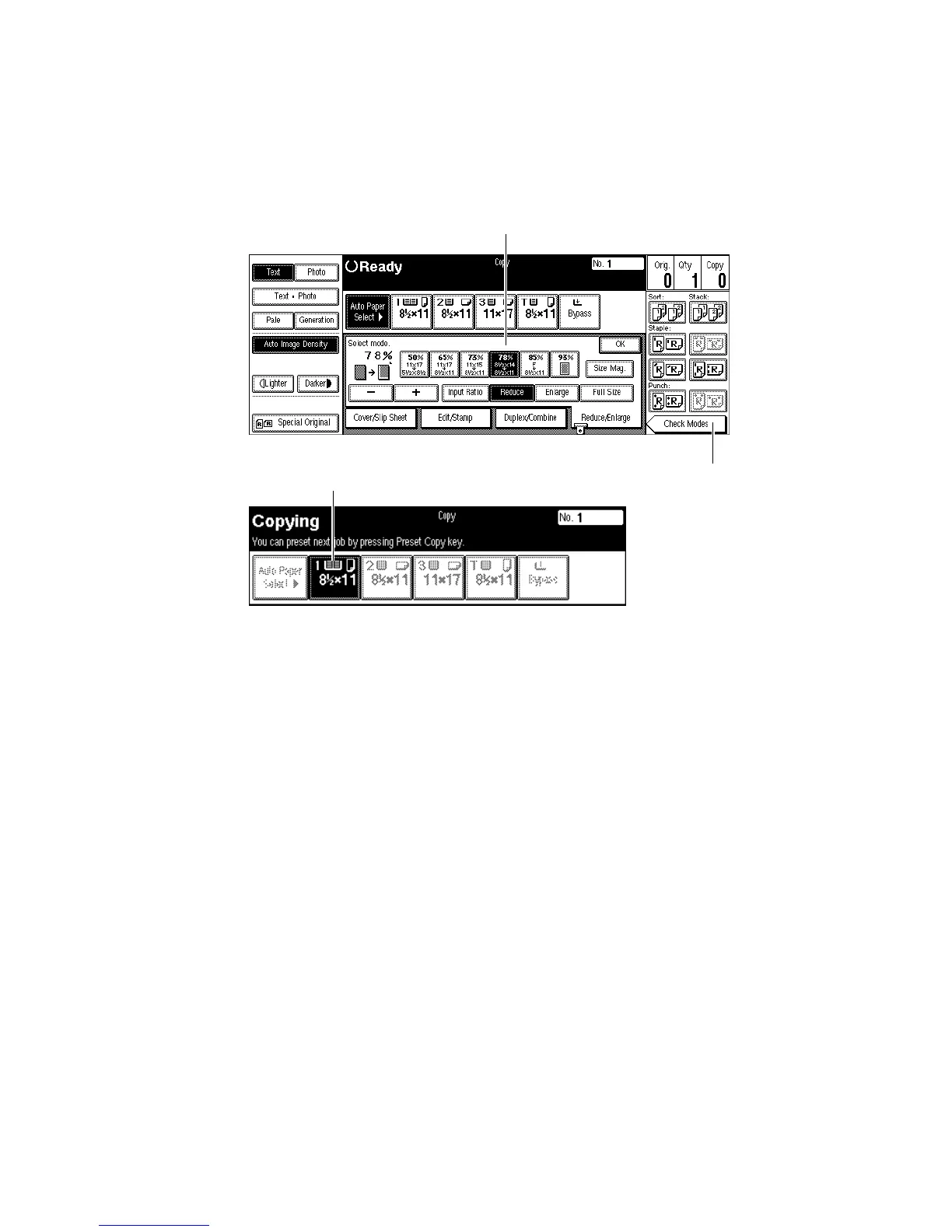
9. Shows the available functions.
Press a function name to display its
menu. For example, press the [Re-
duce/Enlarge] key to bring up the Re-
duce/Enlarge menu.
❖
❖❖
❖ Function menu
1. Items you can select.
2. The [Check Modes] key appears
when you have selected function(s).
Press this key to view the functions
currently selected.
3. The key highlighted with the
lower line underlined indicates the
tray feeding the paper.
1
3
2
ZBQS060N



 To Next Page