Changing the Paper Size
279
5
C
CC
C
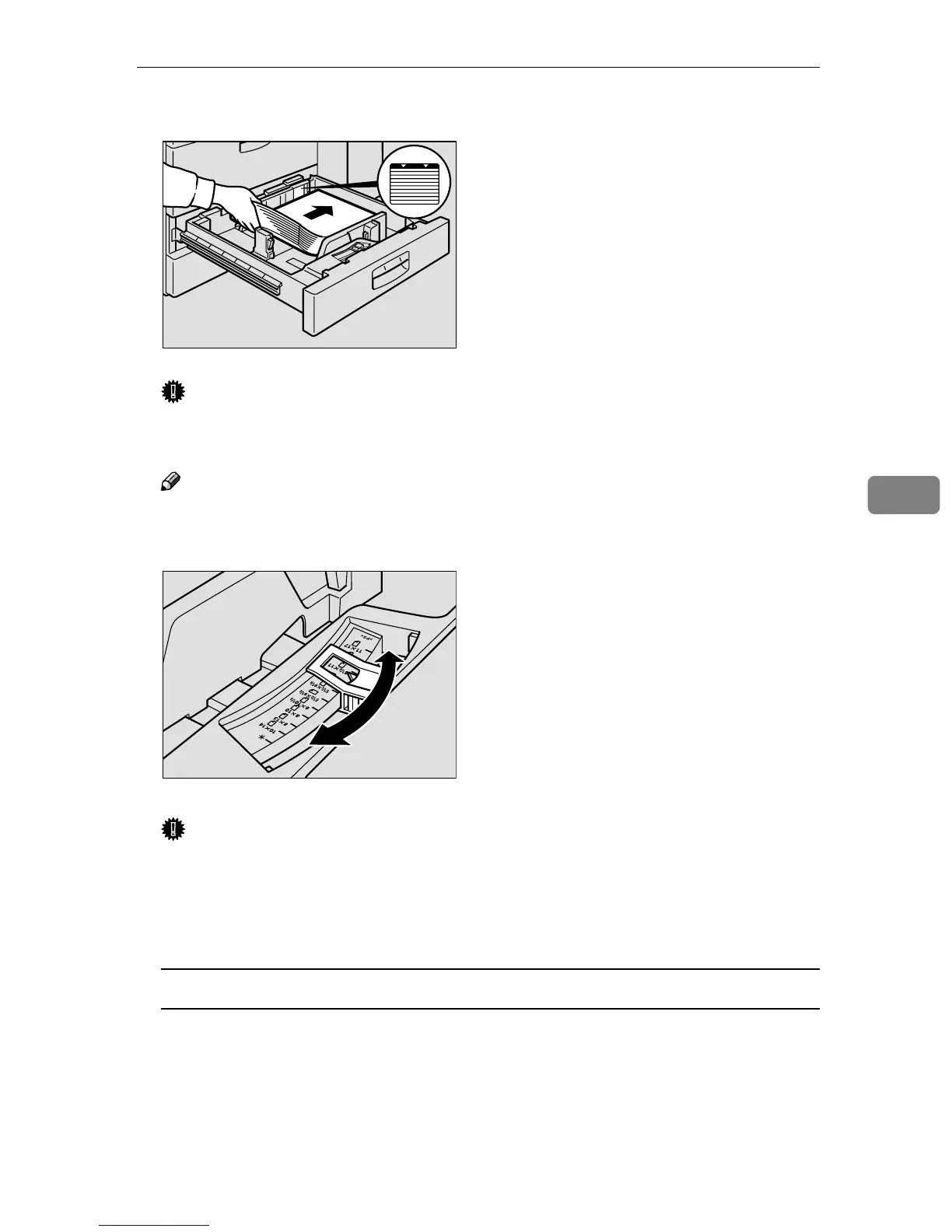
Square the paper and set it in the tray.
Important
❒ Do not stack paper over the limit mark.
❒ Make sure that the paper stack is flush with the right side fence.
Note
❒ Straighten the paper, if curled or warped, before placing it in the tray.
D
DD
D
Set the paper size selector inside the tray to the new paper size.
Important
❒ Problems might occur if the size of the paper set , does not match the paper
size selector.
• Misfeed's
• Parts of the image are not copied
To adjust the paper size to one not available with the paper size selector
A Set the paper size selector knob to the p
pp
p mark on the left.
B Press the {
{{
{User Tools/Counter}
}}
} key.
C Press the [System Settings] key.
D Press the [Paper Size Setting] key.
E Press the [Tray 2:Paper Size Setting] key.
ZBQY050E
ZBQY160N



 To Next Page