User Tools (System Settings)
12
1
Auto Tray Switching When using Auto Paper Select, if you load paper of the same size
in two or more trays, regardless of the paper direction, the ma-
chine automatically shifts to the other tray when the tray in use
runs out of paper. This function is called “Auto Tray Switching”.
You can enable or disable this function.
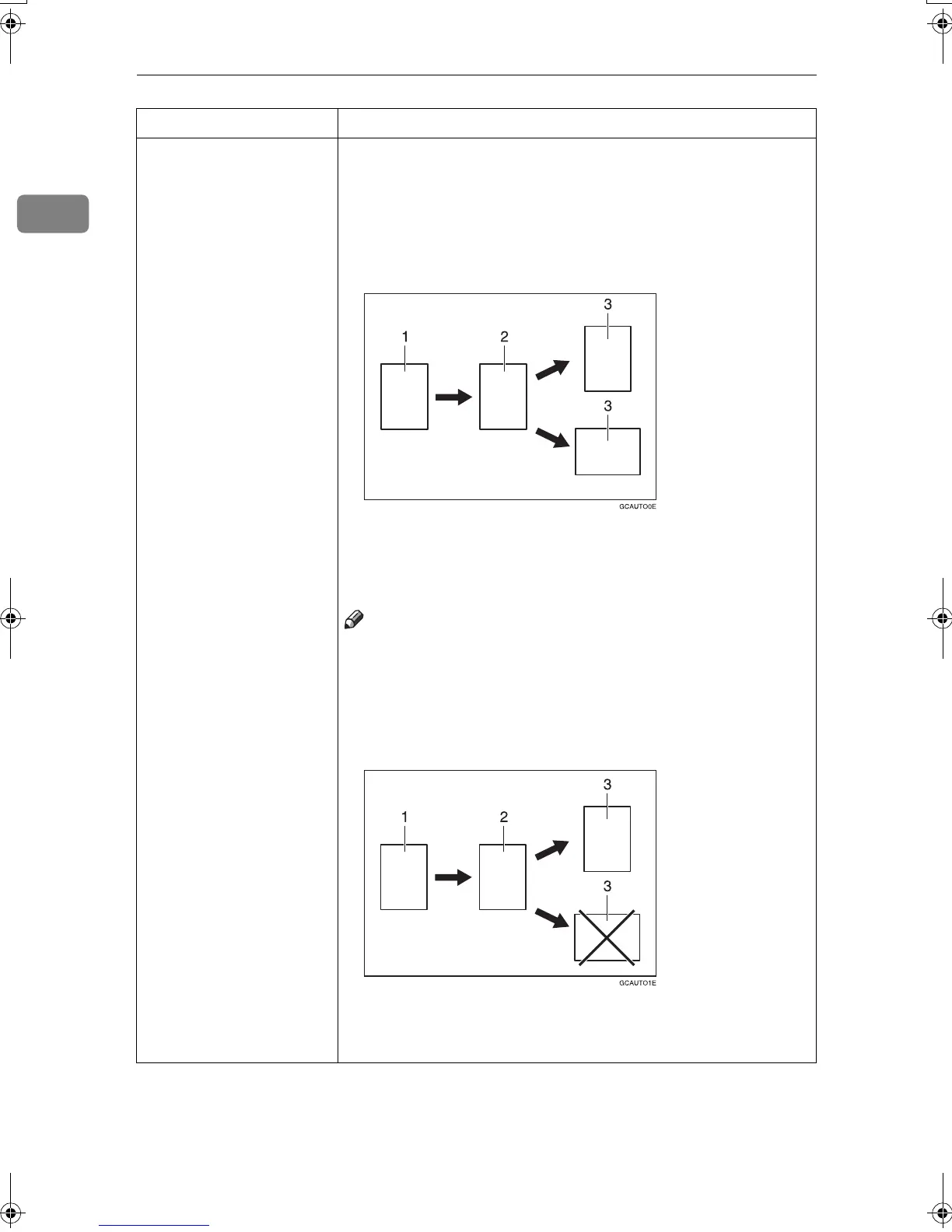
• If you select [On (Rotate)]
The Auto Tray Switching function will take place for copying.
1: Original
2: Copy Paper (Tray 1)
3: Copy Paper (Other Trays)
Note
❒ The original image may not be rotated depending on the com-
bination of selected functions.
• If you select [On (No Rotate)]
Only when paper of the same size and direction is loaded, the
machine will continue copying. If not, the machine will stop
copying and instruct you to load paper.
1: Original
2: Copy Paper (Tray 1)
3: Copy Paper (Other Trays)
Menu Description
MojitoC2b_GBsys_F_FM.book Page 12 Wednesday, July 31, 2002 2:16 PM



 To Next Page