Sort/Stack/Staple
57
2
❖
❖❖
❖ Inch version
❖
❖❖
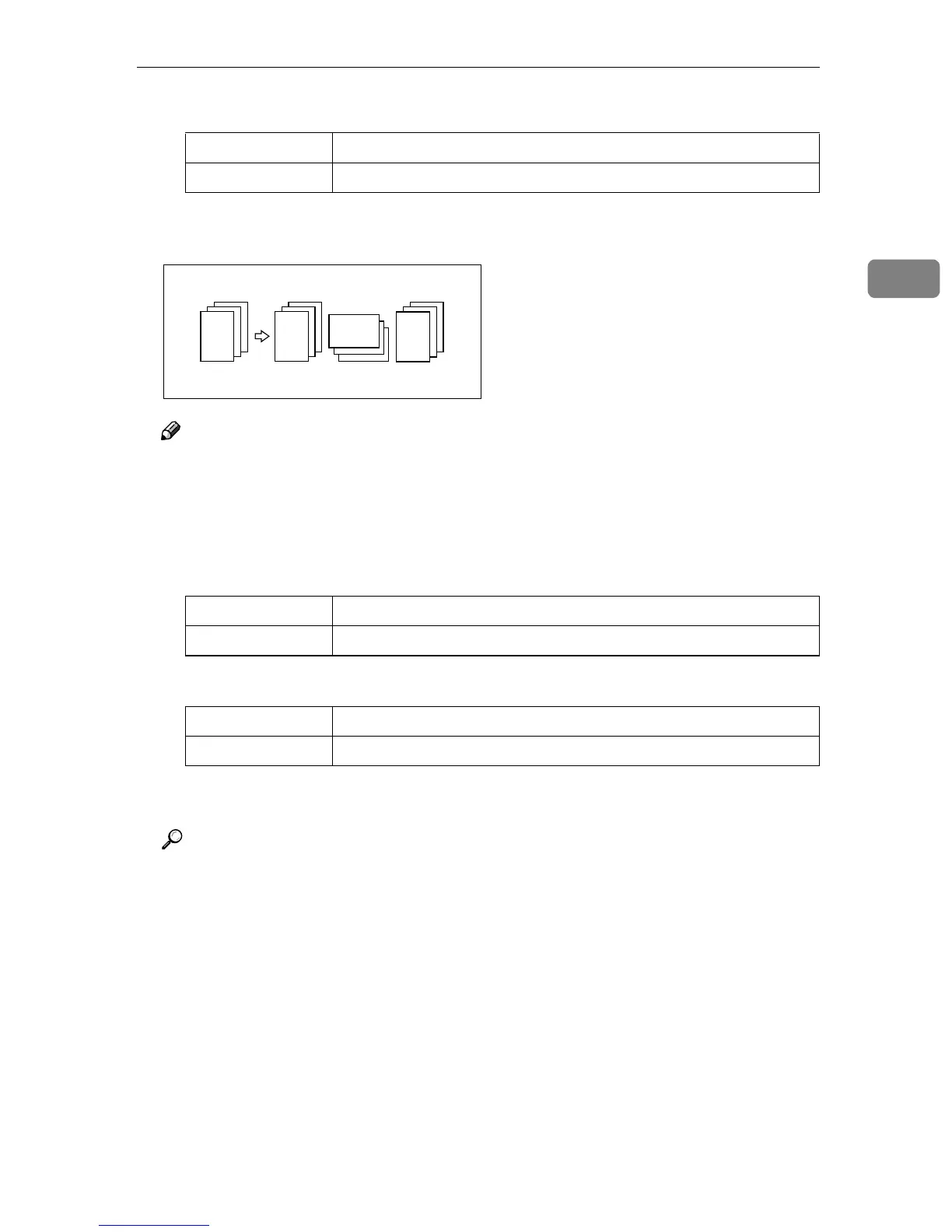
❖ Rotate Sort
Every other copy set is rotated by 90°KL and delivered to the copy tray.
Note
❒ When the optional finisher is installed, you can switch to or from the Ro-
tate Sort function with the User Tools. See “Select Stack or Rotate sort” in
⇒ p.309 “Input/Output”.
❒ The paper sizes that can be used in the Rotate Sort function are as follows:
❖
❖❖
❖ Metric version
❖
❖❖
❖ Inch version
❒ To use the Rotate Sort function, two paper trays identical in size and dif-
ferent in direction (KL) are required.
Reference
For the paper capacity of the optional finisher, see ⇒ p.323 “50-Sheet Fin-
isher (Option)” .
Output tray 11" × 17"L , 8
1
/
2
" × 14"L, 8
1
/
2
" × 11"KL
50-Sheet Finisher 11" × 17"L, 8
1
/
2
" × 14"L, 8
1
/
2
" × 11"KL
Output tray A4KL, B5KL, A5KL, 8
1
/
2
" × 11"KL, 8KL, 16KKL
50-Sheet Finisher A4KL, B5KL, A5KL
Output tray 8
1
/
2
" × 11"KL
50-Sheet Finisher 8
1
/
2
" × 11"KL
2
1
3
2
1
3
2
1
3
2
1
3



 To Next Page