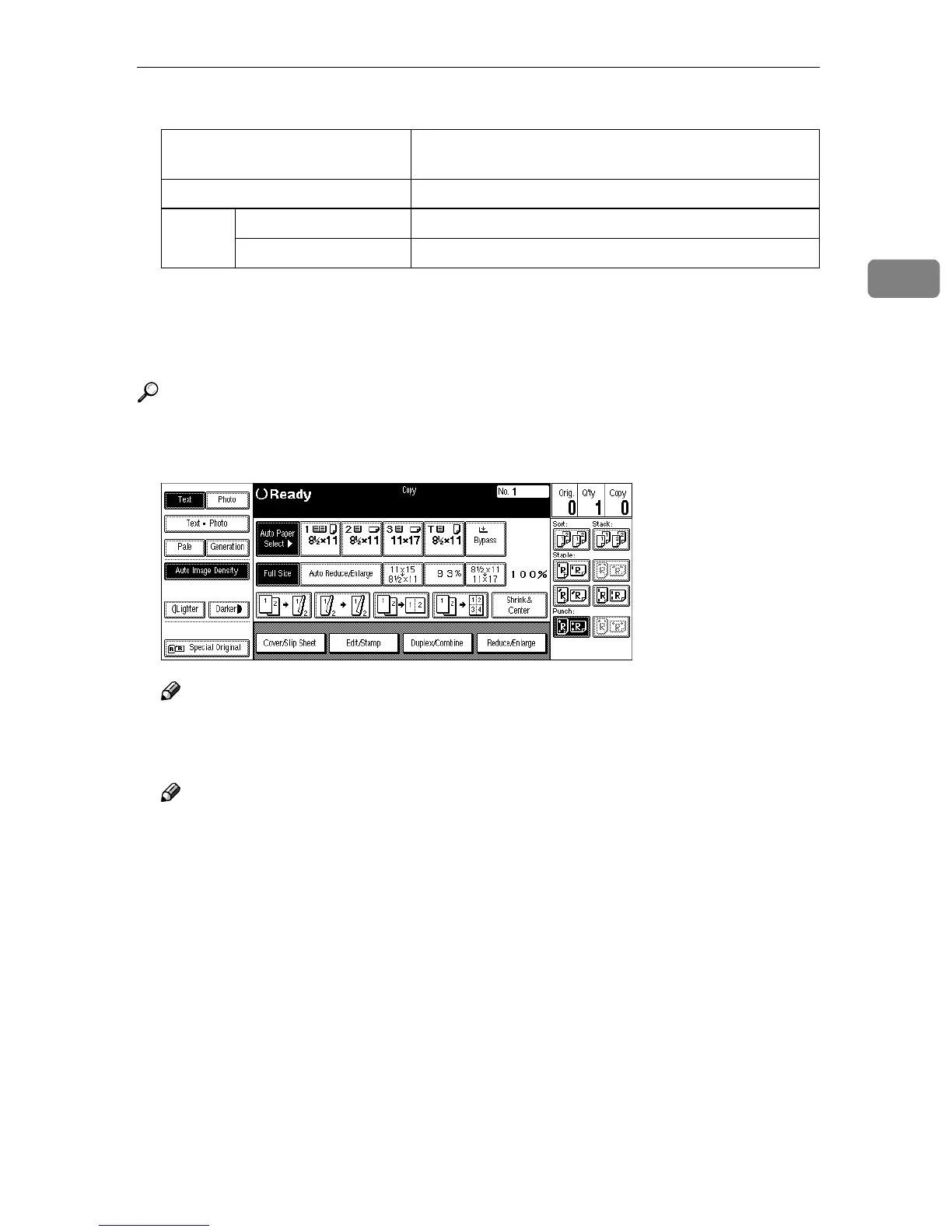
Punch
69
2
❒ Punchable paper sizes are as follows:
❒ Since punch holes are made in each copy, the punch hole positions vary
slightly.
❒ The punch hole positions change according to the direction of the paper se-
lected.
Reference
If the punch waste box fills up, see ⇒ p.285 “y Removing Punch Waste”.
A
AA
A
Select the Punch position.
Note
❒ When stapling copies, also select a stapling position. See ⇒ p.61 “Staple”.
B
BB
B
Enter the number of copy sets with the number keys.
Note
❒ To change the entered number, press the {
{{
{Clear/Stop}
}}
} key.
❒ If you wish to use the Sort function, press the [Sort] key.
C
CC
C
Set your originals, then press the {
{{
{Start}
}}
} key.
2 holes A3L – A5KL, 11" × 17"L, 8
1
/
2
" × 14"L – 5
1
/
2
" ×
8
1
/
2
"KL
3 holes A3L, B4L, A4K, B5K, 11" × 17"L, 8
1
/
2
" × 11"K
4 holes Metric version A3L, A4K, 11" × 17"L, 8
1
/
2
" × 11"K
Narrow 2 × 2 version A3L – A5K, 11" × 17"L, 8
1
/
2
" × 14"L – 5
1
/
2
" × 8
1
/
2
"K



 To Next Page