4.System Maintenance
107
Fiery Update feature on the Command WorkStation
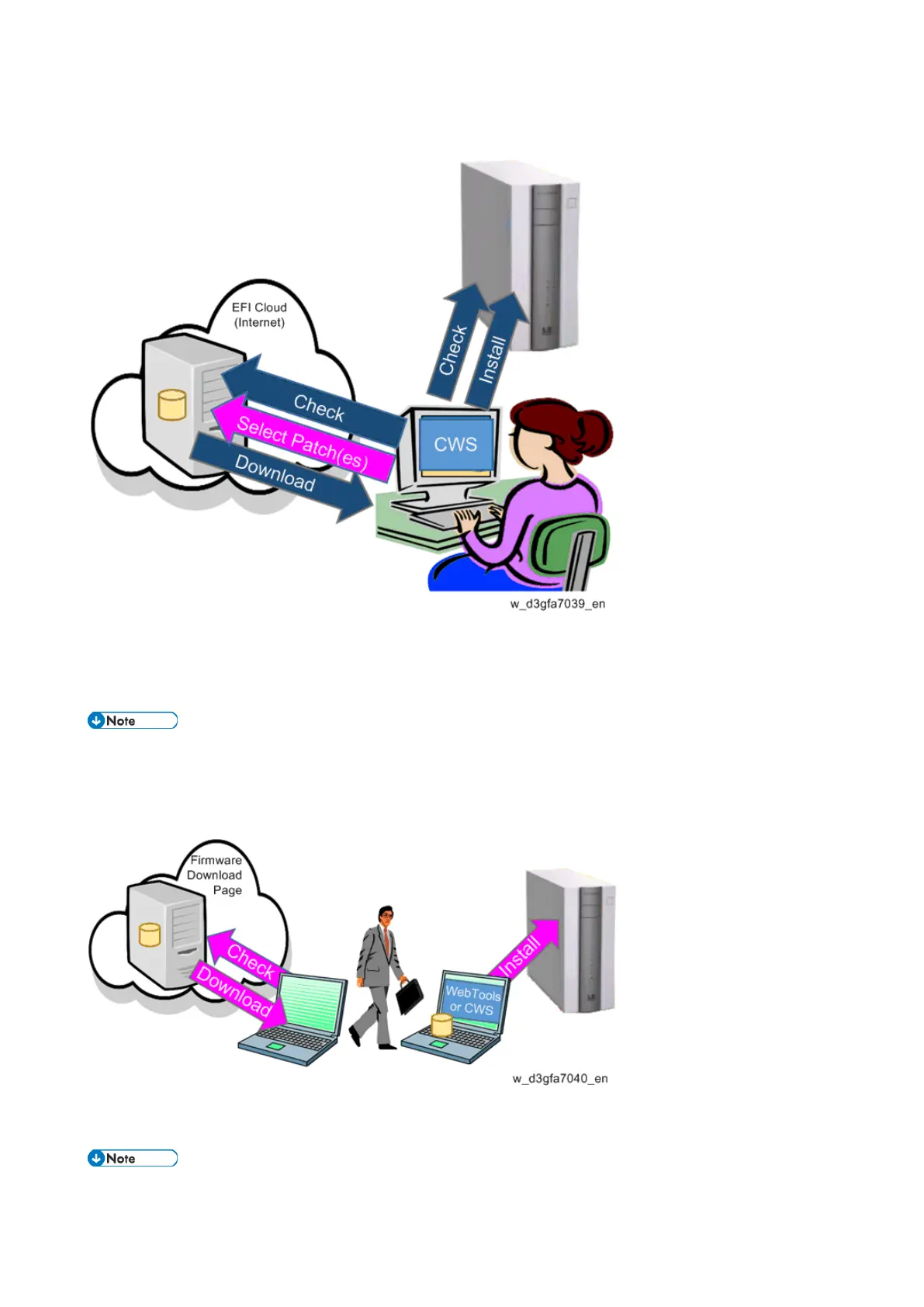
The Command WorkStation periodically checks for new update items for E-25C. Customer / field
technician selects the patch(es) from the list of available patches for E-25C. Download and installation
are performed automatically.
Updates are performed from Client PC with internet connection.
E-25C does not have to be connected to the internet.
Manual Patch Installation
Download the individual patch(es) to the PC from the firmware download site, visit the customer site,
and install the patch(es) one by one by using the WebTools or Command WorkStation.
The patch installation procedure may vary depending on the patch.



 To Next Page