3.Replacement
79
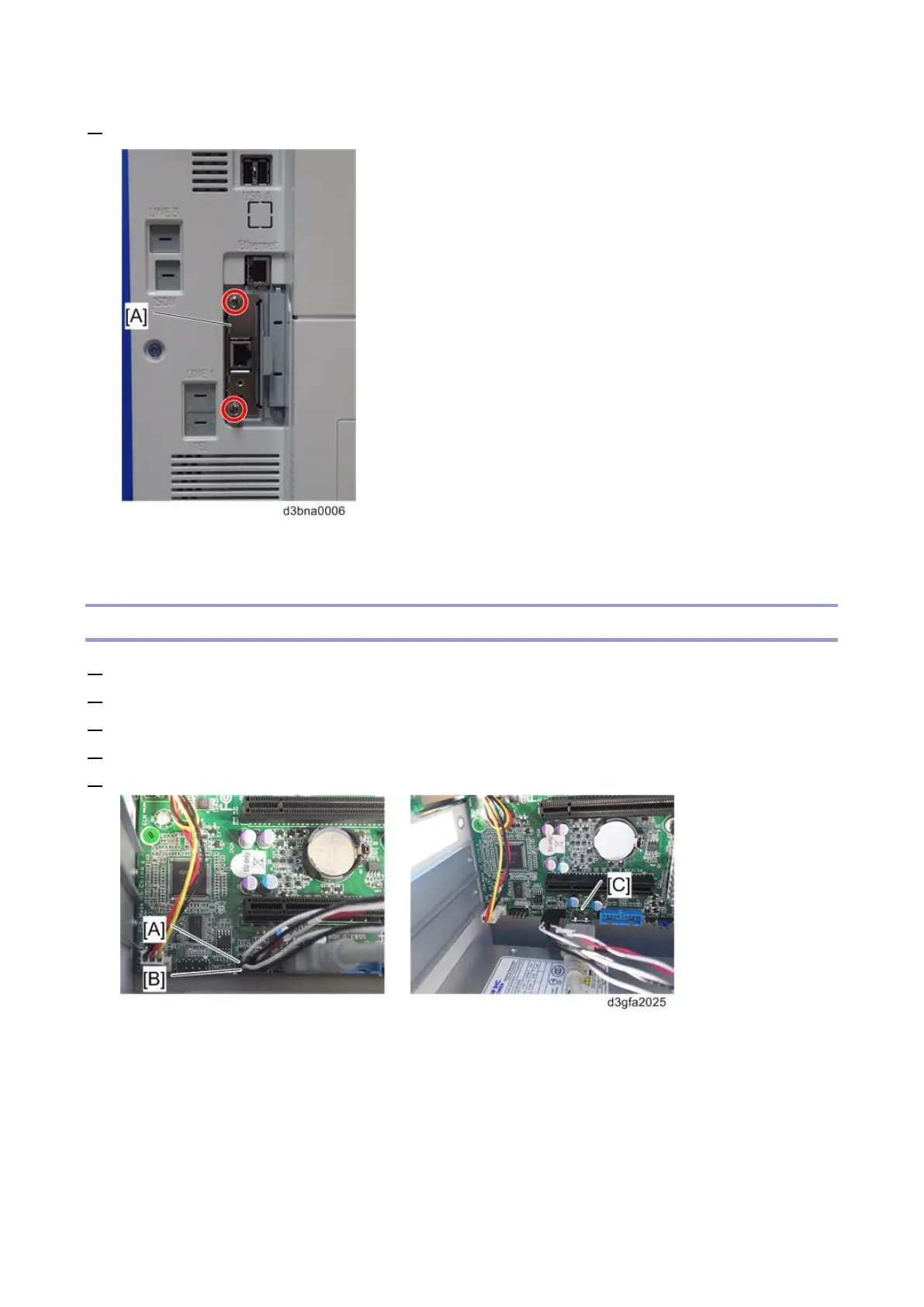
2. Remove the Gigabit Ethernet controller [A].
For Re-assembling:
Make sure that the Gigabit Ethernet controller is inserted straight.
Cables Connected to the Front Panel
1. Remove the side cover. [Link to Side Cover for the E-25C]
2. Remove the video board. [Link to Video Board]
3. Remove the Power LED cable [A] from J11.
4. Remove the HDD LED cable [B] from J11.
5. Remove the front panel USB port cable [C] from J13.



 To Next Page