3.Replacement
70
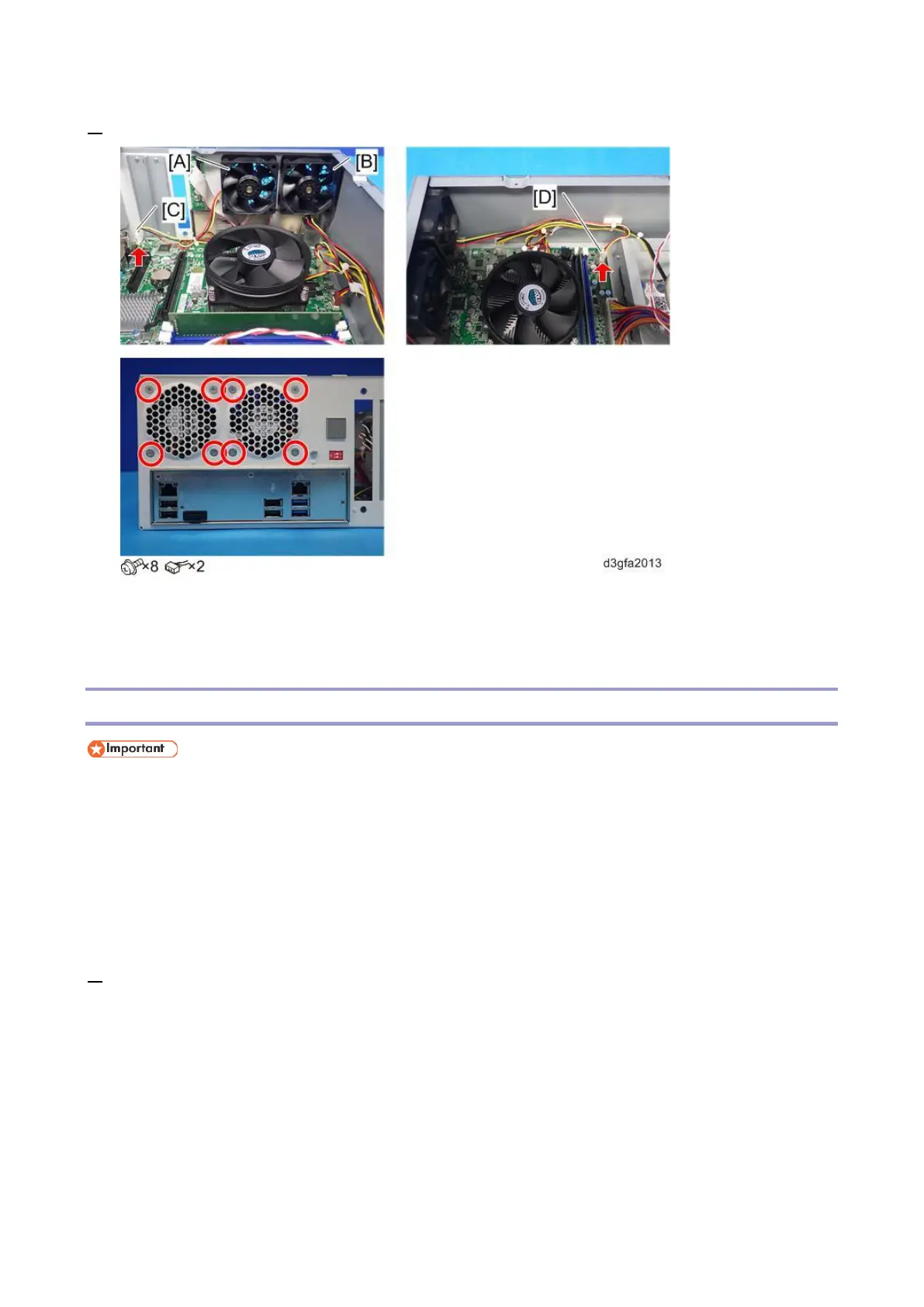
3. Remove the fans [A] and [B].
For reassembling:
Connect [C] to the "REAR FAN" connector on the motherboard.
Connect [D] to the "FRONT FAN" connector on the motherboard.
Motherboard
When you replace the motherboard, move the CPU, CPU cooling assembly, video board,
memory (DIMM), Keychip, and the CPU holder bracket from the old board to the new board.
The Keychip contains the license information of the E-25C controller and the activated optional
features, which is very expensive. When you replace the motherboard, do not forget to move
the key chip from the old board to the new board.
You need to re-configure the system date, time, and time zone. [Link to Adjusting the System Date and
Time]
1. Remove the video board [Link to Video Board]



 To Next Page