1.Installation
11
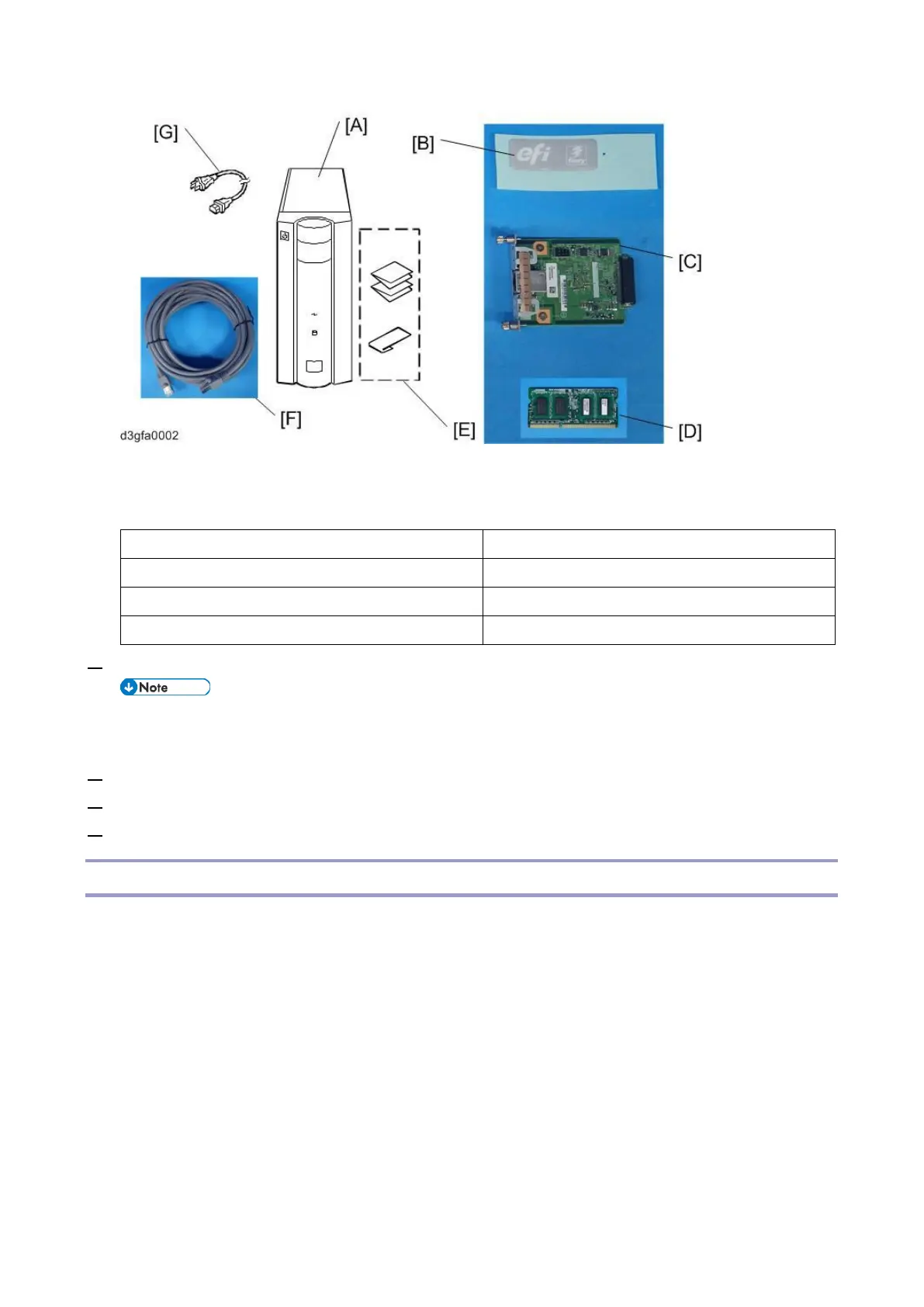
[E]: Instructions Package
[C]: Gigabit Ethernet PCB
3. Give the Instructions Package [E] to the site administrator.
The instructions package contains a sheet describing the instructions on how and from where the
customer can procure the user software, printer driver and user manuals.
4. Take the remaining components out of the top container.
5. Remove the top container and any packing materials.
6. Carefully lift the E-25C out of the box.
Front and Rear Panels
After unpacking the E-25C, familiarize yourself with the front and rear panels before you connect the E-
25C to the Copier.



 To Next Page