No. Icon Description
10
Press to enter the subject of the e-mail.
11
Press to enter the main text of the e-mail.
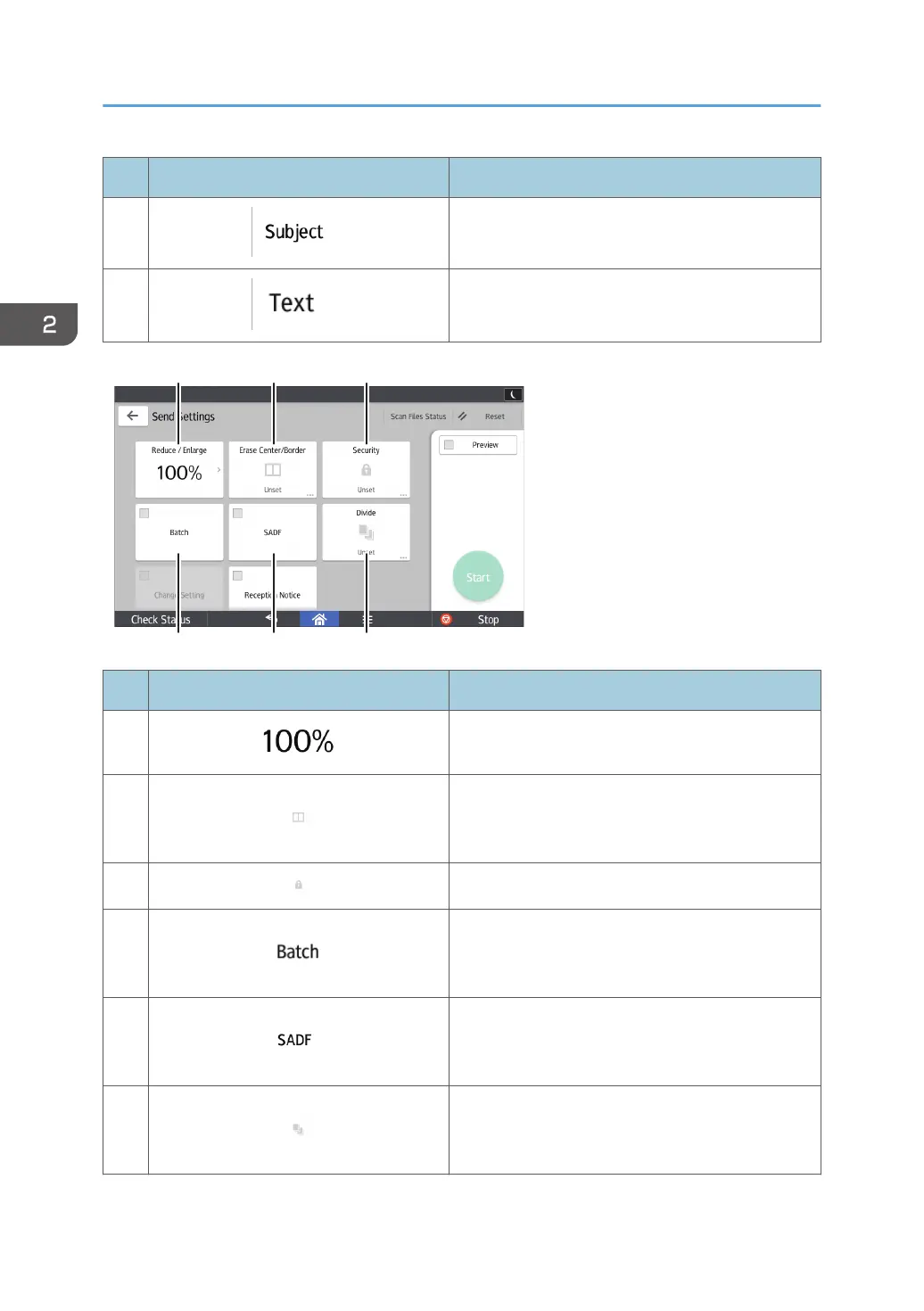
No. Icon Description
12
Press to specify the magnification ratio for scanning
the original.
13
Press to erase the image from a specified width
around the document and in the center of the
document when the document is scanned.
14
Press to sign and encrypt the e-mail.
15
Press to scan a large number of originals in several
batches and send them together as a single job.
You can place multi-page originals in the ADF.
16
Press to scan a large number of originals in several
batches and send them together as a single job.
Place the originals in the ADF one by one.
17
Press to divide a multi-page original into parts of a
specified number of pages each, and then send the
documents.
2. Getting Started
64



 To Next Page