2.Replacement and Adjustment
16
2. Replacement and Adjustment
Removing the Internal Finisher
1. Disconnect the interface cable connected to the main machine.
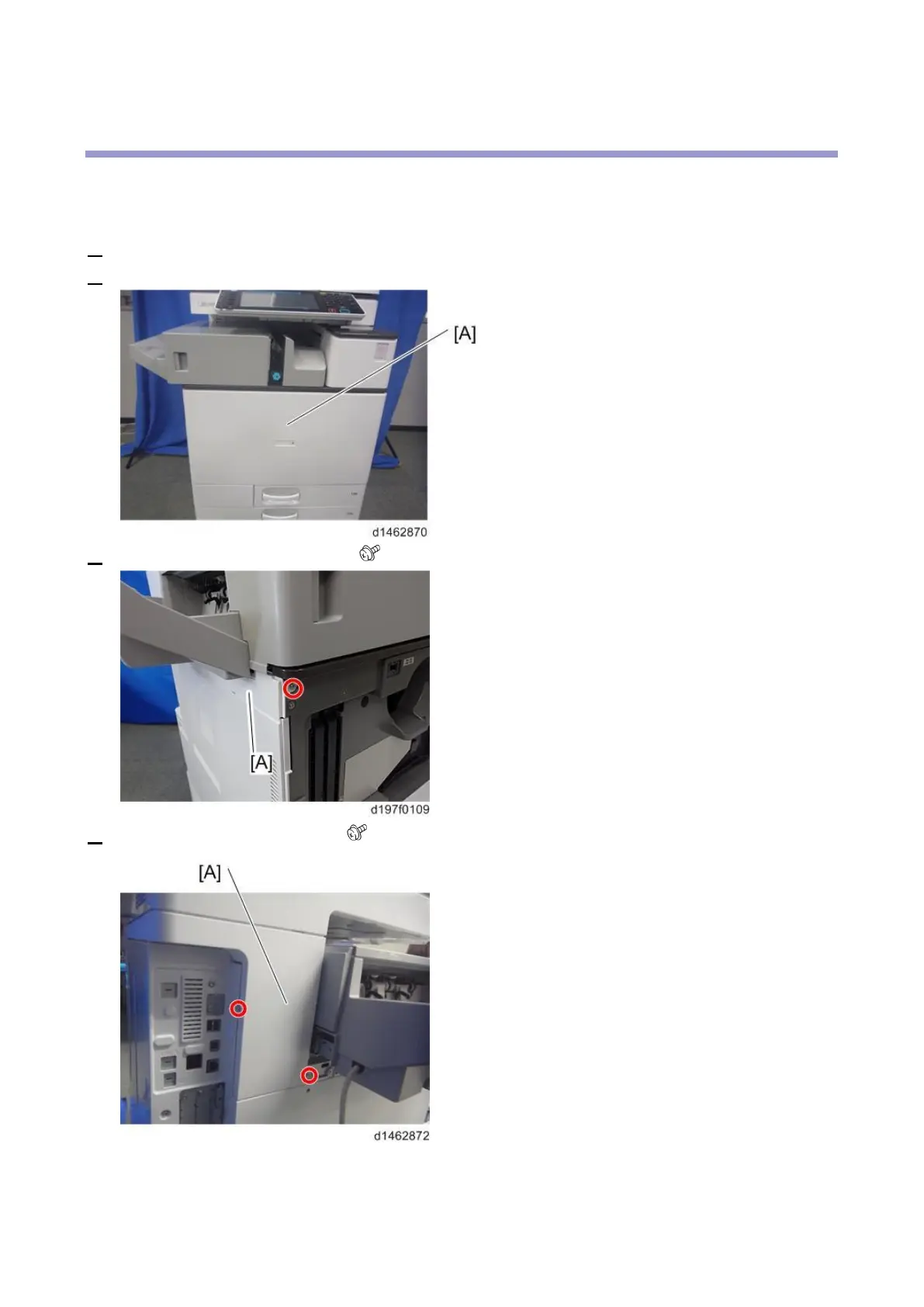
2. Open the front cover [A].
3. Remove the left upper cover [A] ( ×1).
4. Remove the left rear cover [A] ( ×2, hook×1).



 To Next Page