2.Replacement and Adjustment
25
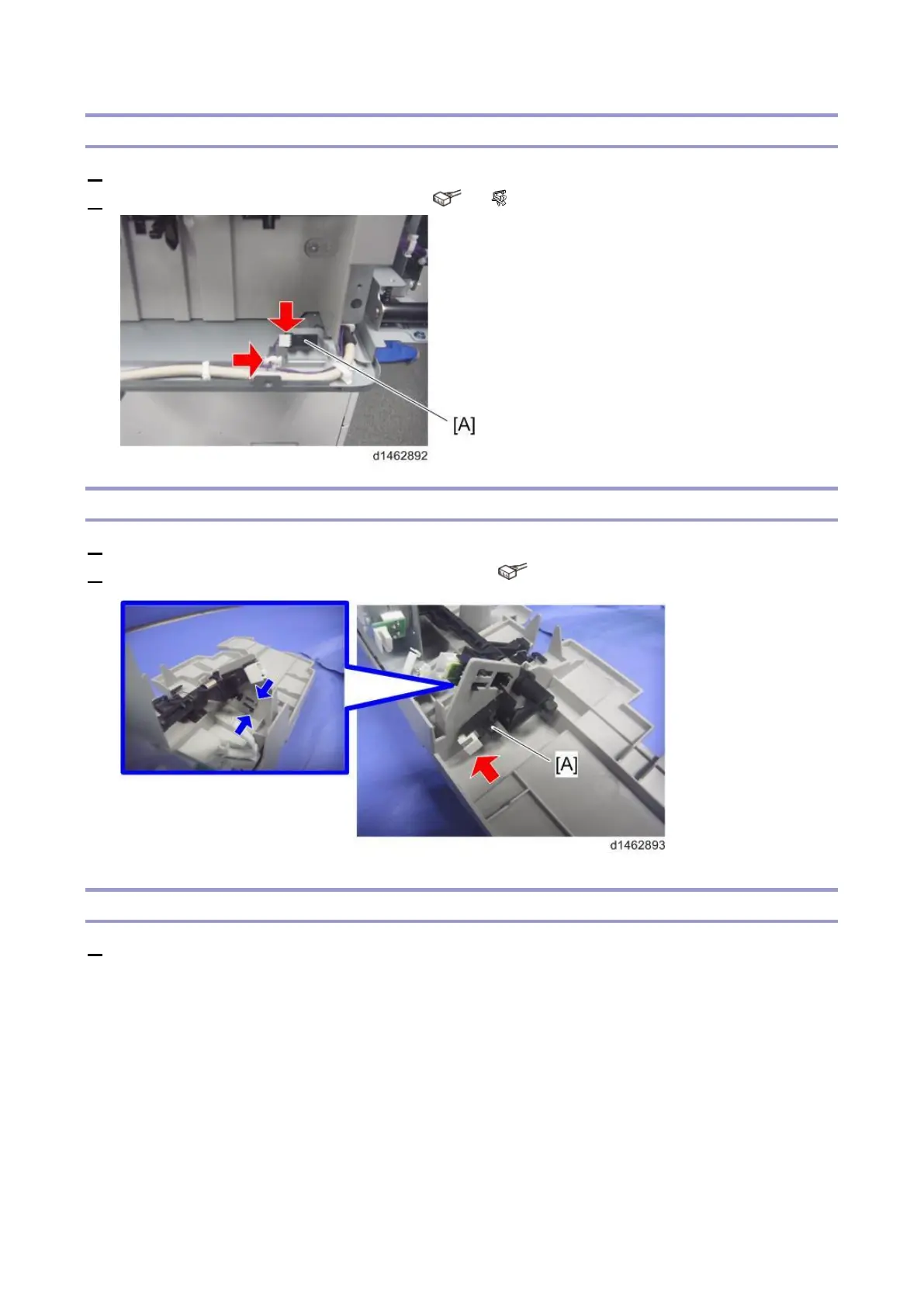
Paper Exit Full Sensor (S8)
1. Remove the paper exit tray (Paper Exit Tray).
2. Remove the paper exit full sensor (S8) [A] ( ×1, ×1).
Stack Height Lever HP Sensor (S18)
1. Remove the paper exit cover (Paper Exit Cover).
2. Remove the stack height lever HP sensor (S18) [A] ( ×1).
Paper Surface Sensor (S17)
1. Remove the paper exit cover (Paper Exit Cover).



 To Next Page