2.Replacement and Adjustment
30
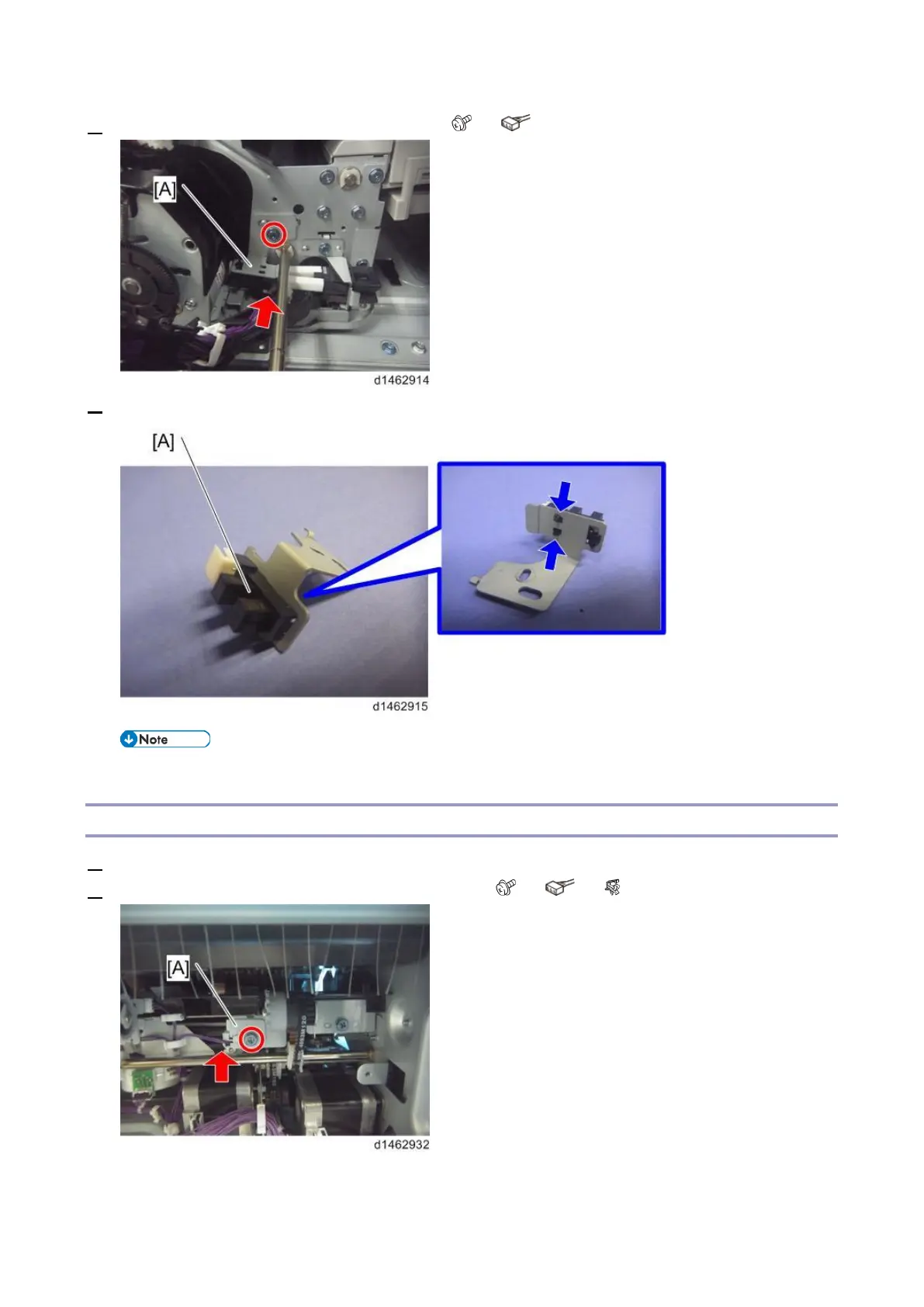
4. Remove the stapler move HP sensor unit [A] ( ×1, ×1).
5. Remove the stapler move HP sensor (S12) [A].
• If it is difficult to remove or attach the sensor, push the stapler unit inside.
Jogger Fence HP Sensor (Front) (S15)
1. Remove the paper exit cover (Paper Exit Cover).
2. Remove the jogger fence HP sensor (front) unit [A] ( ×1, ×1, ×1).



 To Next Page