2.Replacement and Adjustment
27
Positioning Roller HP Sensor (S10)
1. Remove the following parts.
• Finisher Upper Cover
• Finisher Rear Cover
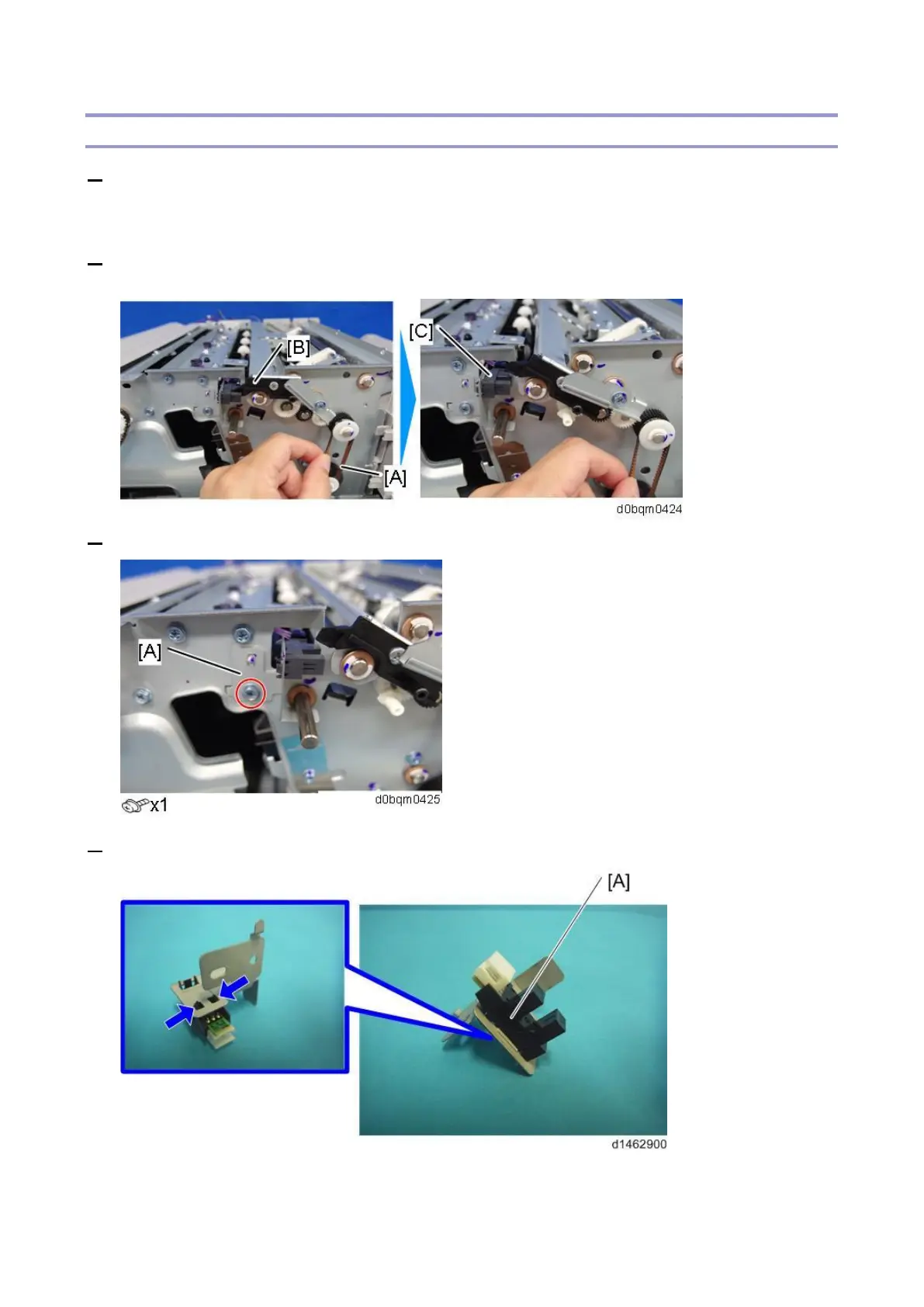
2. Rotate the timing belt [A], and release the positioning roller arm unit [B] from the positioning roller
HP sensor (S10) [C].
3. Remove the positioning roller HP sensor unit [A].
4. Remove the positioning roller HP sensor (S10) [A].



 To Next Page