2.Replacement and Adjustment
33
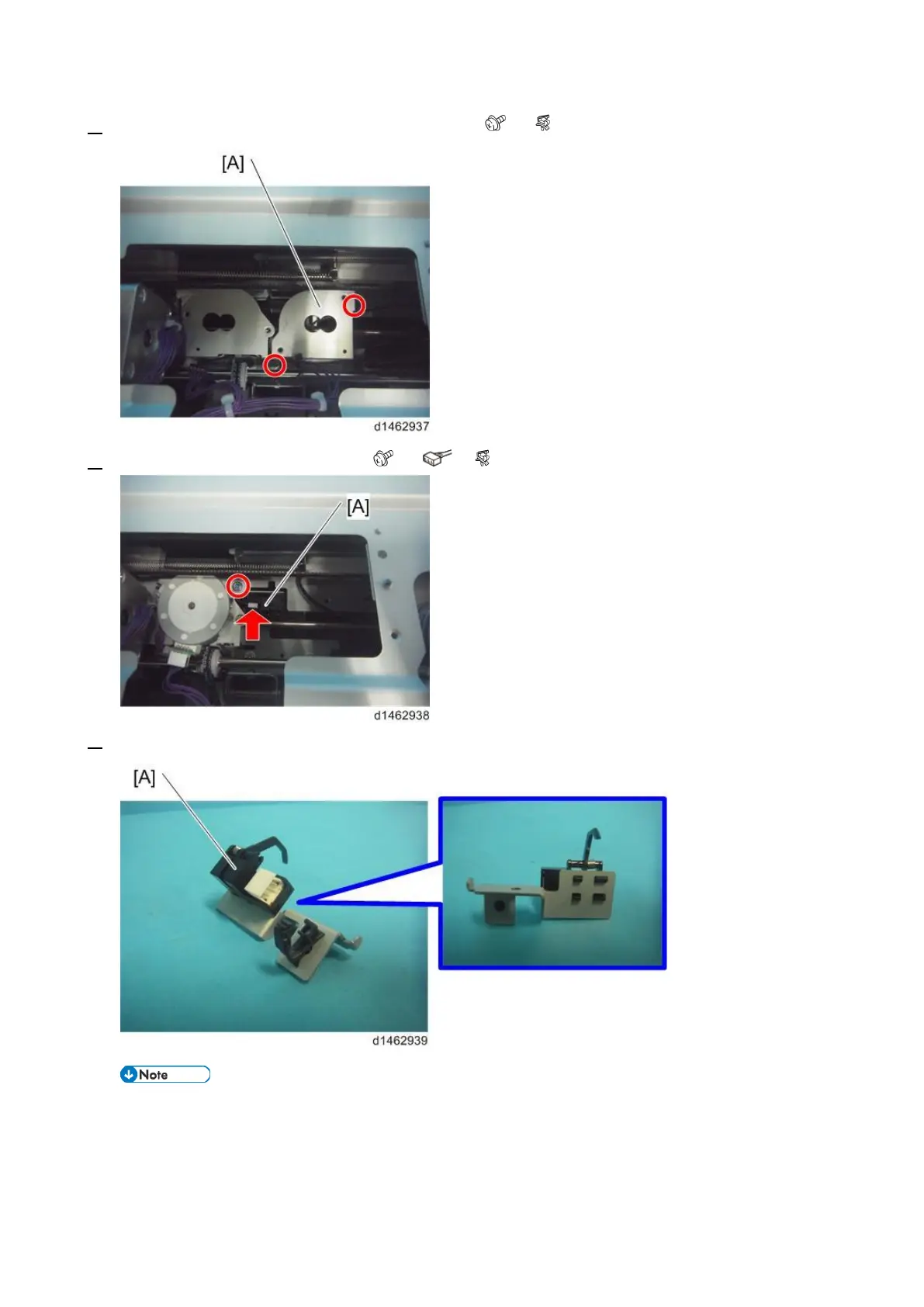
2. Remove the jogger fence motor (rear) bracket [A] ( ×2, ×3).
3. Remove the paper sensor unit [A] ( ×1, ×1, ×1).
4. Remove the paper sensor (S19) [A].
• When installing this sensor, be careful not to damage the sensor actuator.



 To Next Page