Operating Progeny Analyzers 37
1006232_RevD
Increments of:
0.05 from 0.50 to 0.80
0.01 from 0.80 to 0.99
Search Threshold should be less than, or equal
to, the Pass Threshold of the application.
3. Select the Scan soft key to start the sample-analysis cycle.
The sample-analysis cycle through:
Background filtering
Scanning the sample
Processing the spectral data
Searching onboard libraries for spectral matches
Do not move the instrument during the Background and Scanning phases of the sample-
analysis cycle. Moving the instrument during these phases will significantly reduce both the
quality of spectral results and the accuracy of sample matches.
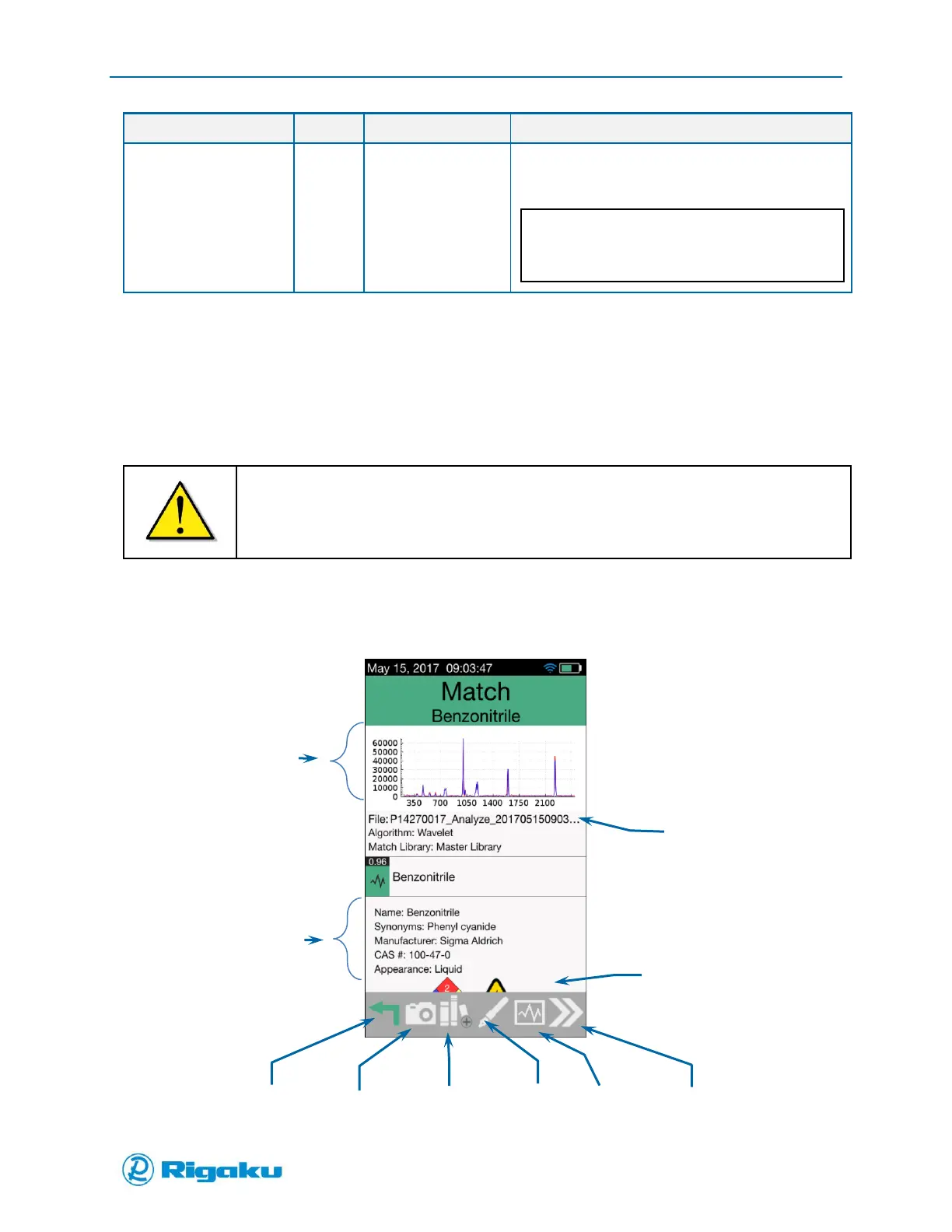
When the sample-analysis cycle completes the scan results screen displays the information shown in
Figure 18.
Figure 18. Analyze Scan Results Screen
View
Landscape Mode
F n fdf



 To Next Page