Advanced Options 42
1006232_RevD
This data is for comparison purposes only. If the profile is not identified as the Top Match or if
the CC value listed with the profile data is not above 0.80, the sample substance may not be
the substance named in the spectral profile.
1. From the Main screen select (Scan) to display the Scan option.
2. Select Application to display the Select Application screen.
3. Select either Demo Verification or Sample Verification to highlight it.
4. Select (Enter) to launch the application.
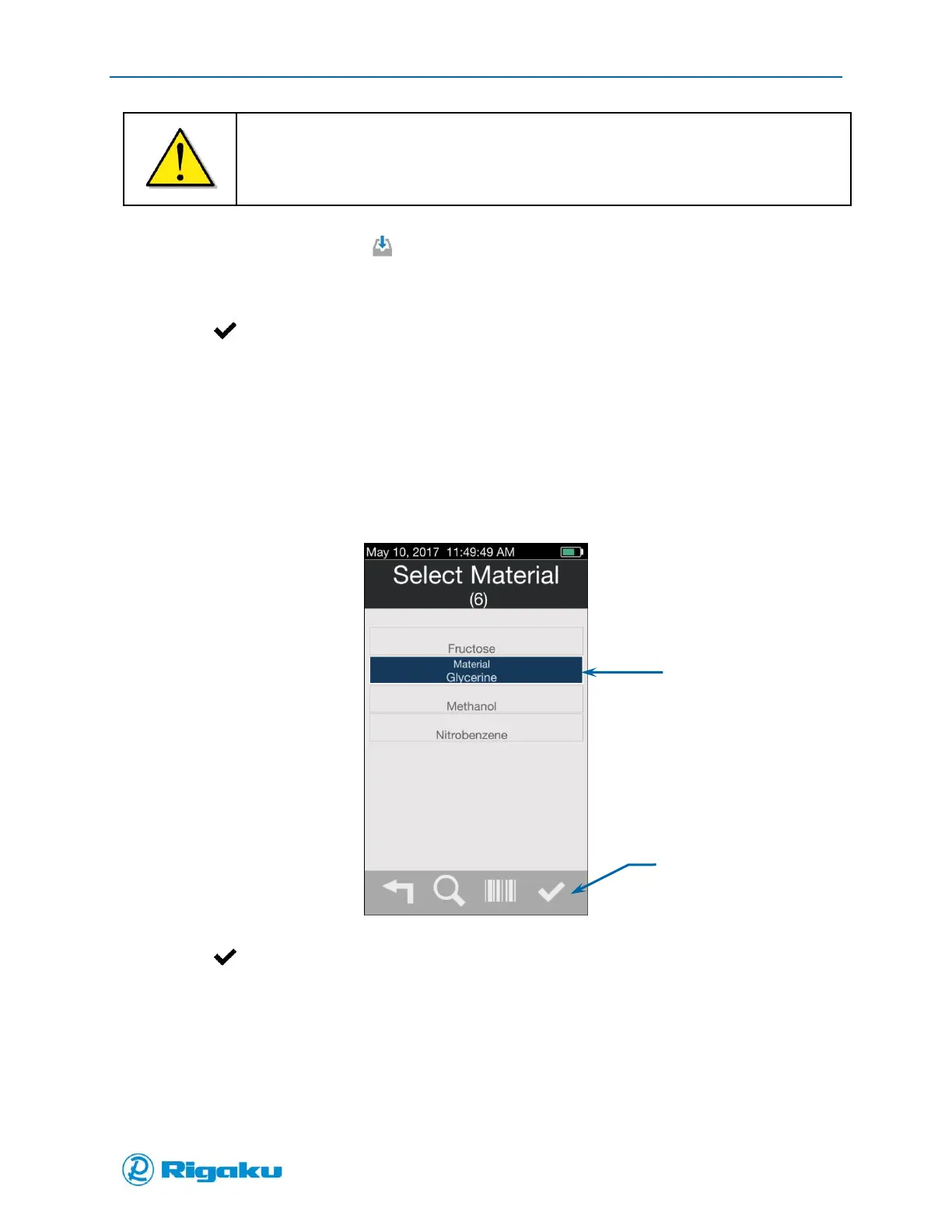
5. The Select Material screen displays listing all the spectral profiles available in the spectral sub-
library linked to the application.
6. Scroll up or down through the list and select the substance of the sample you are verifying.
For example, if you are verifying a glycerin sample:
a. Scroll down the list until the Glycerin item is visible.
b. Select the item to highlight it (Figure 19).
Figure 19. Select Material Screen with Glycerin Highlighted
7. Select (Enter) to display the Analyze screen (Figure 20).



 To Next Page