RIGOL
2-6 © Copyright RIGOL Technologies, Inc. 2007.
User’s Guide for DS1000 Series
2. Set up the channel bandwidth limit
To use CH1 as an example, input a signal that contains high frequency component.
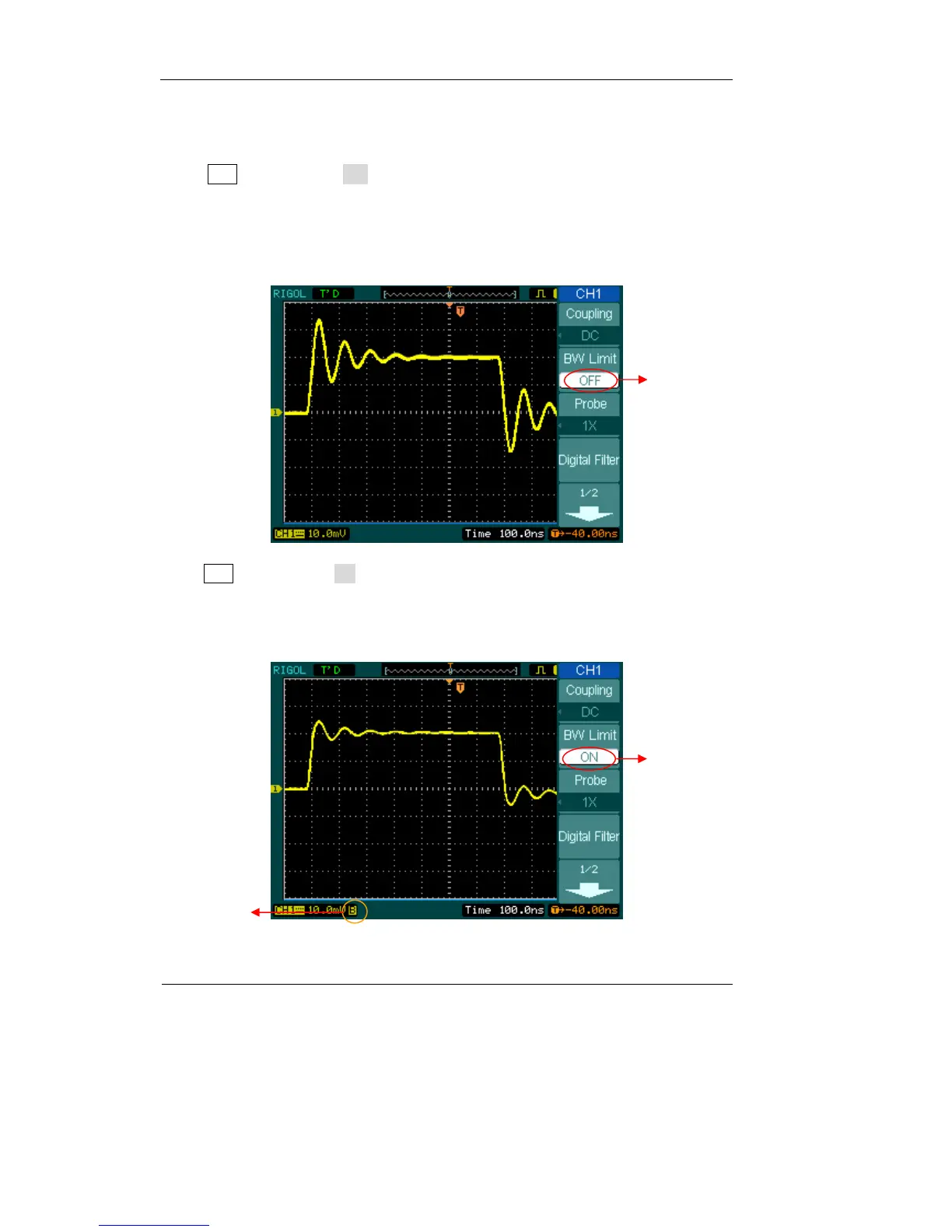
Press CH1→BW Limit→OFF, to set up bandwidth limit to “OFF” status. The
oscilloscope is set to full bandwidth and the high frequency component in the signal
will pass.
The waveform is displayed as Figure 2-6:
Press CH1→BW Limit→ON, to set up bandwidth limit to “ON” status. It will reject
the frequency component higher than 20MHz.
The waveform is displayed as Figure 2-7:
Turn off the BW
limit
Figure 2-6
Figure 2-7
20M BW limit
Mark of
BW limit












 To Next Page