EasyManua.ls Logo

Rigol DS1000C - Page 99

Rigol DS1000C
168 pages
Print Icon
To Next Page IconTo Next Page
To Previous Page IconTo Previous Page
Loading...
RIGOL
© Copyright RIGOL Technologies, Inc. 2007. 2-69
User’s Guide for DS1000 Series
External Memory
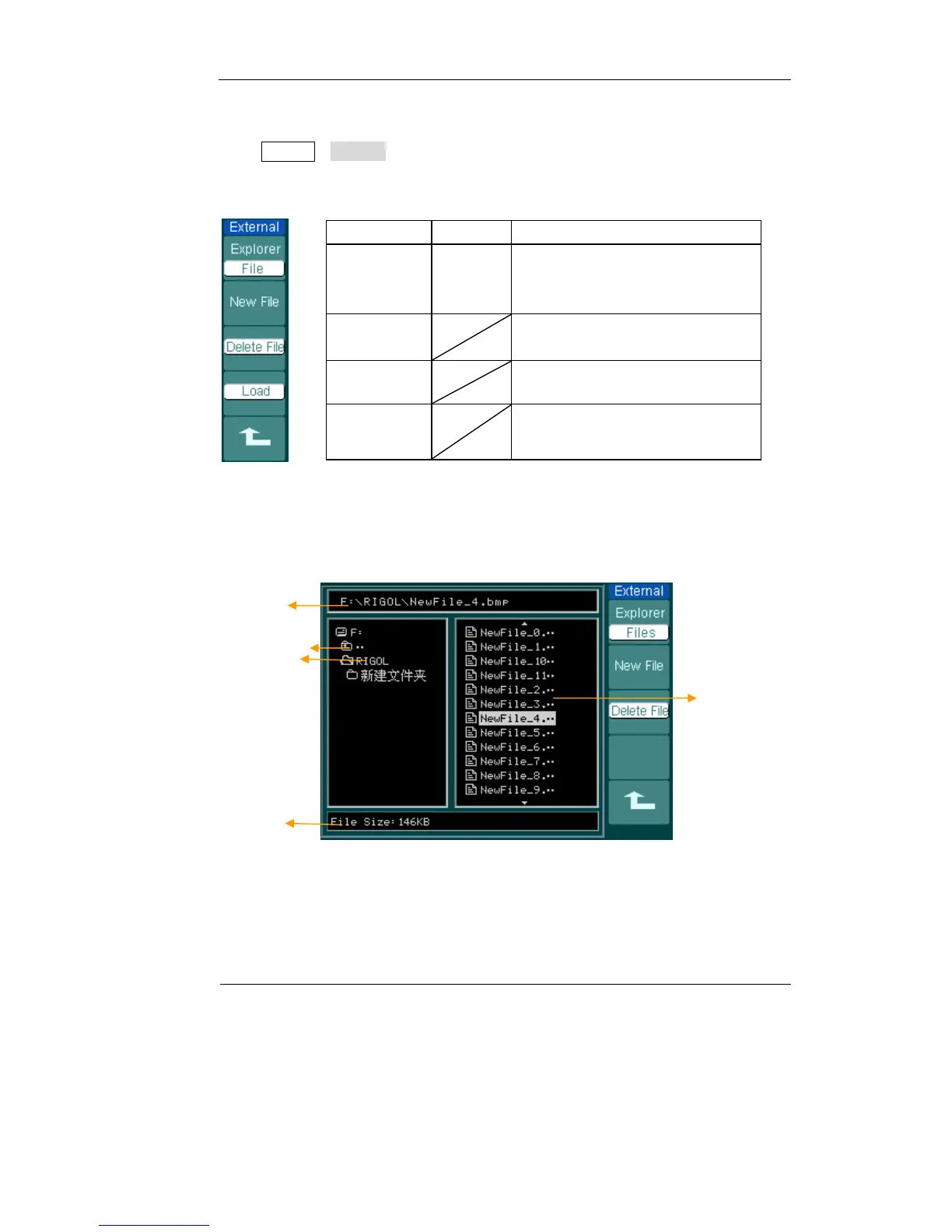
Press StorageExternal to go to the following menu.
Figure 2-80 Table 2-49
Menu Settings Comments
Explorer
Path
Directory
File
Switch among Path, Directory and
File
New File
(Folder)
To create new file or folder.
Delete
File

(
F
older
Delete file(Folder)
Load
Recall waveform and setup from
USB storage device.
File system as follows:
Figure 2-81
Files
File info.
Current directory
Back to previous
folder
Path

Table of Contents

Related product manuals