rletech.com WiNG-MGR v2 User Guide 49
3 Web Interface
3.7.3 BACnet
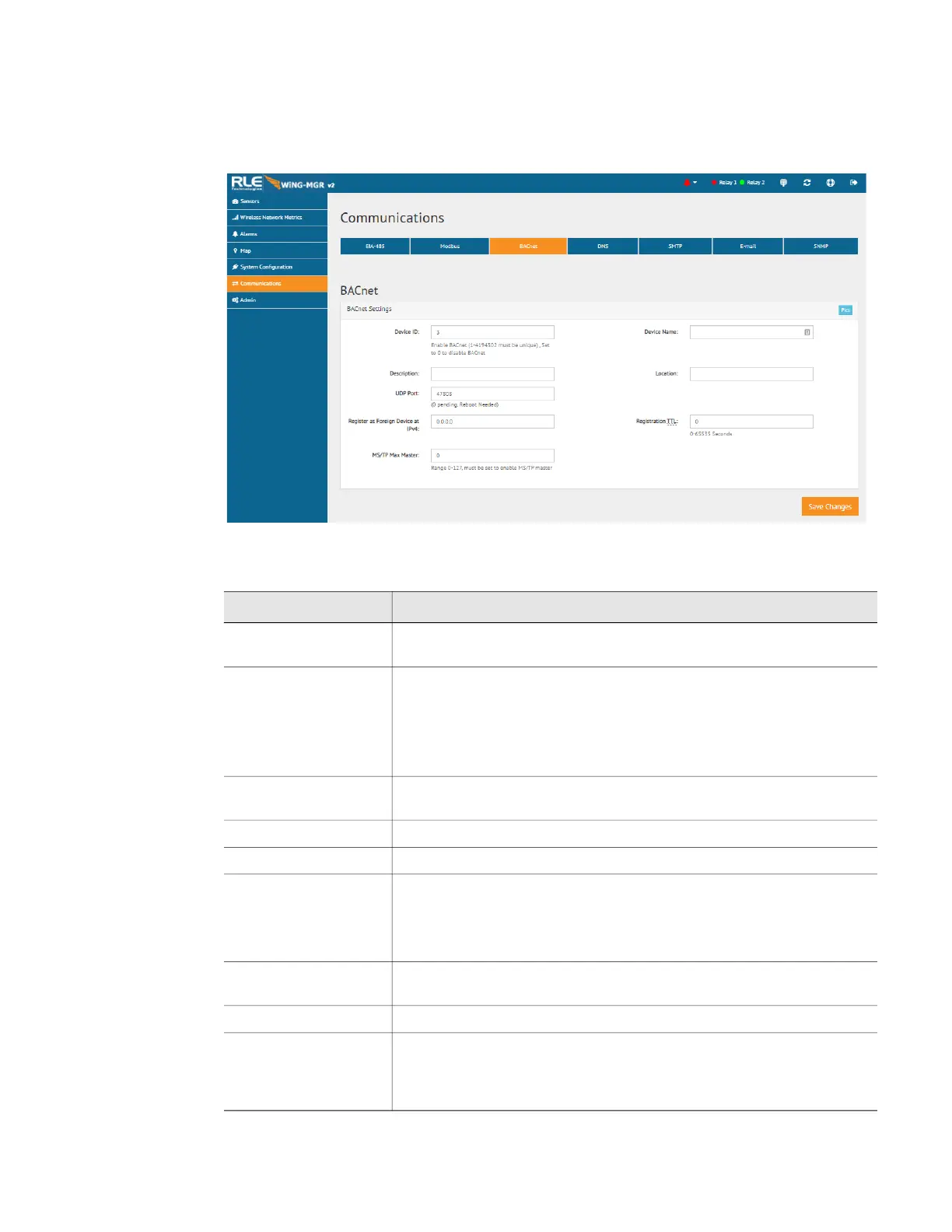
If the WiNG-MGR will communicate via the BACnet, configure the necessary options here.
Figure 3.24
BACnet Configuration
Option Description
Pics Click this link to view the Bacnet identifiers and objects supported by
the WiNG-MGR.
Device ID To enable BACnet, assign a unique number between 1 and 4194302
to identify this BACnet device on the network.
If you enter a 0 in this field BACnet will be disabled.
Default: 0 (Disabled)
Device Name Assign a name - up to 38 characters - to the unit for BACnet
discovery and integration.
Description Add any additional details about the device, up to 38 characters.
Location Designate the physical location of the unit.
UDP Port Enter a 0 to specify port 47808 (0xBAC0) as the UDP port. If another
port is specified by your application, enter that value here.
Default: 0 (47808)
Register as Foreign
Device at IPv4
IP address of the master device with which you’re trying to
communicate. Requires a BBMD for foreign device discovery.
Registration TTL Time, in seconds, for foreign device discovery.
MS/TP Max Master Only for EIA-485 Bacnet MS/TP mode; the Max Master is the highest
BACnet station ID the WiNG manager will attempt to discover. This
should match the highest station ID in the MS/TP ring. All devices in
the ring should have the same Max Master value configured.
Table 3.13
BACnet Configuration Options



 To Next Page