rletech.com WiNG-MGR v2 User Guide 39
3 Web Interface
3.6.2 IP
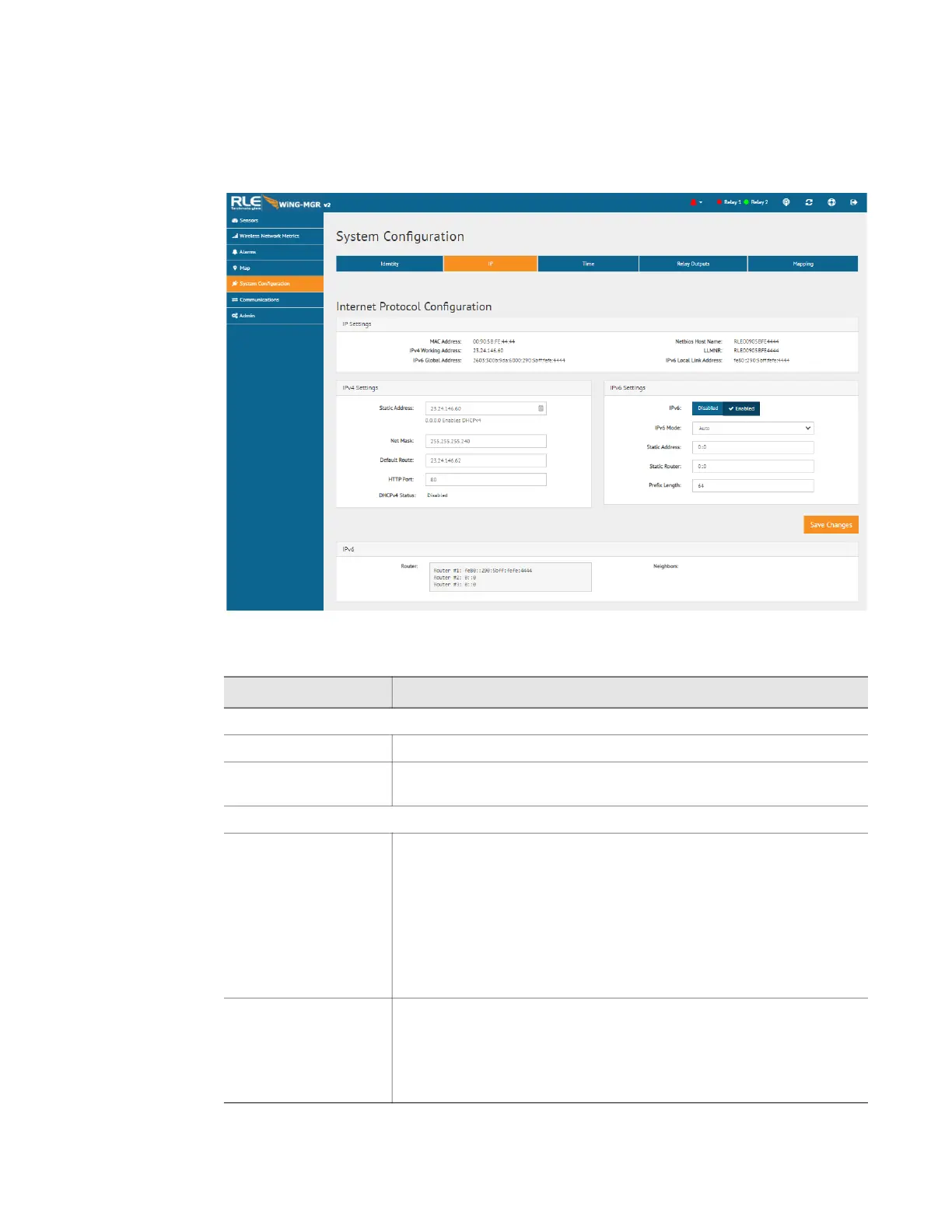
The WiNG-MGR can communicate via IPv4, IPv6, or both IPv4 and IPv6. Select the option
that is most appropriate for your network, and configure the fields as necessary.
Figure 3.17
IP Page
Option Description
IP Settings- This section provides information about the WiNG-MGR’s configured settings.
Network Statistics Click this link to view advanced network statistics for this device.
IP Version Designate whether the WiNG-MGR will communicate via IPv4,
IPv6, or both.
IPv4 Settings- Configure these fields if the WiNG-MGR is communicating via IPv4.
Static Address The WiNG-MGR is shipped with a default IP address of 10.0.0.188.
Contact your IT Department for an appropriate IP address, if you
wish to change this field.
If you would prefer to use DHCP, set this field to 0.0.0.0 to enable
DHCPv4.
Default IP address: 10.0.0.188
Net Mask The WiNG-MGR is shipped with a default Subnet Mask of
255.255.255.0. Contact your IT Department for an appropriate
Subnet Mask, if you wish to change this field.
Default subnet mask: 255.255.255.0
Table 3.7
IP Configuration Options



 To Next Page