rletech.com WiNG-MGR v2 User Guide 79
A P P E N D I X
B
CHAPTER 0UPDATE FIRMWARE
Firmware updates are available on the RLE website at rletech.com. Locate the correct
firmware and download it to an accessible location.
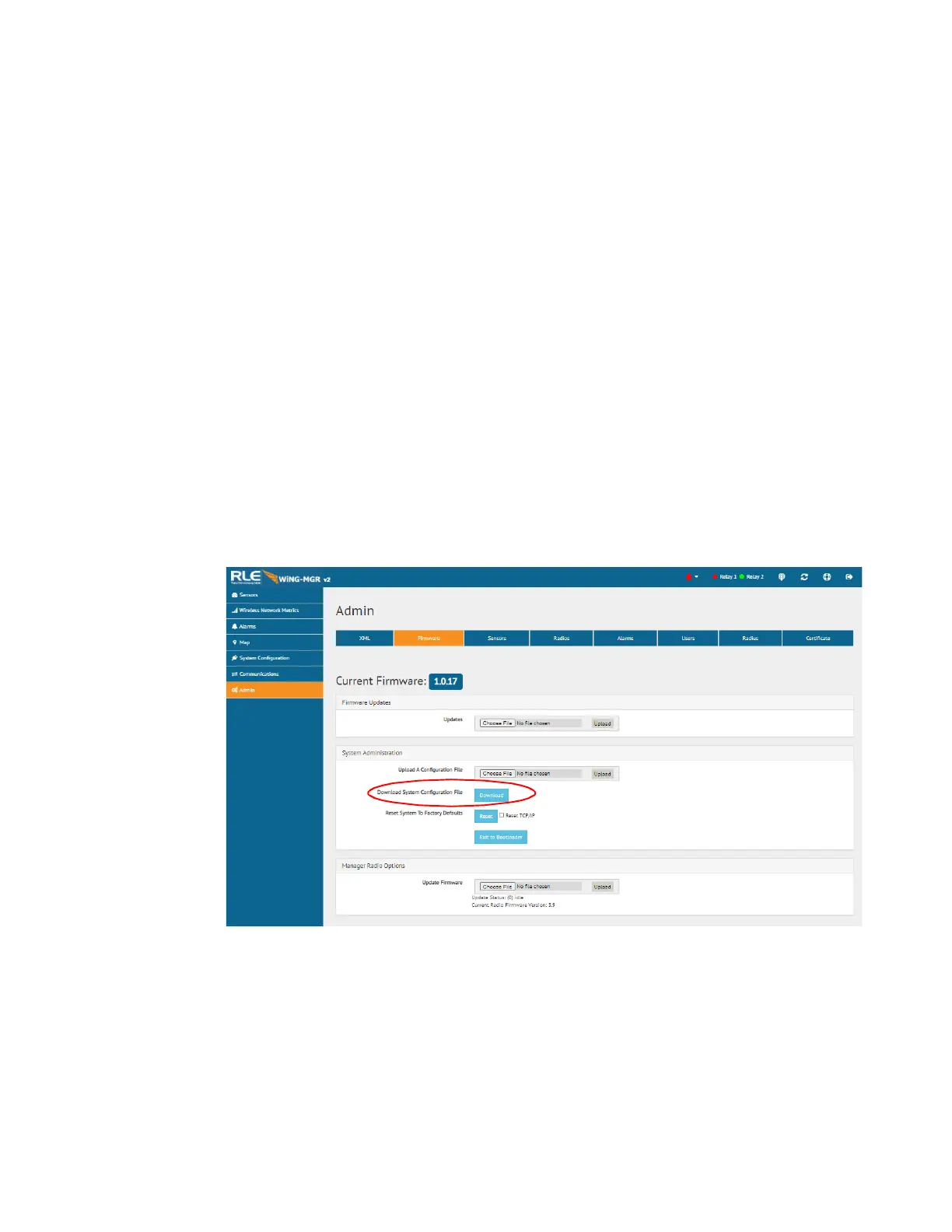
Before updating any firmware, go to the web interface and access the Admin menu, and then
the Firmware tab. Download the WiNG-MGR’s system configuration file and save it in a safe
location.
Figure B.1
Admin Menu, Firmware Tab - Configuration File Download
Once firmware is updated, the WiNG-MGR should return to its normal functionality. In very
rare instances, the WiNG-MGR’s configuration data - all the system configuration and sensor
information loaded onto the unit - may become corrupted during the firmware update. If the
configuration files do become corrupted, the downloaded configuration files serves as a
backup, and can be uploaded to the system to restore the lost data. Use the MIME feature to
upload the configuration file.



 To Next Page