Robustel R3000 Quad User Guide
RT_UG_R3000 Quad_v.3.0.0 28 May, 2017 105 / 131
Confidential
Click the toggle button as “OFF” to ignore invalid settings.
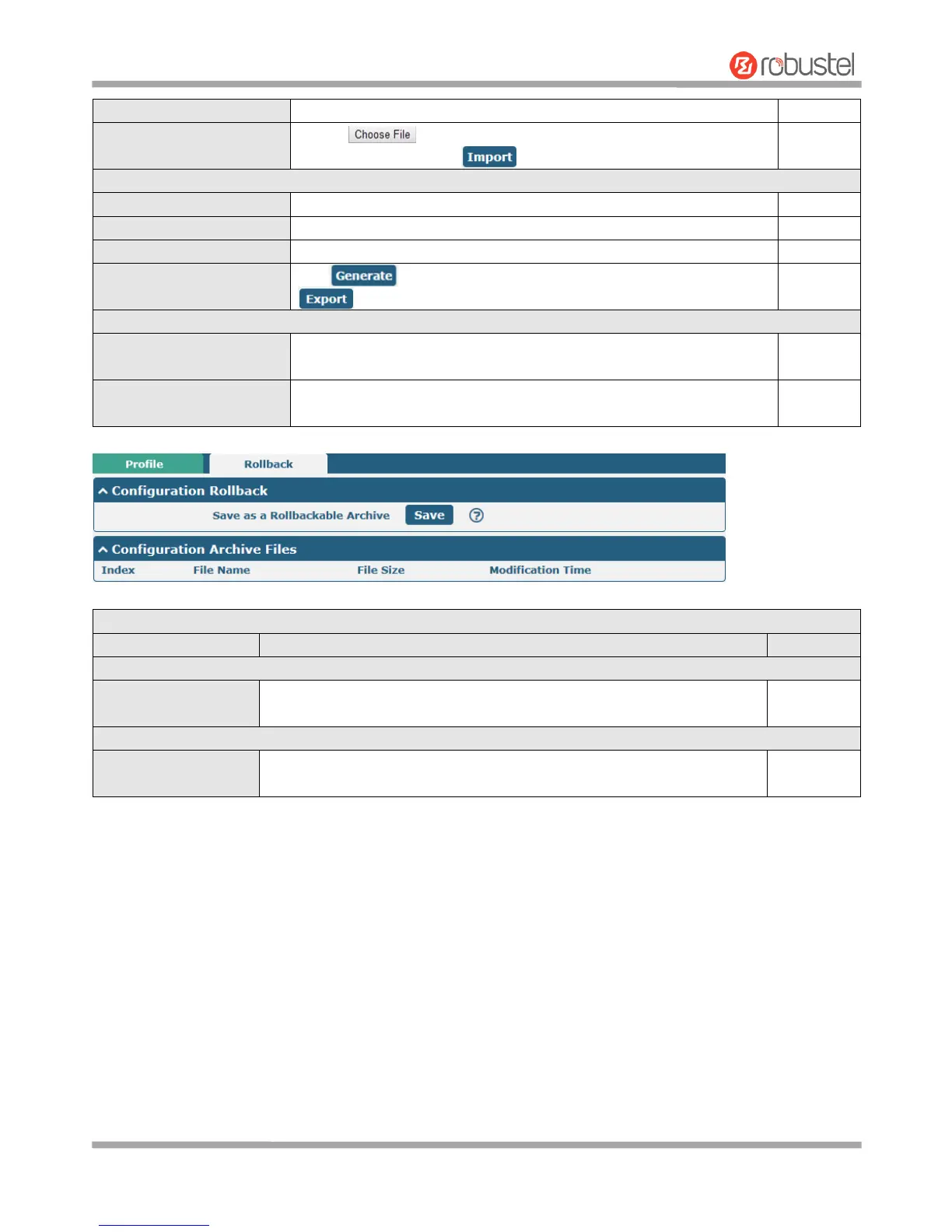
Click on to locate the XML configuration file from your
computer, and then click to import this file into your router.
Export Configuration File
Click the toggle button as “OFF” to ignore the disabled features.
Click the toggle button as “On” to add detailed information.
Click the toggle button as “ON” to encrypt the secret data.
Click button to generate the XML configuration file, and click
to export the XML configuration file.
Save Running Configuration
as Default
Click this button to save the current running parameters as default
configuration.
Restore to Default
Configuration
Click this button to restore the factory defaults.
Save as a Rollbackable
Archive
Create a save point manually. Additionally, the system will create a save
point every day automatically if configuration changes.
Configuration Archive Files
Configuration Archive
Files
View the related information about configuration archive files, including
name, size and modification time.













 To Next Page