Robustel R3000 Quad User Guide
RT_UG_R3000 Quad_v.3.0.0 28 May, 2017 41 / 131
Confidential
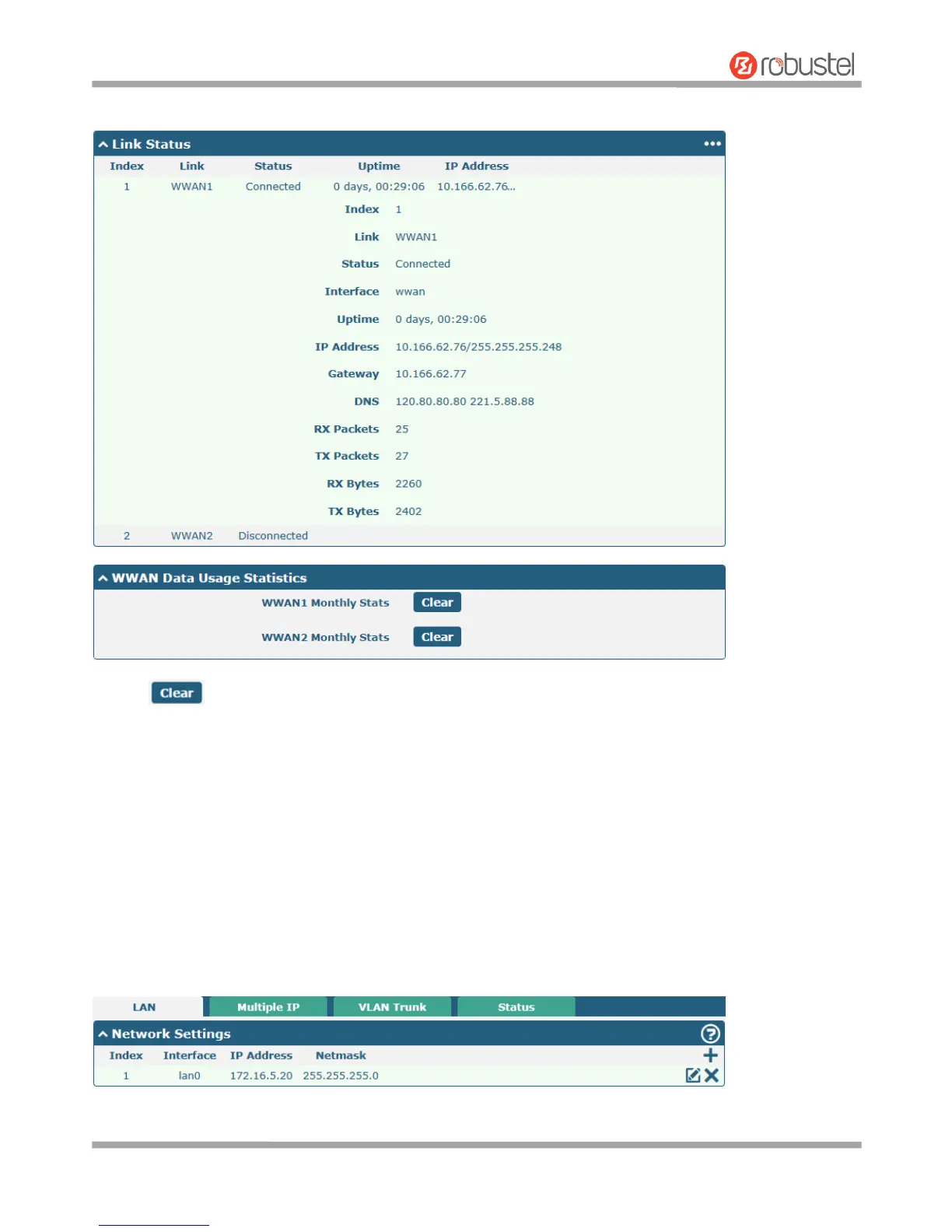
Click the row of the link, and it will show the details information of the current link connection under the row.
Click the button to clear SIM1 or SIM2 monthly data traffic usage statistics. Data statistics will be displayed
only if enable the Data Allowance function in Interface > Link Manager > Link Settings > WWAN Settings > Data
Allowance.
3.7 Interface > LAN
This section allows you to set the related parameters for LAN port. There are four LAN ports on R3000 Quad Router,
including ETH0~ETH3. The ETH0~ETH3 can freely choose from lan0~lan3, but at least one LAN port must be
assigned as lan0. The default settings of ETH0~ETH3 are lan0 and their default IP are 192.168.0.1/255.255.255.0.
LAN
Note: Lan0 cannot be deleted.













 To Next Page