Robustel R3000 Quad User Guide
RT_UG_R3000 Quad_v.3.0.0 28 May, 2017 85 / 131
Confidential
Set the local virtual IP address of the GRE tunnel.
Set the local virtual Netmask of the GRE tunnel.
Remote Virtual IP Address
Set the remote virtual IP Address of the GRE tunnel.
Click the toggle button to enable/disable this option. When enabled, all
the traffics of the router will go through the GRE VPN.
Click the toggle button to enable/disable this option. This option must be
enabled when router under NAT environment.
Set the key of the GRE tunnel.
Status
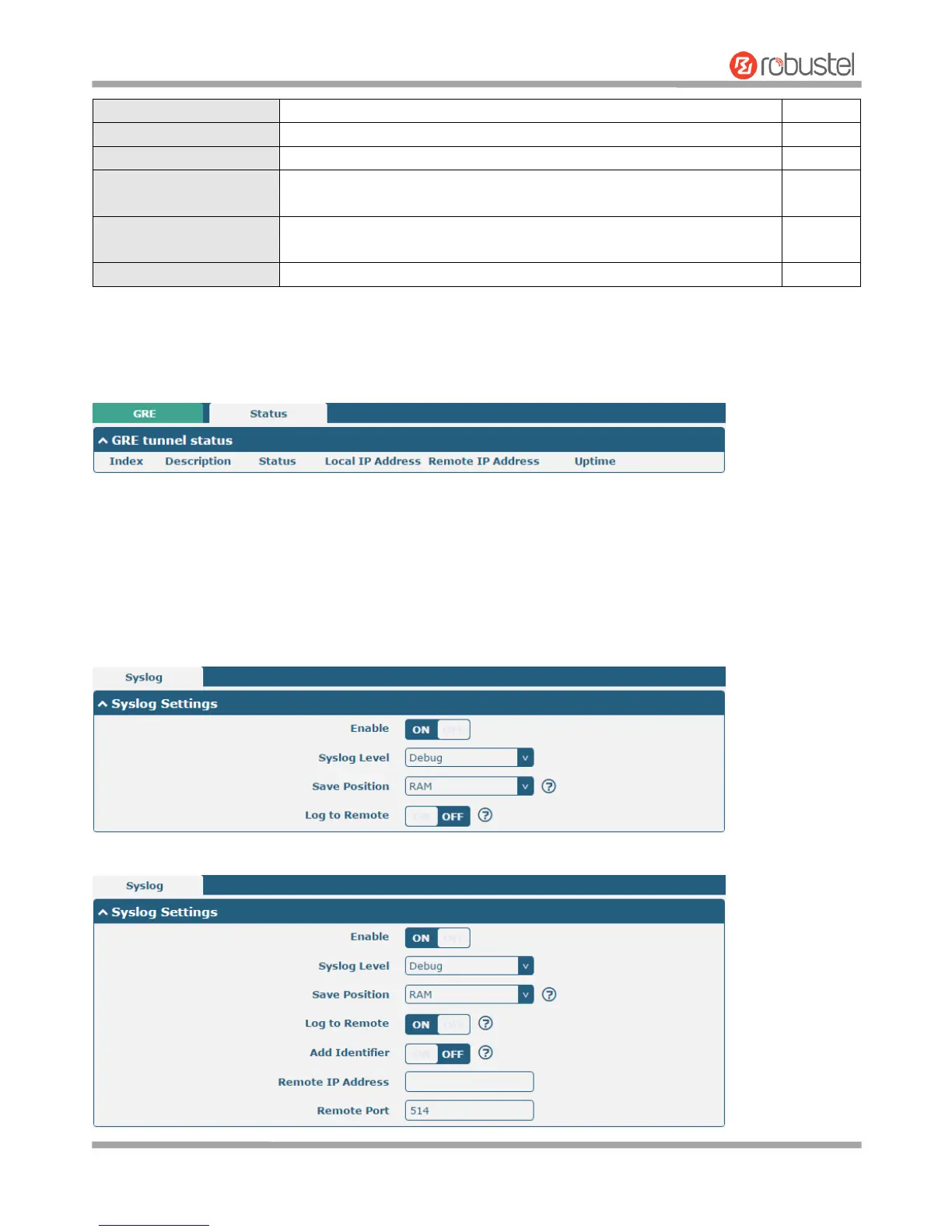
This section allows you to view the status of GRE tunnel.
3.19 Services > Syslog
This section allows you to set the syslog parameters. The system log of the router can be saved in the local, also
supports to be sent to remote log server and specified application debugging. By default, the “Log to Remote” option
is disabled.
The window is displayed as below when enabling the “Log to Remote” option.













 To Next Page