Robustel R3000 Quad User Guide
RT_UG_R3000 Quad_v.3.0.0 28 May, 2017 76 / 131
Confidential
3.17 VPN > OpenVPN
This section allows you to set the OpenVPN and the related parameters. OpenVPN is an open-source software
application that implements virtual private network (VPN) techniques for creating secure point-to-point or
site-to-site connections in routed or bridged configurations and remote access facilities. Router supports
point-to-point and point-to-points connections.
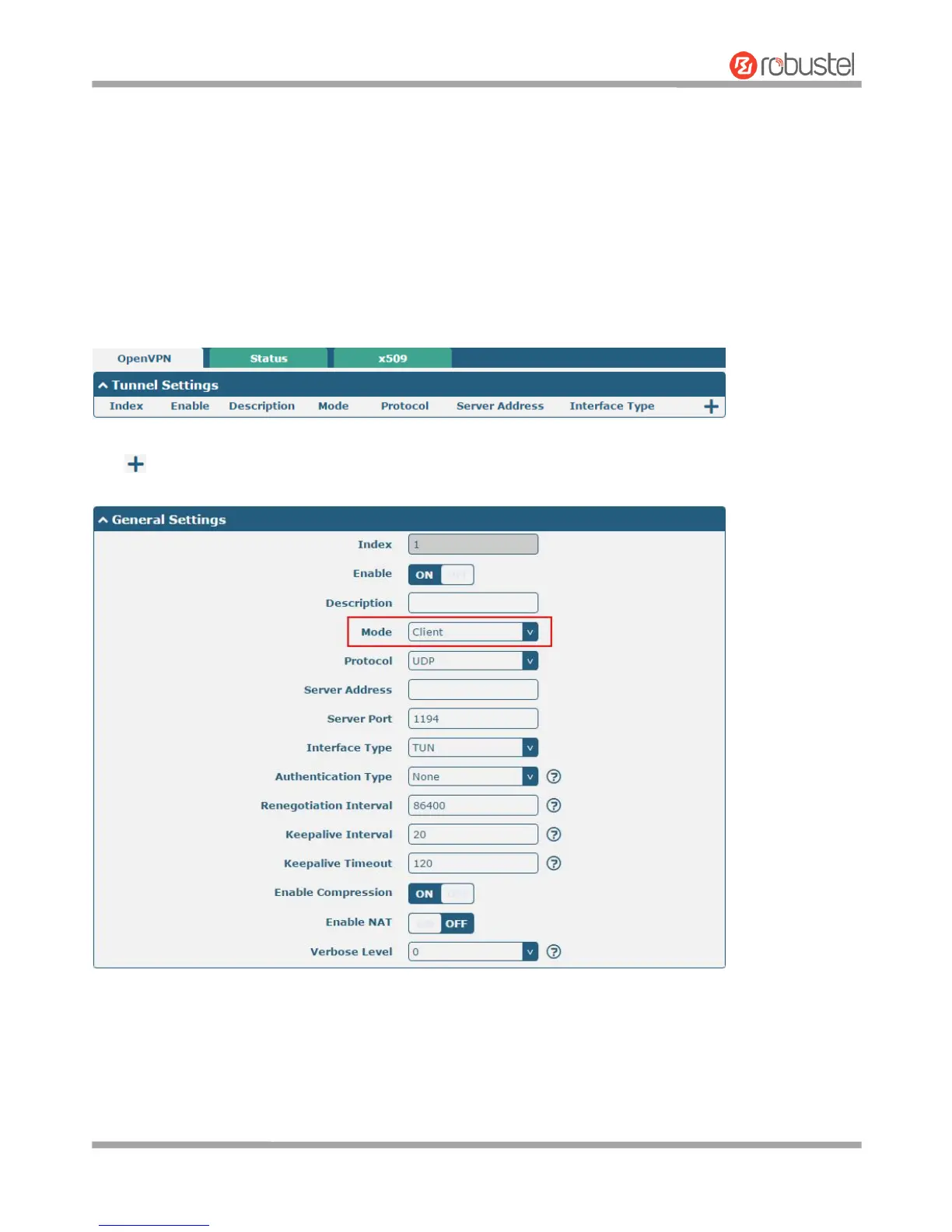
OpenVPN
Click to add tunnel settings. The maximum count is 3. The window is displayed as below when choosing “None” as
the authentication type. By default, the mode is “Client”.













 To Next Page