Robustel R3000 Quad User Guide
RT_UG_R3000 Quad_v.3.0.0 28 May, 2017 46 / 131
Confidential
3.8 Interface > Ethernet
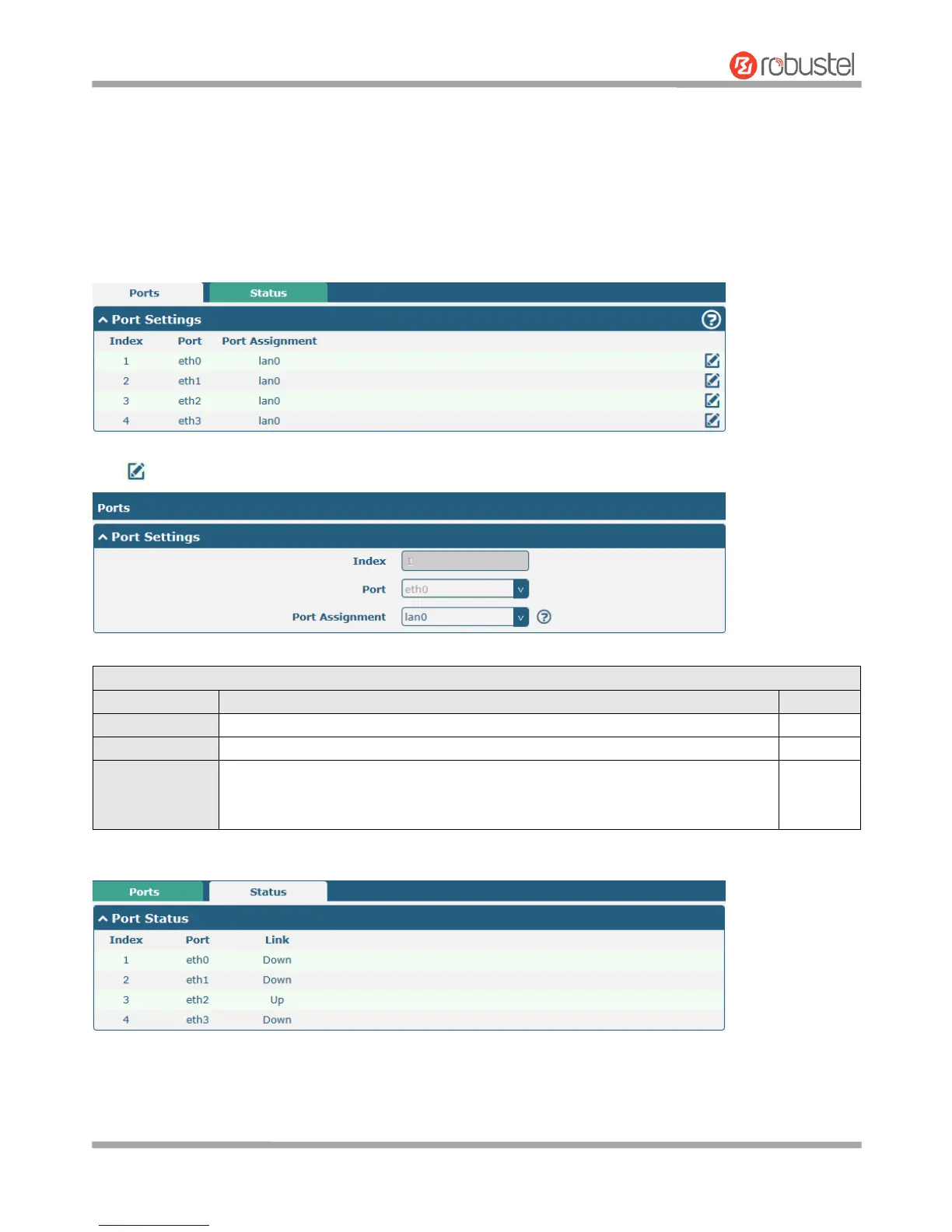
This section allows you to set the related parameters for Ethernet. There are four Ethernet ports on R3000 Quad
Router, including ETH0~ETH3. The ETH0 on the router can be configured as either a WAN or a LAN port, while
ETH1~ETH3 can only be configured as a LAN ports. The ETH0~ETH3 can freely choose from lan0~lan3, but at least
one LAN port must be assigned as lan0. The default settings of ETH0~ETH3 are lan0 and their default IP are
192.168.0.1/255.255.255.0.
Click button of eth0 to configure its parameters.
Choose the Ethernet port’s type, as a WAN port or a LAN port. When setting the
port as a LAN port in Interface > LAN > LAN > Network Settings > General Settings,
you can click the drop-down list to select from “lan0”, “lan1”, “lan2” or “lan3”.













 To Next Page