Robustel R3000 Quad User Guide
RT_UG_R3000 Quad_v.3.0.0 28 May, 2017 64 / 131
Confidential
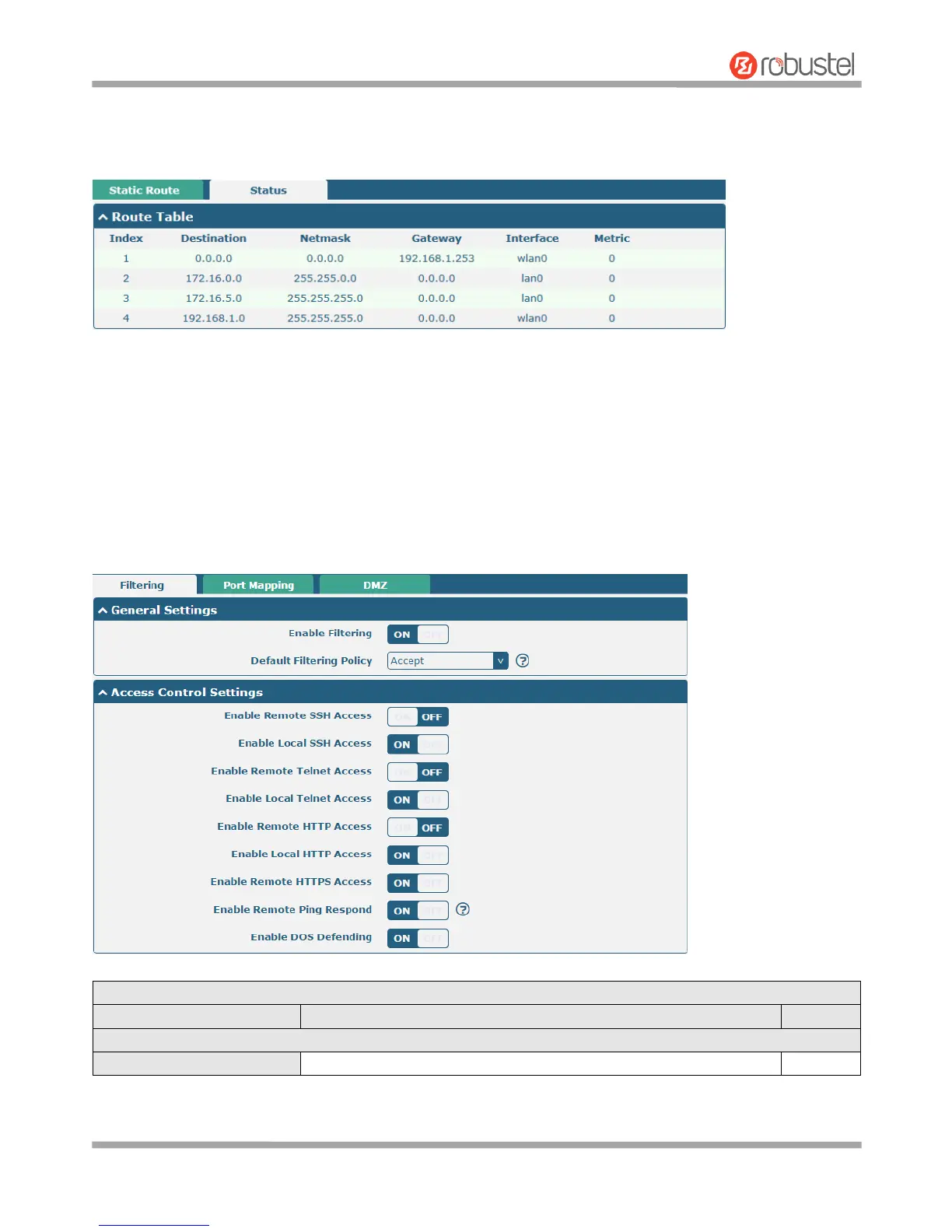
Status
This window allows you to view the status of route.
3.14 Network > Firewall
This section allows you to set the firewall and its related parameters, including Filtering, Port Mapping and DMZ.
Filtering
The filtering rules can be used to either accept or block certain users or ports from accessing your router.













 To Next Page