Robustel R3000 Quad User Guide
RT_UG_R3000 Quad_v.3.0.0 28 May, 2017 21 / 131
Confidential
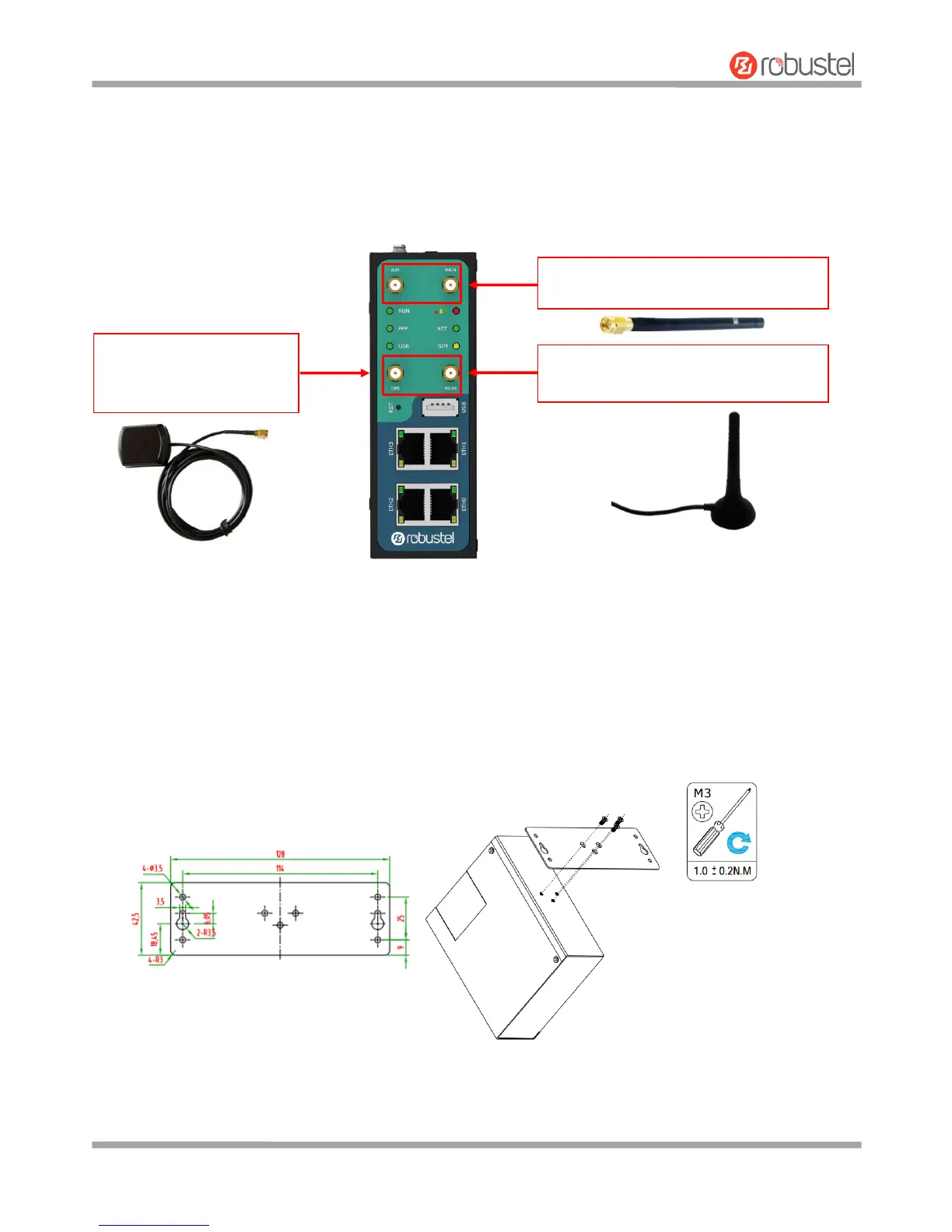
2.7 Attach External Antenna (SMA Type)
Attach an external SMA antenna to the router’s connector and twist tightly. Make sure the antenna is within the
correct frequency range provided by the ISP and with 50 Ohm impedance.
Note: Recommended torque for tightening is 0.35 N.m.
2.8 Mount the Router
The router can be placed on a desktop or mounted to a wall or a 35 mm DIN rail.
Two methods for mounting the router
1. Wall mounting
Wall mounting kit size (measured in mm)
Use 3 pcs of M3*4 flat head Phillips screws to fix the wall mounting kit to the router, and then use 2 pcs of M3
drywall screws to mount the router associated with the wall mounting kit on the wall.
Note: Recommended torque for mounting is 1.0 N.m, and the maximum allowed is 1.2 N.m.













 To Next Page