EasyManua.ls Logo

Robustel R3000 Quad - PIN Assignment

Robustel R3000 Quad
131 pages
Print Icon
To Next Page IconTo Next Page
To Previous Page IconTo Previous Page
Loading...
Robustel R3000 Quad User Guide
RT_UG_R3000 Quad_v.3.0.0 28 May, 2017 16 / 131
Confidential
Note: You can choose the display type of USR LED. For more details, please refer to 3.28 Service > Advanced.
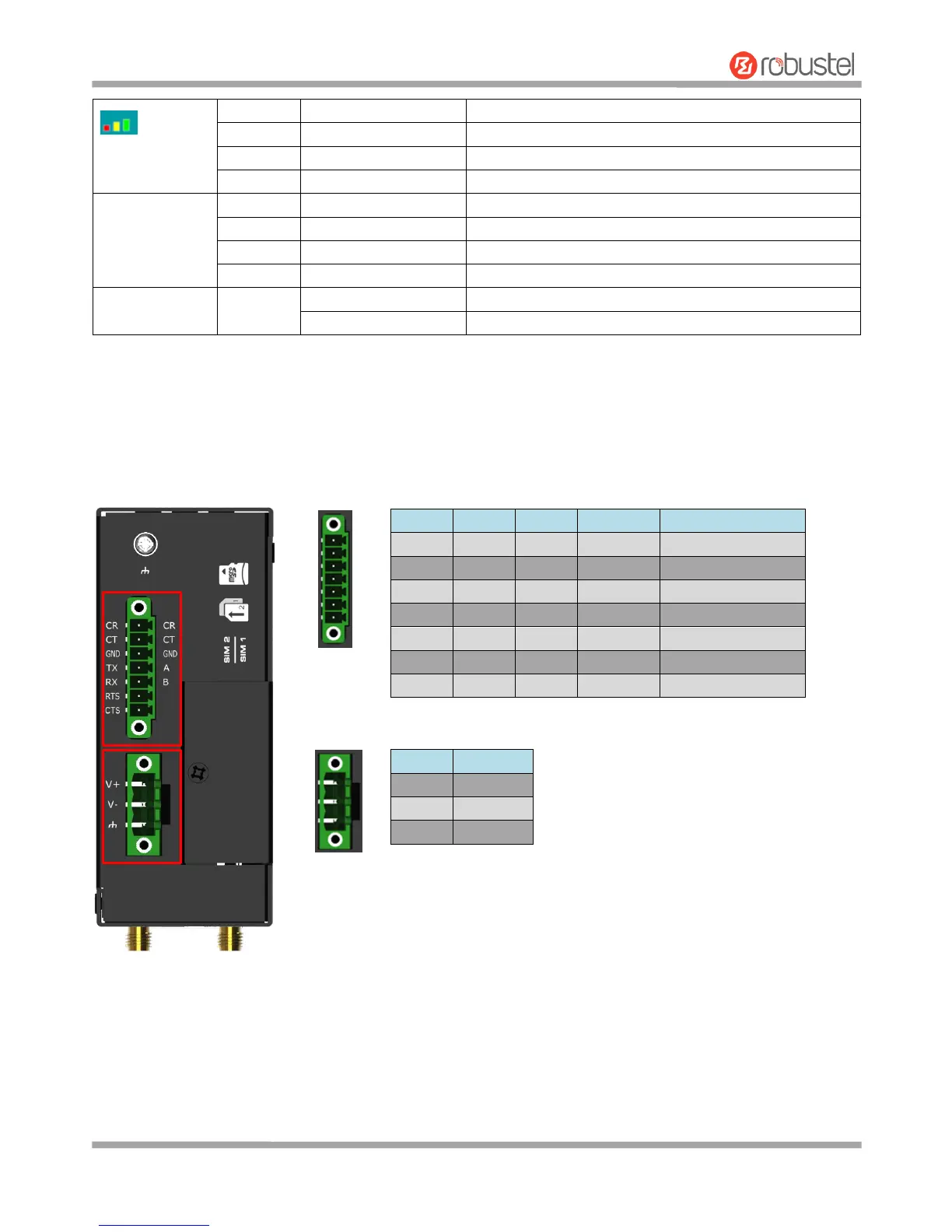
2.2 PIN Assignment
Green
On, solid
High Signal strength (21-31) is available
Yellow
On, solid
Medium Signal strength (11-20) is available
Red
On, solid
Low Signal strength (1-10) is available
/
Off
No signal
NET
Green
On, solid
Connection to 4G network is established
Yellow
On, solid
Connection to 3G network is established
Red
On, solid
Connection to 2G network is established
/
Off
Connection to network is not established or establishing
SIM
Green
On, blinking
Backup card is being used
Off
Main card is being used
PIN
Debug
RS-232
RS-485
Direction
1
CR
--
--
Router Device
2
CT
--
--
Router Device
3
GND
GND
GND
4
--
TXD
Data+(A)
Router Device
5
--
RXD
Data+(B)
Router Device
6
--
RTS
--
Router Device
7
--
CTS
--
Router Device
PIN
Polarity
8
Positive
9
Negative
10
GND

Other manuals for Robustel R3000 Quad

Related product manuals