Robustel R3000 Quad User Guide
RT_UG_R3000 Quad_v.3.0.0 28 May, 2017 51 / 131
Confidential
Show the IMEI (International Mobile Equipment Identity) number of the radio
module.
Show the current firmware version of the radio module.
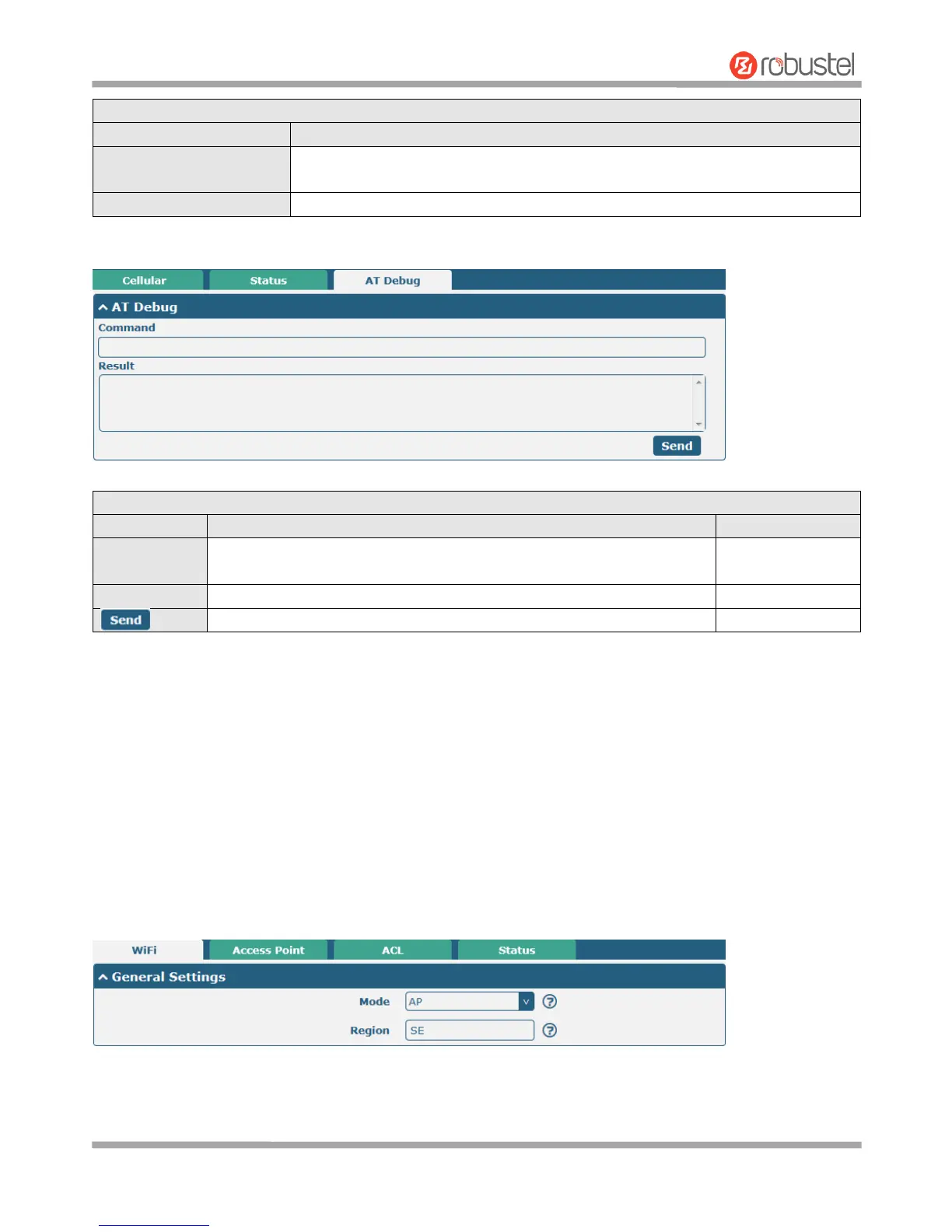
This page allows you to check the AT Debug.
Enter the AT command that you want to send to cellular module in this
text box.
Show the AT command responded by cellular module in this text box.
Click the button to send AT command.
3.10 Interface > WiFi
This section allows you to configure the parameters of two Wi-Fi modes. Router supports either WiFi AP mode or
Client mode, and default as AP mode.
Note: Need to reboot to make configuration take effect if switching the AP and Client mode.
WiFi AP
Configure Router as WiFi AP
Click Interface > WiFi > WiFi, select “AP” as the mode and click “Submit”.
Note: Please remember to click Save & Apply > Reboot after finish the configuration, so that the configuration can
be took effect.













 To Next Page