Robustel R3000 Quad User Guide
RT_UG_R3000 Quad_v.3.0.0 28 May, 2017 59 / 131
Confidential
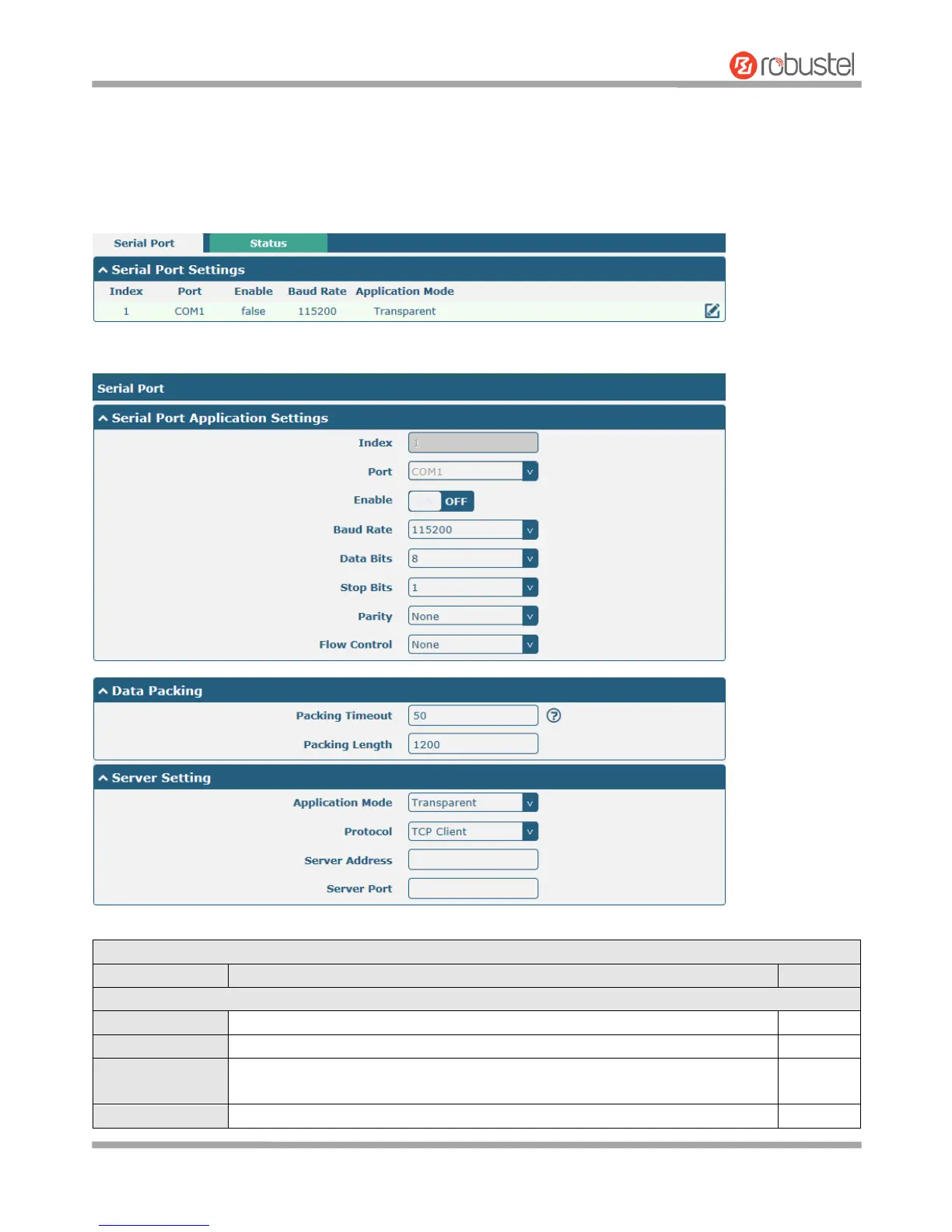
3.12 Interface > Serial Port
This section allows you to set the serial port parameters. R3000 Quad Router supports one RS-232 or one RS-485
across a 7-pin terminal block with lock. Serial port provides a way to transfer serial data to IP data, or vice versa, and
transmit these data via wired or wireless network to achieve data transparent transmission.
Click the edit button of COM1.
Serial Port Application Settings
Indicate the ordinal of the list.
Show the current serial’s name, read only.
Click the toggle button to enable/disable this serial port. When the status is OFF,
the serial port is not available.
Select from “300”, “600”, “1200”, “2400”, “4800”, “9600”, “19200”, “38400”,













 To Next Page