Robustel R3000 Quad User Guide
RT_UG_R3000 Quad_v.3.0.0 28 May, 2017 15 / 131
Confidential
Chapter 2 Hardware Installation
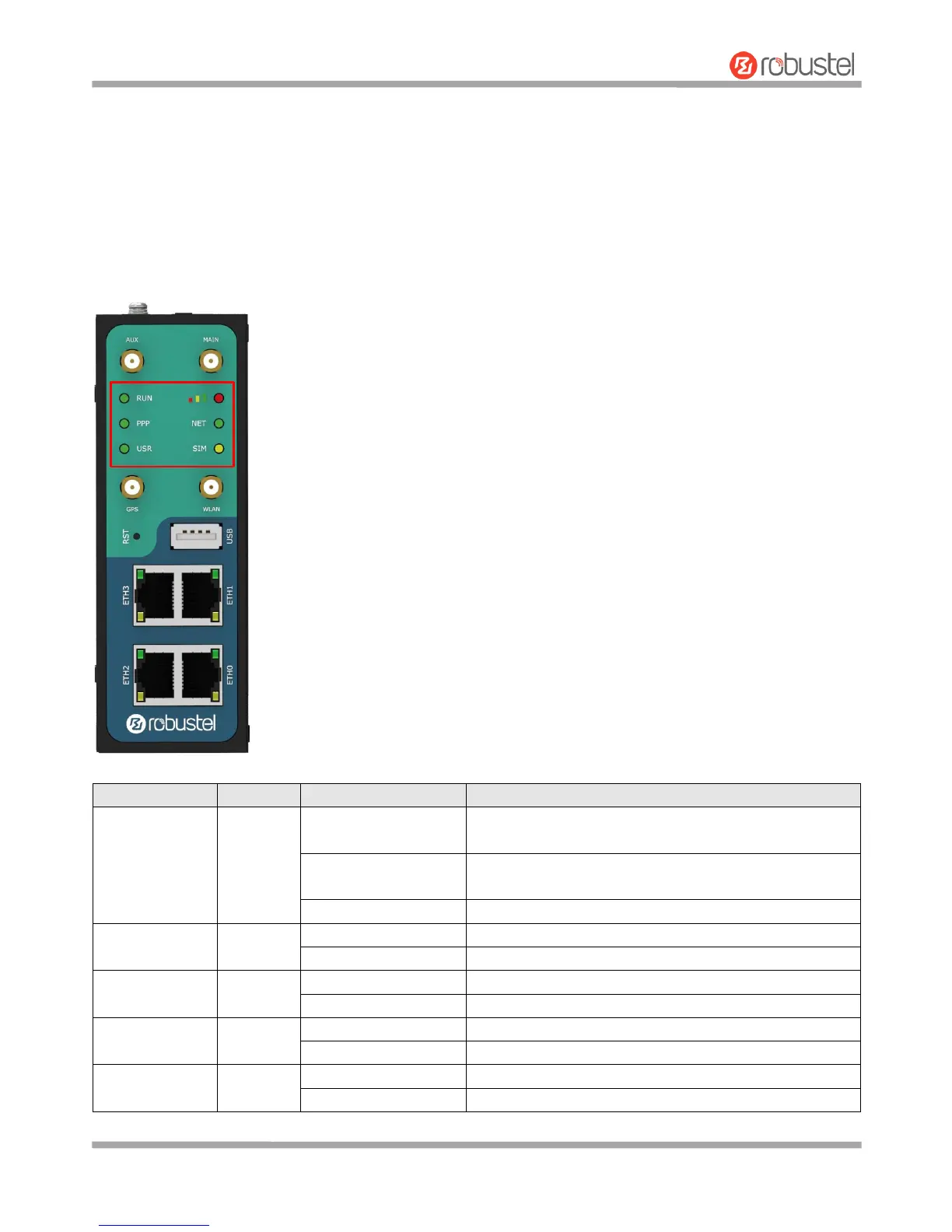
2.1 LED Indicators
The R3000 Quad has been designed to be placed on a desktop. Below is the front view of the R3000 Quad.
Router is powered on (System is initializing)
Link connection is working
Link connection is not working
OpenVPN connection is established
OpenVPN connection is not established
IPsec connection is established
IPsec connection is not established
WiFi is enabled and working properly
WiFi is disabled or not working properly













 To Next Page