EasyManua.ls Logo

Robustel R3000 Quad - Services > GPS

Robustel R3000 Quad
131 pages
Print Icon
To Next Page IconTo Next Page
To Previous Page IconTo Previous Page
Loading...
Robustel R3000 Quad User Guide
RT_UG_R3000 Quad_v.3.0.0 28 May, 2017 94 / 131
Confidential
Import Authorized Keys
Item
Description
Authorized Keys
Click on Choose File” to locate an authorized key from your computer, and then
click “Import” to import this key into your router.
Note: This option is valid when enabling the password logins option.
3.26 Services > GPS
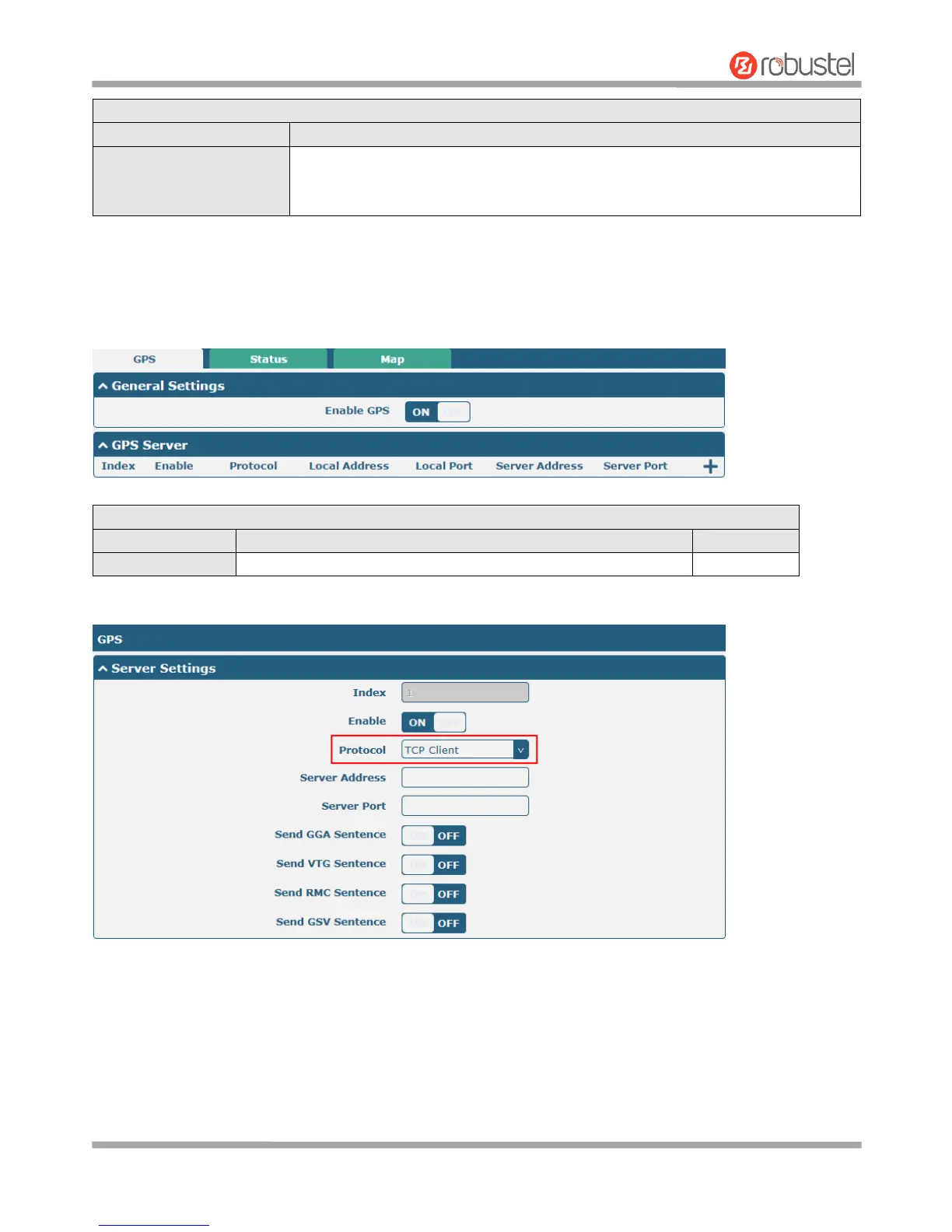
This section allows you to set the GPS setting parameters.
General Settings @ GPS
Item
Description
Default
Enable
Click the toggle button to enable/disable the GPS option.
ON
The window is displayed as below when choosing TCP Client as the protocol.

Other manuals for Robustel R3000 Quad

Related product manuals