Robustel R3000 Quad User Guide
RT_UG_R3000 Quad_v.3.0.0 28 May, 2017 112 / 131
Confidential
admin:admin;reboot
In this command, username is “admin”, password is “admin”, and the command is to reboot the Router.
SMS received:
OK
admin:admin;set firewall remote_ssh_access false;set firewall remote_telnet_access false
In this command, username is “admin”, password is “admin”, and the command is to disable the remote_ssh
and remote_telnet access.
SMS received:
OK
OK
admin:admin; set lan network 1 interface lan0;set lan network 1 ip 172.16.99.11;set lan network 1 netmask
255.255.0.0;set lan network 1 mtu 1500
In this command, username is “admin”, password is “admin”, and the commands is to configure the LAN
parameter.
SMS received:
OK
OK
OK
OK
4.2 Network
4.2.1 IPsec VPN
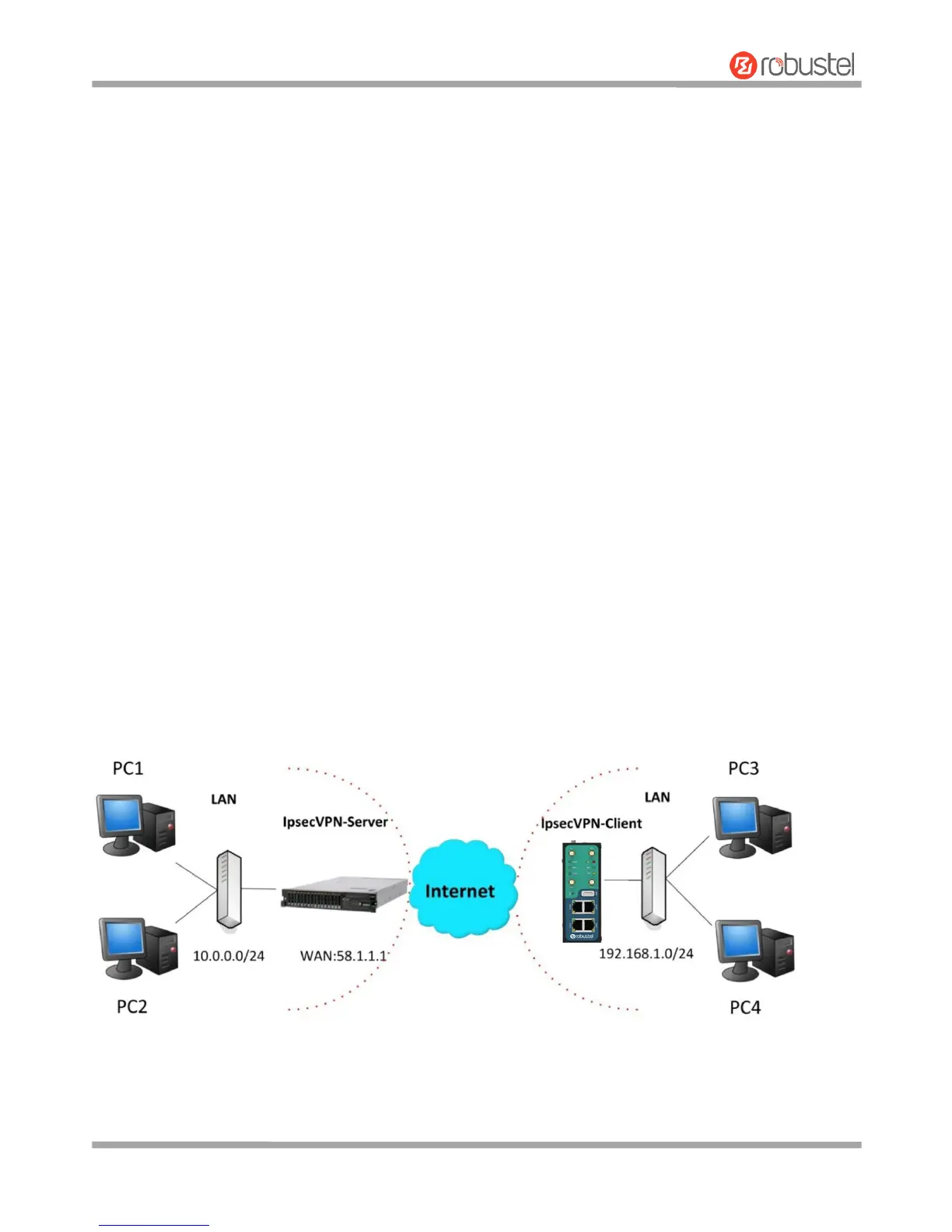
The configuration of server and client is as follows.













 To Next Page