Robustel R3000 Quad User Guide
RT_UG_R3000 Quad_v.3.0.0 28 May, 2017 60 / 131
Confidential
“57600” , “115200” or “230400”.
Select from “None”, “Odd” or “Even”.
Select from “None”, “Software” or “Hardware”.
Set the packing timeout. The serial port will queue the data in the buffer and
send the data to the Cellular WAN/Ethernet WAN when it reaches the Interval
Timeout in the field.
Note: Data will also be sent as specified by the packet length even when data is
not reaching the interval timeout in the field.
Set the packet length. The Packet length setting refers to the maximum amount
of data that is allowed to accumulate in the serial port buffer before sending.
When a packet length between 1 and 3000 bytes is specified, data in the buffer
will be sent as soon it reaches the specified length.
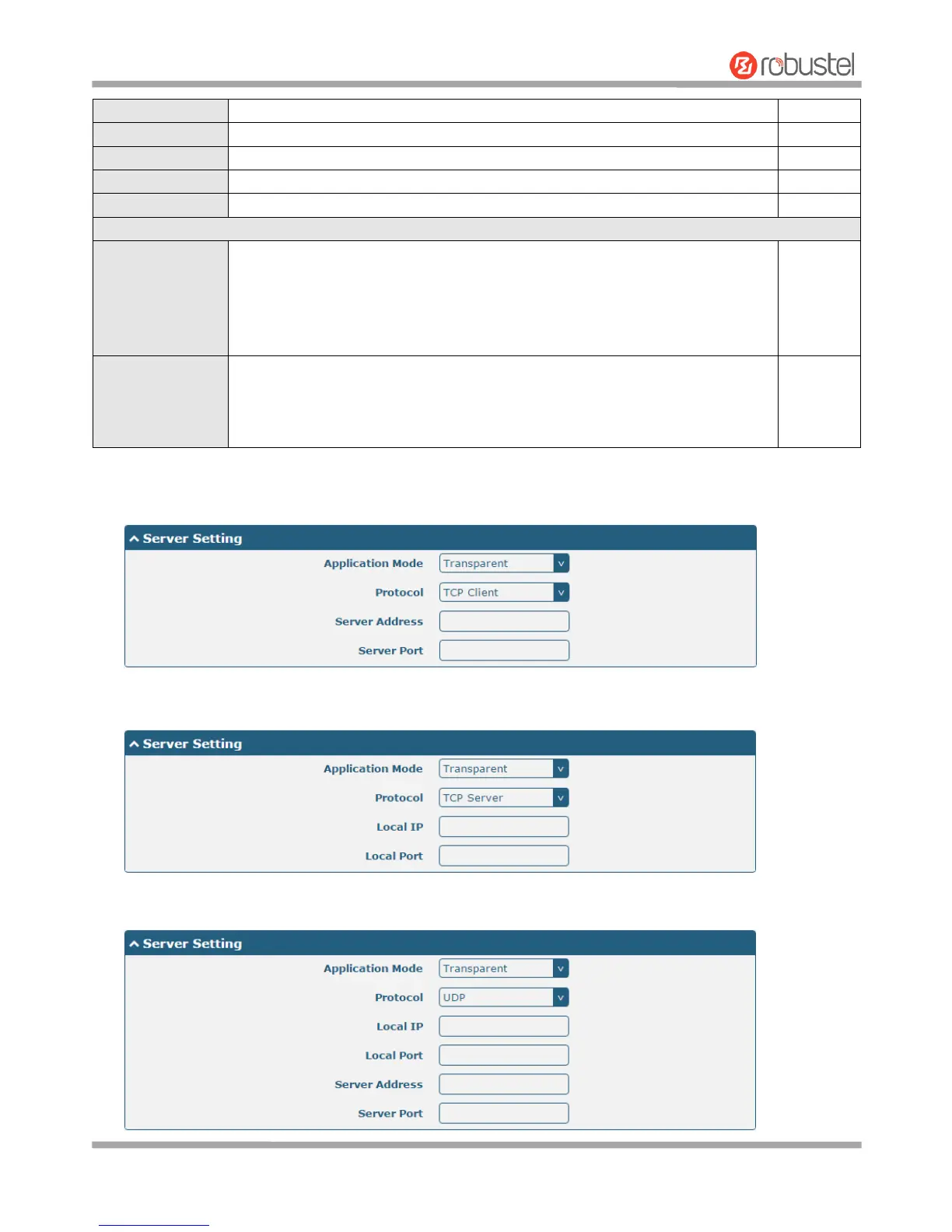
The window is displayed as below when choosing “Transparent” as the application mode and “TCP Client” as the
protocol.
The window is displayed as below when choosing “Transparent” as the application mode and “TCP Server” as
the protocol.
The window is displayed as below when choosing “Transparent” as the application mode and “UDP” as the
protocol.













 To Next Page