Robustel R3000 Quad User Guide
RT_UG_R3000 Quad_v.3.0.0 28 May, 2017 61 / 131
Confidential
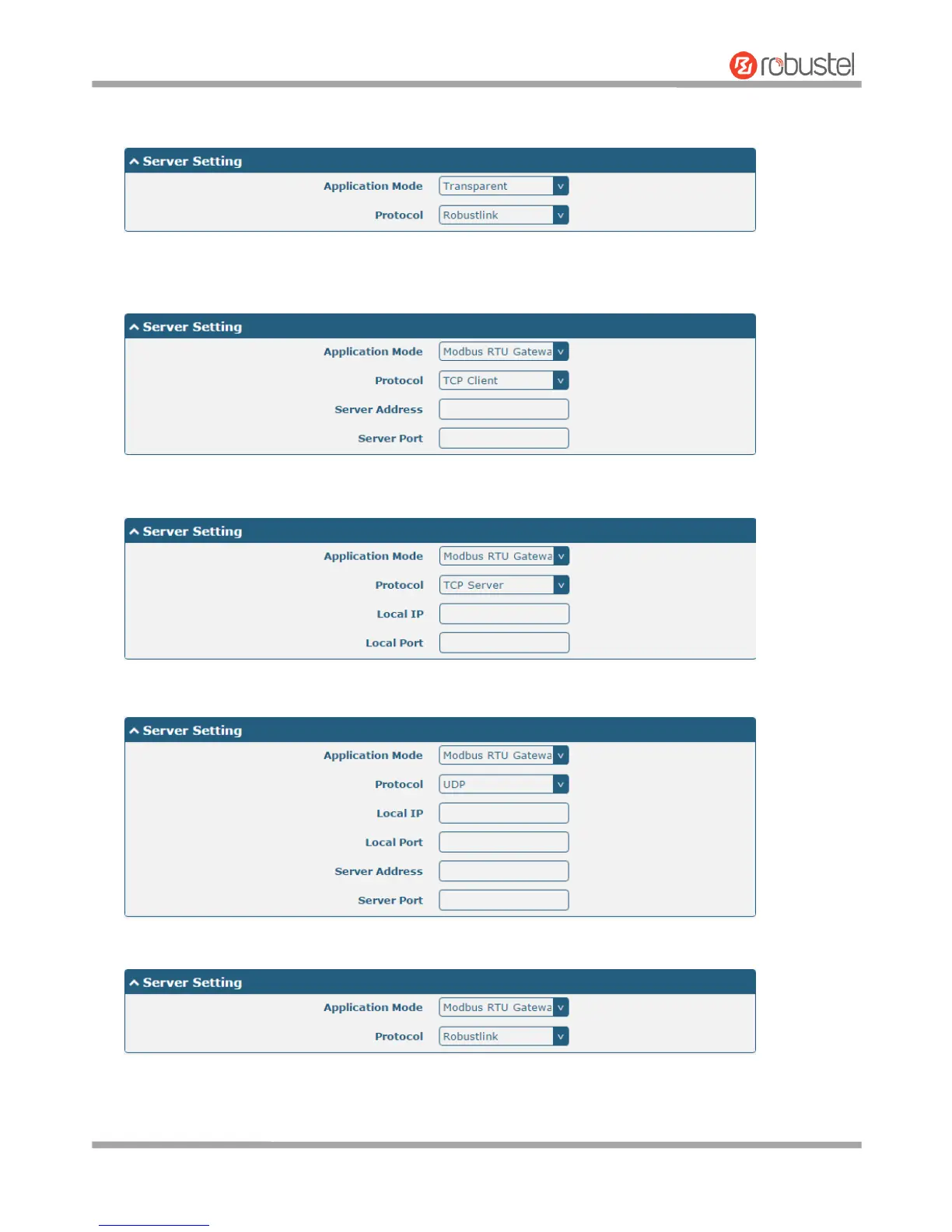
The window is displayed as below when choosing “Transparent” as the application mode and “Robustlink” as
the protocol.
The window is displayed as below when choosing “Modbus RTU Gateway” as the application mode and “TCP
Client” as the protocol.
The window is displayed as below when choosing “Modbus RTU Gateway” as the application mode and “TCP
Server” as the protocol.
The window is displayed as below when choosing “Modbus RTU Gateway” as the application mode and “UDP”
as the protocol.
The window is displayed as below when choosing “Modbus RTU Gateway” as the application mode and
“Robustlink” as the protocol.













 To Next Page