Robustel R3000 Quad User Guide
RT_UG_R3000 Quad_v.3.0.0 28 May, 2017 45 / 131
Confidential
Indicate the ordinal of the list.
Click the toggle button to enable/disable this VLAN. Enable to make router can
encapsulate and de-encapsulate the VLAN tag.
Choose the interface which wants to enable VLAN trunk function. Select from
“lan0”, “lan1”, “lan2” or “lan3” depends on your ETH0~ETH3’s corresponding LAN
port.
Set the tag ID of VLAN and digits from 1 to 4094.
Set the IP address of VLAN port.
Set the Netmask of VLAN port.
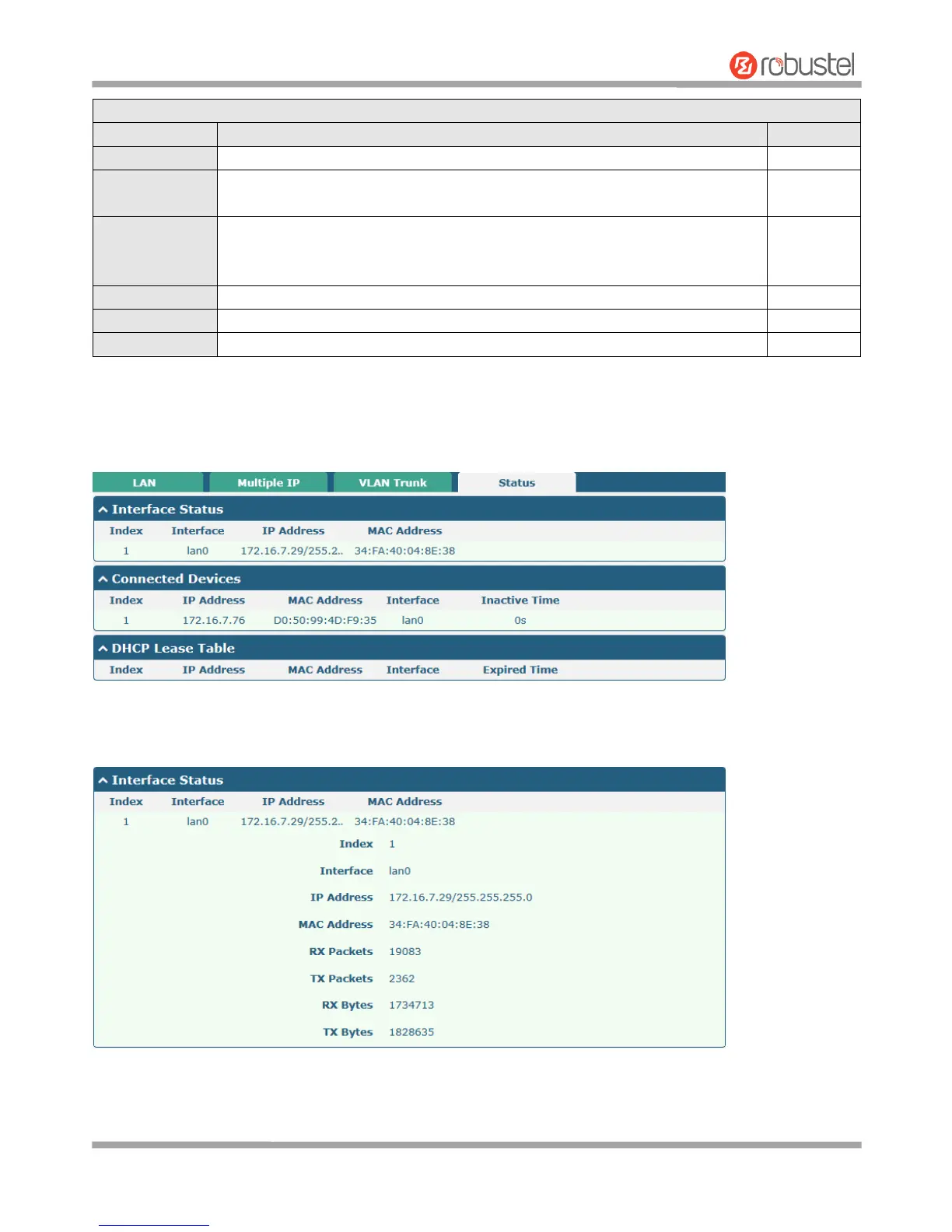
Status
This section allows you to view the status of LAN connection.
Click the row of status, the details status information will be display under the row. Please refer to the screenshot
below.













 To Next Page