Robustel R3000 Quad User Guide
RT_UG_R3000 Quad_v.3.0.0 28 May, 2017 57 / 131
Confidential
Click Interface > Link Manager > Link Settings, and click the edit button of WLAN, then configure its related
parameters.
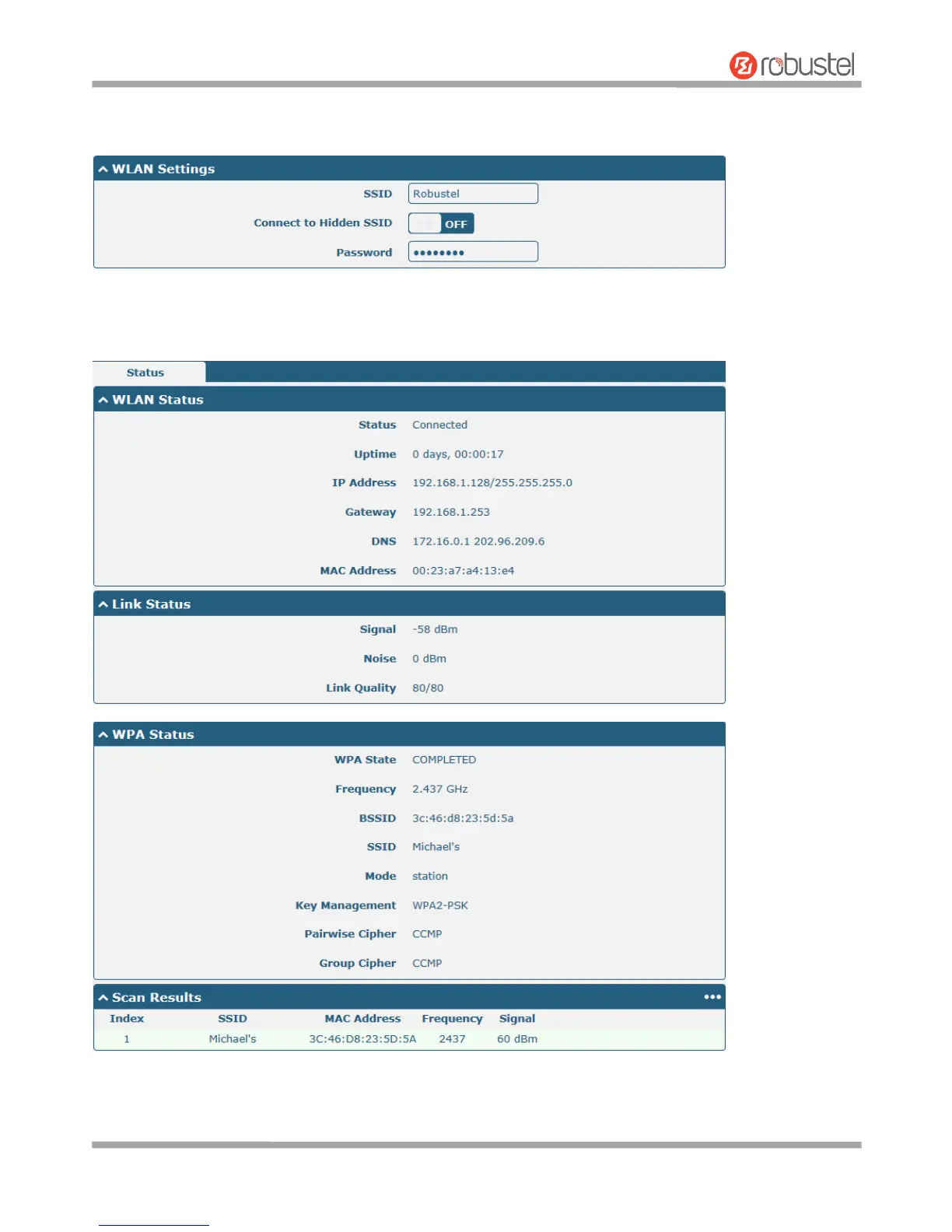
Click Interface > WLAN to configure the parameters of WiFi Client after setting the mode as Client. Please remember
to click Save & Apply > Reboot after finish the configuration, so that the configuration can be took effect.













 To Next Page