Robustel R3000 Quad User Guide
RT_UG_R3000 Quad_v.3.0.0 28 May, 2017 66 / 131
Confidential
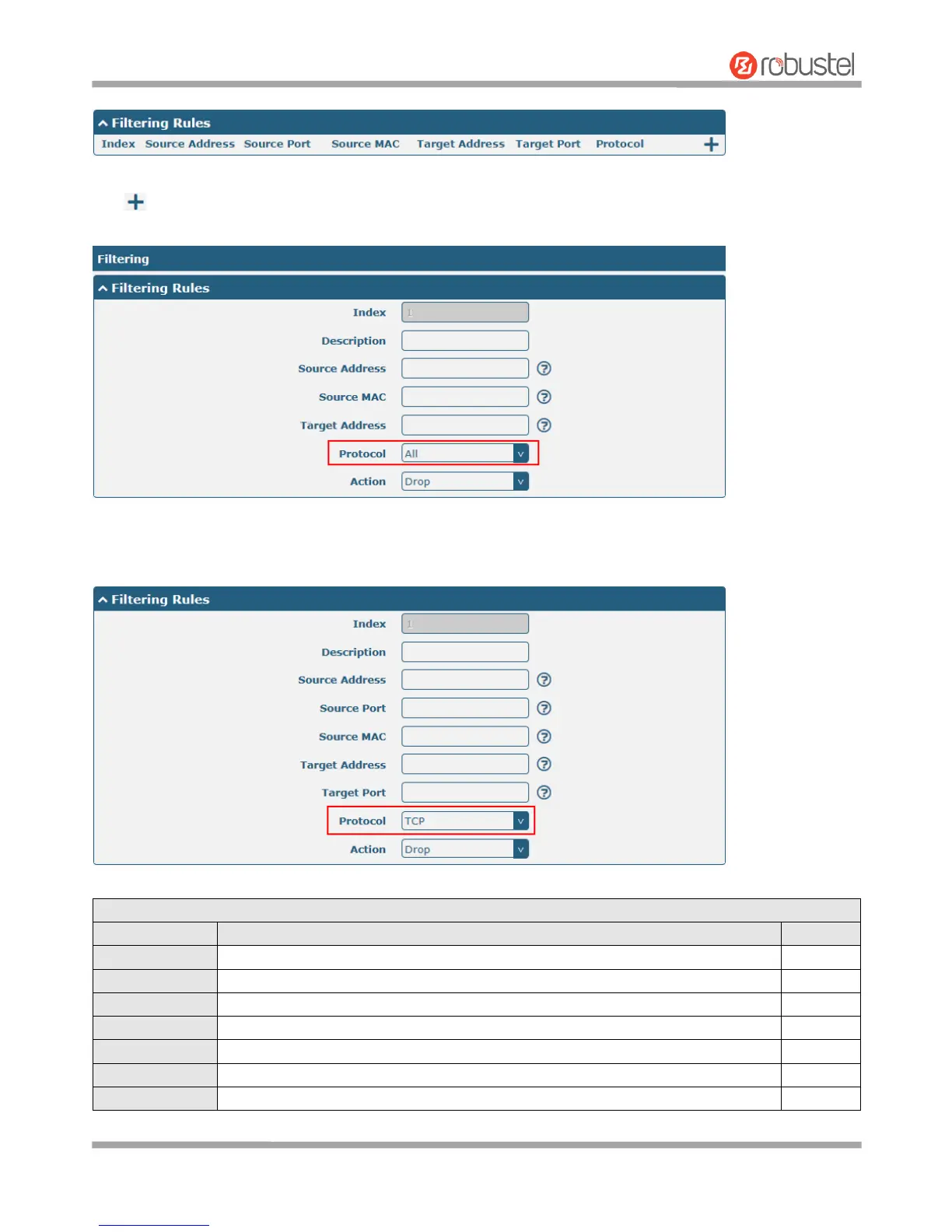
Click to add a filtering rule. The maximum count is 20. The window is displayed as below when defaulting “All” or
choosing “ICMP” as the protocol. Here take “All” as an example.
The window is displayed as below when choosing “TCP”, “UDP” or “TCP-UDP” as the protocol. Here take “TCP” as an
example.
Indicate the ordinal of the list.
Enter a description for this filtering rule.
Specify an access originator and enter its source address.
Specify an access originator and enter its source port.
Specify an access originator and enter its source MAC address.
Enter the target address which the access originator wants to access.
Enter the target port which the access originator wants to access.













 To Next Page