202208081959/V0.1
8 Zero Calibration
xMate ER7Hardware Installation Manual 47
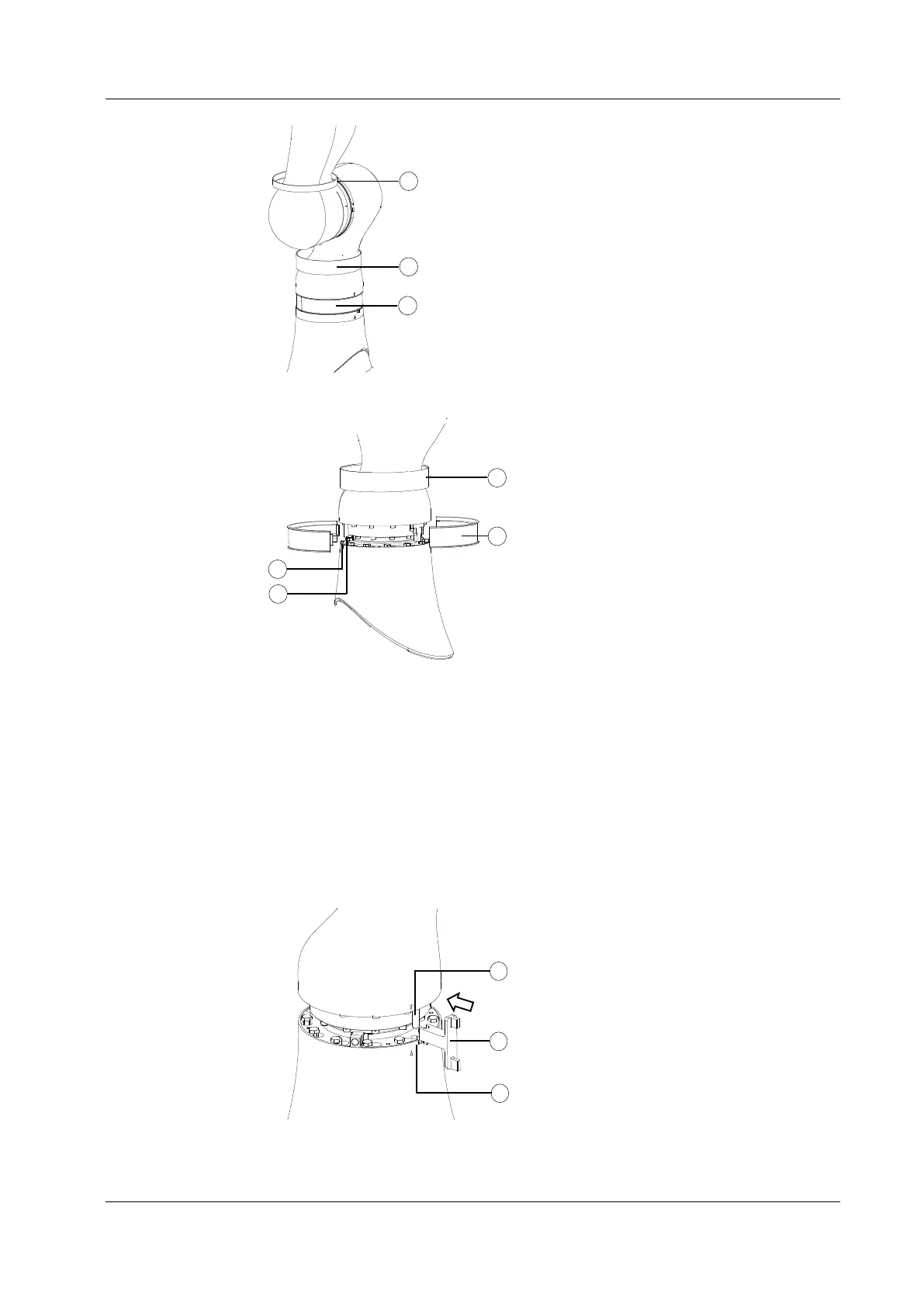
Figure 38. Step 1
Figure 39. Step 2
Step 2: Remove the plastic shell at Axis 1
Remove the plastic shell at Axis 1 as shown in Figure 39 to expose the calibration pin.
Step 3: Calibrate Axis 1
Slowly rotate Axis 1. When the calibration pin is aligned with the calibration slot, try to
insert the dedicated calibration tool into the slot and the pin in the direction shown in the
figure. If the tool cannot be inserted into the pin and the slot at the same time, slowly
rotate Axis 1 until the tool can be inserted. Now the mechanical zero calibration of the axis
is completed.
Figure 40. Step 3


 To Next Page
 Loading...
