Reference Manual
00809-0100-4021, Rev FB
August 2011
Rosemount 3144P
3-30
HART
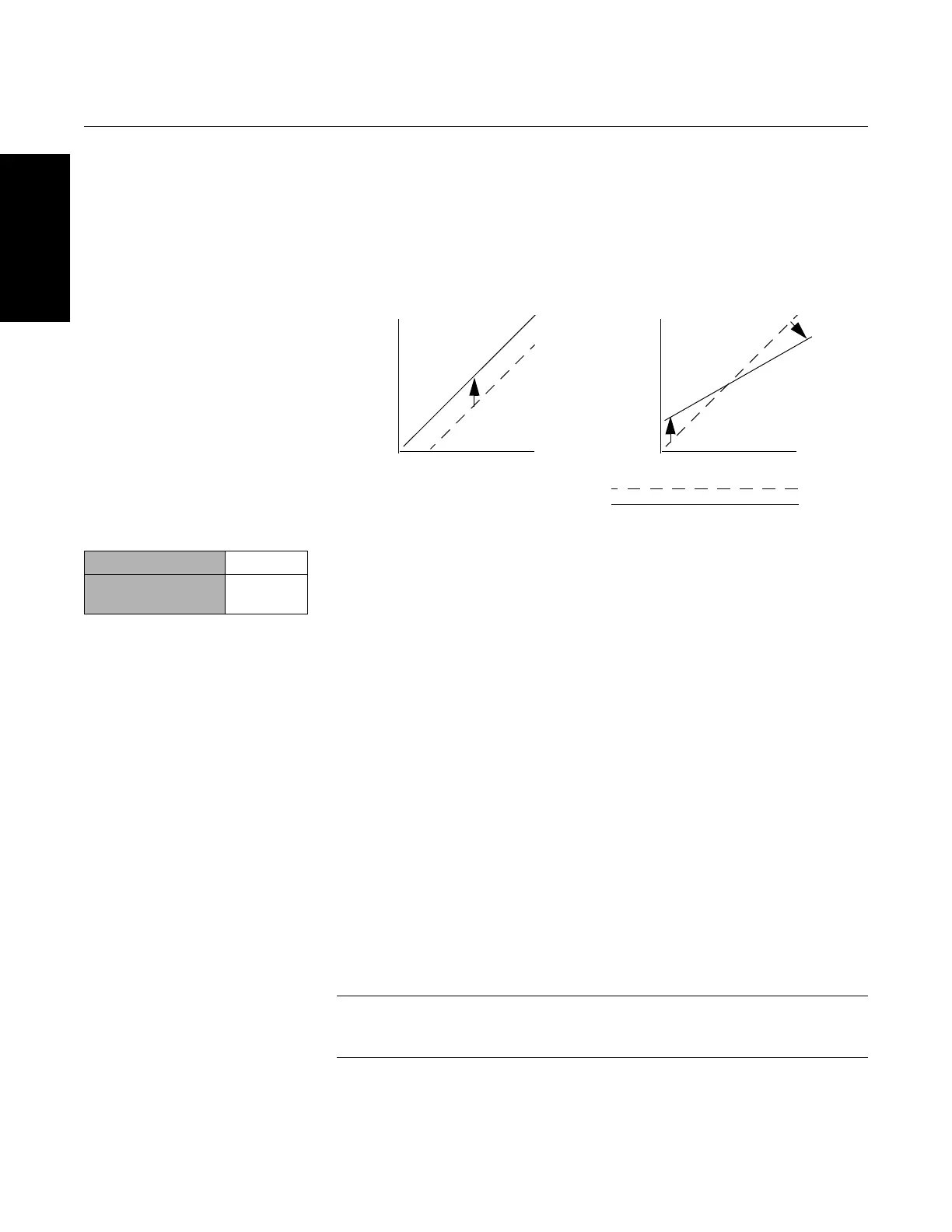
Figure 3-10. Trim
.
Sensor Input Trim The Sensor Trim command allows for alteration of the transmitter’s
interpretation of the input signal as shown in Figure 3-10 on page 3-30. The
sensor trim command trims, in engineering (°F, °C, °R, K) or raw (, mV)
units, the combined sensor and transmitter system to a site standard using a
known temperature source. Sensor trim is suitable for validation procedures
or for applications that require profiling the sensor and transmitter together.
Perform a sensor trim if the transmitter’s digital value for the primary variable
does not match the plant’s standard calibration equipment. The sensor trim
function calibrates the sensor to the transmitter in temperature units or raw
units. Unless the site-standard input source is NIST-traceable, the trim
functions will not maintain the NIST-traceability of your system.
To perform a sensor trim, use the following procedure below with the
Traditional Fast Key sequence:
Field Communicator
Single Sensor Trim
1. Connect the sensor or calibration device to the transmitter.
2. Connect the communicator to the transmitter loop.
3. From the Home screen, select 1Device Setup, 2 Diag/Service,
2 Calibration, 1Sensor Trim, 1 Sensor Inp Trim to prepare to trim the
sensor. Select 1 Sensor 1.
4. Select Sensor 1.
NOTE
A warning will appear “Set the Control Loop to Manual” (see “Setting the Loop
to Manual” on page 2-2.)
Application: Linear Offset Application: Linear Offset and Slope Correction
Solution: Single-Point Trim Solution: Two-Point Trim
Method:
1. Connect sensor to transmitter. Place
sensor in bath between range points.
2. Enter known bath temperature using
the Field Communicator.
Method:
1. Connect sensor to transmitter. Place
sensor in bath at low range point.
2. Enter known bath temperature using the
Field Communicator.
3. Repeat at high range point.
One-Point Trim Two-Point Trim
Transmitter System Curve
Site-Standard Curve
Resistance (ohms)
Temperature
Resistance (ohms)
Temperature
Traditional Fast Keys 1, 2, 2, 1, 1
Device Dashboard
Fast Keys
3, 4














 To Next Page