Reference Manual
00809-0100-4021, Rev FB
August 2011
Rosemount 3144P
3-34
HART
D/A Output Trim or
Scaled Output Trim
Perform a D/A output trim (scaled output trim) if the digital value for the
primary variable matches the plant standard, but the transmitter’s analog
output does not match the digital value on the output device (such as the
ampmeter). The output trim function calibrates the transmitter analog output
to a 4–20 mA reference scale; the scaled output trim function calibrates to a
user-selectable reference scale. To determine the need for an output trim or a
scaled output trim, perform a loop test (see “Loop Test” on page 3-24).
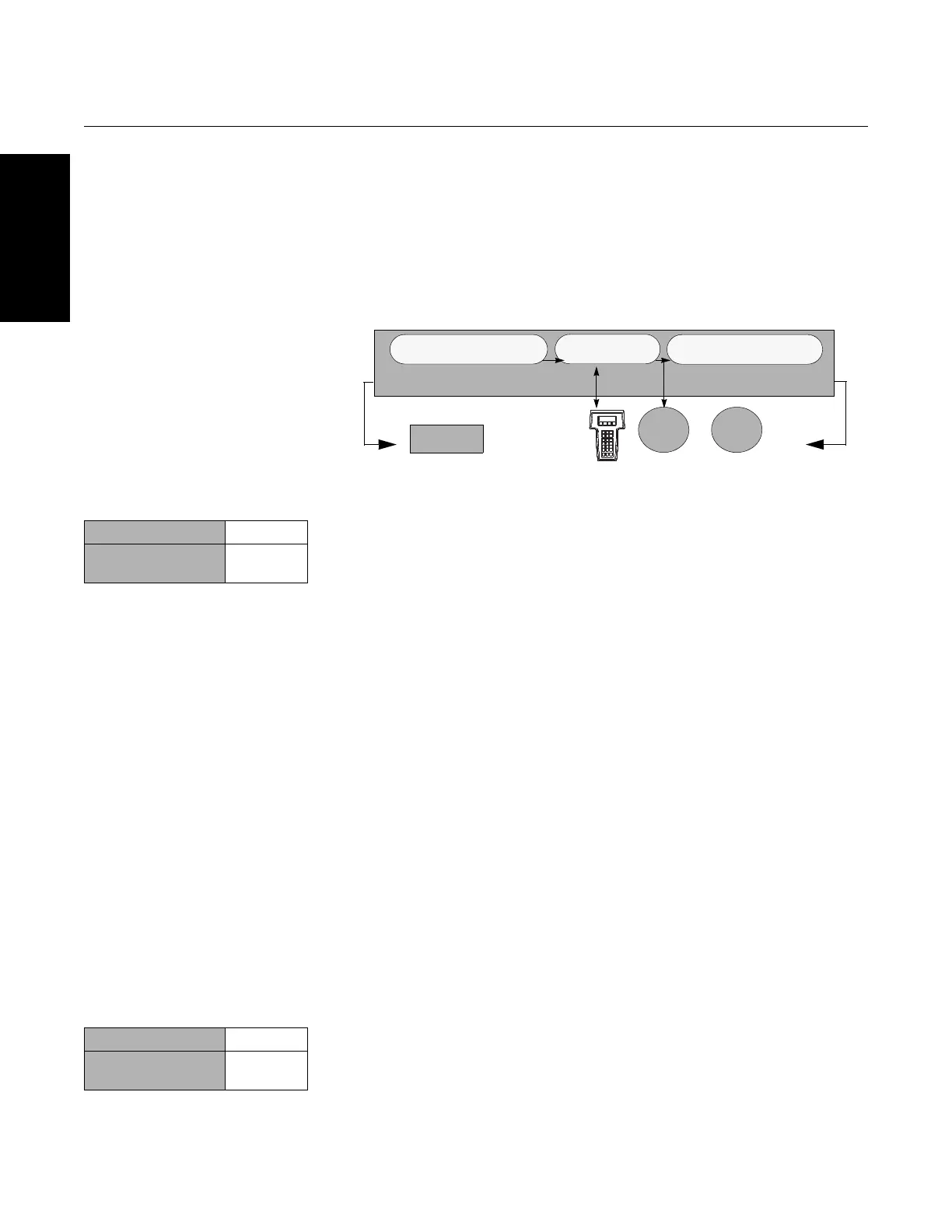
Figure 3-11. Dynamics of Smart
Temperature Measurement
Output Trim The D/A Trim command allows the user to alter the transmitter’s conversion of
the input signal to a 4–20 mA output (see Figure 3-11 on page 3-34).
Calibrate the analog output signal at regular intervals to maintain
measurement precision. To perform a digital-to-analog trim, perform the
following procedure with the Traditional Fast Key sequence:
Field Communicator
1. From the HOME screen, select 1 Device setup, 2 Diag/Service,
2 Calibration, 2 D/A trim. Set the control loop to manual and select OK.
2. Connect an accurate reference meter to the transmitter at the
CONNECT REFERENCE METER prompt by shunting the power to the
transmitter through the reference meter at some point in the loop. Select
OK after connecting the reference meter.
3. Select OK at the SETTING FLD DEV OUTPUT TO 4 MA prompt. The
transmitter outputs 4.00 mA.
4. Record the actual value from the reference meter and enter it at the
ENTER METER VALUE prompt. The communicator prompts the user to
verify if the output value equals the value on the reference meter.
5. If the reference meter value equals the transmitter output value, then
select 1 Yes and go to step 6. If the reference meter value does not equal
the transmitter output value, then select 2 No and go to step 4.
6. Select OK at the SETTING FLD DEV OUTPUT TO 20 MA prompt and
repeat steps 4 and 5 until the reference meter value equals the
transmitter output value.
7. Return the control loop to automatic control and select OK.
Scaled Output Trim The Scaled D/A Trim command matches the 4 and 20 mA points to a
user-selectable reference scale other than 4 and 20 mA (2–10 volts, for
example). To perform a scaled D/A trim, connect an accurate reference meter
to the transmitter and trim the output signal to scale as outlined in the ”Output
Trim” procedure.
Microprocessor
Digital-to-Analog
Signal Conversion
Analog-to-Digital
Signal Conversion
Transmitter Electronics Module
Sensor and Ohm/mV
Trim adjust the signal here
Output and Scaled Output
Trim adjust the signal here
Analog
Input
Analog
Output
Field
Communicator
HART
Output
Traditional Fast Keys 1, 2, 2, 2
Device Dashboard
Fast Keys
3, 4, 2
Traditional Fast Keys 1, 2, 2, 3
Device Dashboard
Fast Keys
3, 4, 3














 To Next Page