Technical description
35 / 127
Indicators
6.3 Indicators
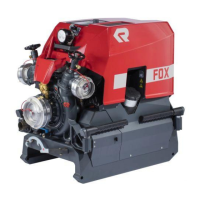
6.4 LCS operation panel
6.4.1 Function switches
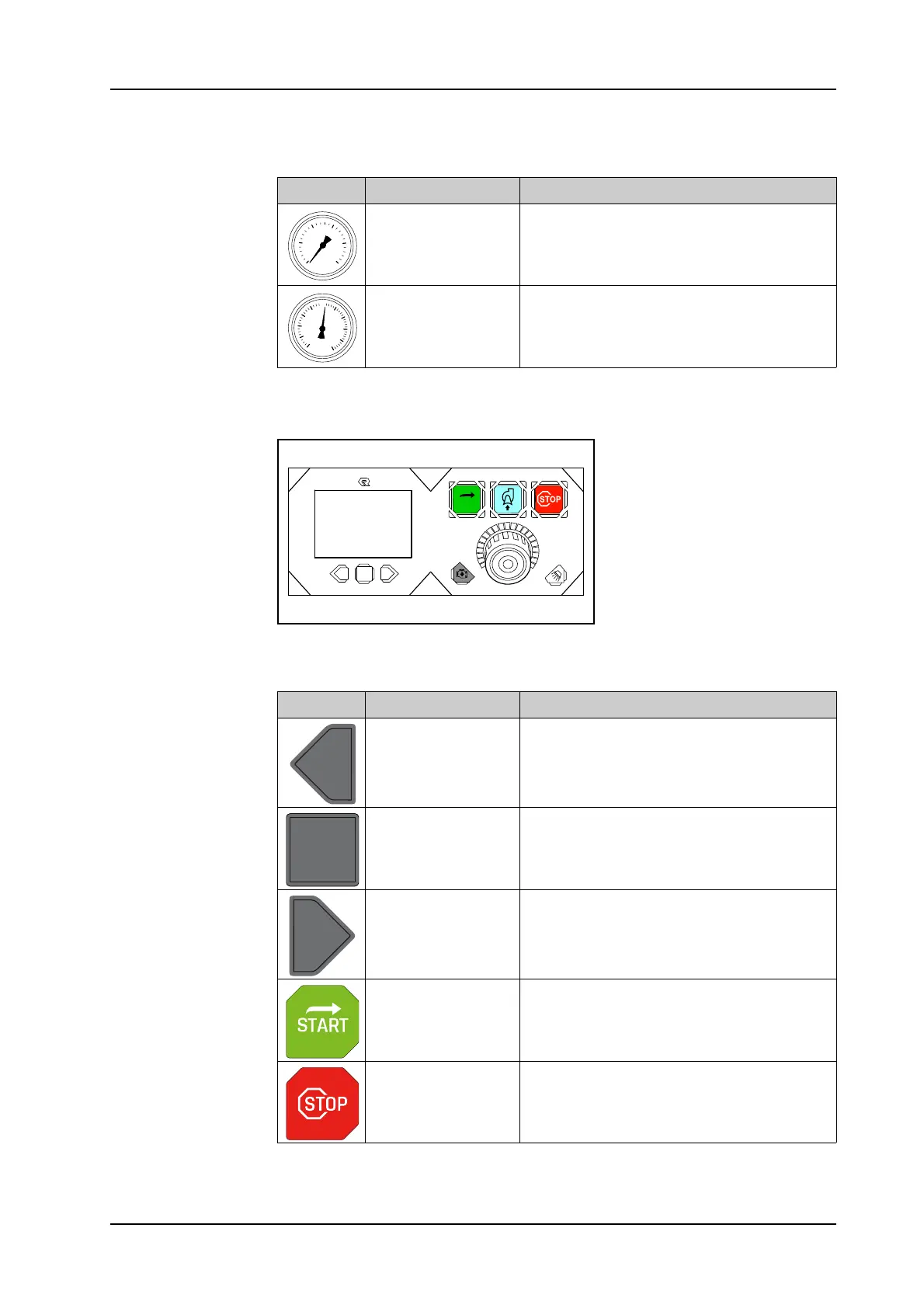
Symbol Name Functional description
Water pressure
gauge
The pressure gauge shows the pump
pressure of the water pump.
Water pressure/
vacuum gauge
The water pressure/vacuum gauge
shows the overpressure or vacuum in the
suction part of the water pump.
bar
-1.0
25
20
15
10
5
0
-0,2
-0,4
-0,6
-0,8
Symbol Name Functional description
Scroll back one
screen page
The switch allows you to scroll back one
screen page. For settings the entry field
can be moved to the left or back line by
line.
Confirm message
A message or selection can be confirmed
with the switch.
Scroll forward one
screen page
The switch allows you to scroll forward
one screen page. For settings the entry
field can be moved to the right or for-
wards line by line.
Propulsion engine
start
The switch switches on the ignition and
starts the propulsion engine.
Stop propulsion en-
gine
The switch stops the propulsion engine
and switches off the ignition.


 To Next Page